
This hardening guide translates the common ways WordPress sites are compromised into a prioritized, practical roadmap an IT generalist can implement today. You’ll get quick wins that reduce blast radius and clear deep fixes that prevent recurrence, using noisy telemetry to drive concrete remediation actions.
- Why noisy telemetry is the real problem
- How do WordPress hacks start?
- Attack chains: common patterns and telemetry fingerprints
- Incident mini-case study: a noisy compromise turned contained
- Quick wins: immediate controls to reduce blast radius
- Deeper fixes: design changes that prevent recurrence
- Actionable checklist: triage to remediation
- How to tune telemetry so alerts map to actions
- Operationalizing with tools: avoid alert fatigue
- Product CTA: implement controls now
- Recovery and post-incident hardening
- Final recommendations for IT generalists
- FAQ
Why noisy telemetry is the real problem
Operators receive floods of login failures, file-change notices, and file-integrity alerts. Without mapping those signals to clear actions, teams chase noise and miss true compromise. The goal is to convert each alert into one of four remediation outcomes: ignore, monitor, contain, or investigate-and-remediate. That mapping reduces cognitive load for on-call engineers and delivers repeatable outcomes for each alert class.
How do WordPress hacks start?
They usually begin with low-effort actions: automated scans, credential stuffing, or a vulnerable plugin/theme exposing an endpoint. Attackers move from detection to access to persistence; each stage emits distinct telemetry you can prioritize and act on. Early-stage signals often include high request rates and unusual user agents; later stages produce file integrity changes, new admin accounts, or unexpected outbound connections.
Attack chains: common patterns and telemetry fingerprints
Understanding attack chains helps you map alerts to playbooks. Typical patterns include:
Recon and scanning
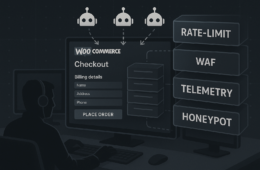
High-volume requests to uncommon endpoints, automated scanners, and repeated probing of plugin URLs; treat sustained scans as a higher-priority monitor item and rate-limit or block persistent sources. Implementation steps:
- Enable request-rate thresholds in your webserver or WAF and block IPs that exceed them for a short window (e.g., 1 hour).
- Log and group repeated 404s by URI pattern to identify targeted plugin endpoints.
- Use a temporary honeypot route to collect the full user agent and payload for suspicious scanners.
Credential stuffing and brute force
Many failed logins from distributed IPs or repeated login attempts for the same account. These require immediate rate-limiting, account lockout, and credential rotation where applicable. Concrete steps:
- Implement site-wide MFA for all administrator-level accounts and use adaptive risk-based enforcement where possible.
- Configure a lockout policy: e.g., lock after 5 failed attempts for 15 minutes and notify the account owner.
- Automate temporary blocks for distributed failed-login bursts and escalate repeated offenders to permanent blocks after verification.
Exploit of vulnerable plugins/themes
Unexpected POSTs to plugin endpoints, sudden file writes in plugin directories, or creation of new admin users. Those telemetry signals should trigger containment and file-system snapshots. Practical containment sequence:
- Immediately revoke sessions for admin accounts (destroy session cookies or invalidate server-side session records).
- Take a filesystem and DB snapshot (see snapshot examples below) before any remediation to preserve forensic evidence.
- Disable write access to wp-content/plugins and wp-content/themes at the webserver level (or move files out of the document root) before replacing or removing suspected plugins.
Post-exploit persistence (web shells, backdoors)
Unusual PHP files, obfuscated code, or outgoing connections from the webserver are classic signs; these alerts demand forensic capture and isolation. Search and capture examples you can run quickly from a shell:
# Find PHP files in uploads or cache directories (suspicious)
find wp-content/uploads -type f -name '*.php' -print

# Search for common obfuscation patterns
grep -R -n --exclude-dir=vendor -E "eval(|base64_decode(|gzinflate(|str_rot13(" .

# List recently modified files
find . -type f -mtime -7 -printf '%TY-%Tm-%Td %TT %pn' | sort -r
Incident mini-case study: a noisy compromise turned contained
Timeline: An ecommerce site reported intermittent failed logins and a flood of 404s. Alert triage prioritized a file-change alert in wp-content/plugins after mismatch with the known baseline. The operator revoked active admin sessions, disabled the plugin directory at the webserver, and created a forensic snapshot before replacing files from a verified backup. Post-recovery, they mapped the triggering telemetry to a playbook and scheduled an emergency patch window. This reduced their mean-time-to-contain from hours to under 30 minutes on subsequent incidents.
Key takeaways from the case:
- Baseline known-good checksums for plugin/theme files and automate daily integrity checks.
- Prioritize alerts that combine integrity change + privilege changes (e.g., new admin user).
- Document incident steps and automate routine containment actions into scripts or runbooks to remove manual friction.
Quick wins: immediate controls to reduce blast radius
These are fast to implement and high impact for uptime and containment.
Enforce least privilege on admin roles
Audit accounts and reduce the number with admin privileges. Use short-lived elevated sessions for operational tasks and revoke permanent admin access where possible. Implementation checklist:
- Export a list of users and privileges; remove or downgrade inactive admins.
- Use short-lived SSH keys or ephemeral accounts for server maintenance.
- Require justification and approval for any admin role creation; log approvals in change history.
See our roadmap on reducing incident blast radius for tactical guidance.
Harden login paths
Implement rate limiting, IP reputation blocking, and enforced MFA for all privileged accounts. Map failed-login patterns to automated lockouts and alerts so you react before credential stuffing succeeds; see this operator-focused roadmap for details.
Protect integrity of plugin and theme files
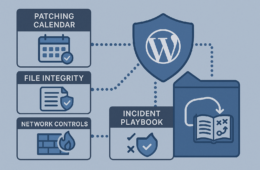
Lock down write permissions, monitor unexpected file changes, and treat any unknown PHP file as high priority. When file-integrity alerts fire, follow containment steps that include filesystem snapshots and capture of access logs. Recommended permission baseline (adjust to host configuration):
- Directories: 755
- Files: 644
- wp-config.php: 600 (or 640 where appropriate)
- Ensure ownership is the webserver user (e.g., www-data:www-data or apache:apache) only where necessary.
Deeper fixes: design changes that prevent recurrence
Quick wins reduce exposure; deep fixes change attacker economics so they move on.
Patch governance and testing
Schedule automated patch windows and a staged rollout: test on a staging clone, then deploy to production during low-traffic windows. Tie patching to telemetry: if an exploit is disclosed, bump the site into an emergency update pipeline and validate success with post-patch checks. Operational steps:
- Maintain a staging clone synchronized with production (files + DB) for patch testing.
- Run automated acceptance tests and quick vulnerability scans post-deploy.
- Maintain a rollback snapshot and verify restore steps periodically.
See our plugin-exploit playbooks for preventive controls: Reduce Plugin Exploit Risk and founder-focused walkthroughs here.
Privileged workflow hardening
Adopt approval workflows for plugin installs and changes, maintain an allowlist of approved plugins, and require peer review for new themes or extensions. Reference the operator playbook in Hardening Admin Access for implementation steps.
Actionable checklist: triage to remediation
Use this checklist to turn an alert into a defined sequence of actions. Apply it to any integrity or privilege-related alert.
- Classify the alert: integrity, access, config, or performance.
- If integrity or privilege: revoke sessions and block offending IPs immediately.
- Snapshot: capture file-system and DB backups before further changes. Example commands or host actions:
- Host snapshot (preferred): trigger your provider’s snapshot API.
- Filesystem: tar -czf /tmp/site-snapshot-$(date +%F).tar.gz /var/www/html
- DB export: mysqldump -u USER -p DBNAME > /tmp/db-$(date +%F).sql
- Contain: disable write access to plugin/theme directories at the webserver level.
- Replace suspected files from a verified backup or re-install from a known-good source (re-download plugins from WordPress.org or vendor packages).
- Rotate credentials and secrets, including API keys and OAuth tokens; rotate DB user passwords and any shared service accounts.
- Validate recovery with synthetic transactions and a vulnerability scan.
- Document root cause and update playbooks so similar telemetry maps to faster remediation next time.
How to tune telemetry so alerts map to actions
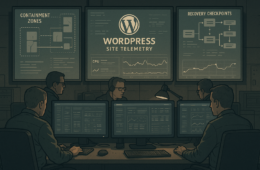
Start by mapping alert types to playbooks: e.g., file-change -> contain+snapshot, anomalous outbound -> isolate+forensics. Reduce noise by grouping similar alerts into single incidents and elevate on integrity or privilege signals. A simple mapping table to implement in your alerting platform:
- File integrity change (unknown checksum) → Contain + Snapshot + Ticket
- New admin user created → Immediate lockout + Forensics + Credential rotation
- Mass failed logins → Rate-limit + Alert owner (monitor)
- Outbound connections on uncommon ports → Isolate + Capture network traffic
Group alerts into incidents by matching client IP, user agent, and URI pattern so repeated scanner noise doesn’t generate separate high-priority tasks. For detailed telemetry-to-playbook mappings see our operator notes and teardown series on layered defense and telemetry: Operator Notes, Telemetry mistakes and remediation, and the Layered Defense Teardown.
Operationalizing with tools: avoid alert fatigue
Use automation to convert prioritized alerts into tickets and runbooks. Integrate your telemetry with deployment pipelines so a confirmed exploit can trigger an emergency patch job. Practical integrations:
- Alerting → Ticketing: automatic ticket creation for integrity/privilege alerts with pre-filled containment steps.
- Alerting → CI/CD: a validated exploit detection can trigger a pipeline that re-deploys a clean artifact and runs acceptance tests.
- Scripting common containment commands and storing them in runbooks so junior operators can execute safely.
For layered malware and web shell defense playbooks see our teardowns and playbooks: Teardown and the related layered defense playbooks.
Product CTA: implement controls now
To turn this roadmap into operational reality, evaluate the pricing and plans that integrate monitoring, alert mapping, and remediation playbooks at Hack Halt Inc. pricing. Consider starting with coverage for your highest-value checkout and content sites first, then expand monitoring breadth once playbooks stabilize.
Recovery and post-incident hardening
After recovery, conduct a root-cause analysis, implement prioritized patches, and update runbooks to include the telemetry signatures that indicated the attack. Schedule a follow-up test of incident playbooks and a vulnerability scan to validate the fixes. Additional post-incident tasks:
- Audit crons and scheduled tasks for unauthorized entries; check system crontab and wp_options for cron hooks.
- Inspect .htaccess, robots.txt and index files in upload/cache directories for unauthorized redirects or obfuscated scripts.
- Run a full search for indicators of compromise (IOC) such as obfuscated PHP, unfamiliar autoloaders, or new Composer dependencies.
Final recommendations for IT generalists
Focus on practical triage: classify alerts quickly, contain on integrity signals, and capture forensic evidence before remediation. Combine regular patch governance with tuned telemetry so you detect active exploitation, not just noisy background scans. For step-by-step operator guidance and advanced playbooks, see our teardown on layered defense and telemetry at Telemetry mistakes and remediation and the layered-defense walkthrough at Layered Defense Teardown. If you manage WooCommerce checkouts, the targeted teardowns and layered-defense guides are particularly relevant to close high-impact gaps quickly.
FAQ
What immediate evidence should I collect?
Collect file-system snapshots, webserver access logs, PHP error logs, and a DB export. Preserve timestamps and chain-of-custody notes for each artifact. Also capture process lists and network connection state (netstat/lsof) and any scheduled tasks.
How long should we keep a compromised copy for forensics?
Keep a preserved snapshot until post-incident analysis completes; typically retain for 90 days unless legal requirements dictate otherwise. If you escalate to a specialist or legal team, extend retention as requested.
When should I escalate to a specialist or incident response vendor?
Escalate when you find web shells, large-scale data access, or signs of lateral movement beyond the WordPress stack. If attack sophistication exceeds your team’s capacity, bring in specialists early—especially when evidence preservation or legal discovery may be required.
How do I prevent the same plugin exploit from recurring?
Remove or update the vulnerable plugin, harden file permissions, and implement an allowlist for plugin installs. Add the plugin and its telemetry signature to your monitoring rules so future attempts auto-trigger containment. Follow a staged patch/test/deploy workflow and perform a targeted review of any similarly privileged plugins.
How should I prioritize multiple simultaneous alerts?
Prioritize alerts that affect integrity or privilege first (file changes, new admin accounts, DB writes). Network or performance alerts are often secondary unless they indicate data exfiltration. Use your mapping: integrity > privilege > access > performance.
What if backups are also compromised?
If backups contain malware, restore from the last known-good snapshot validated by checksums and independent storage. Consider rebuilding from upstream artifacts (theme/plugin vendor packages and DB exports) rather than relying solely on compromised backups.