
This playbook explains how WordPress hacks actually happen in real-world operator terms, how to turn noisy telemetry into reliable triggers, and exactly what to do to reduce the incident blast radius. It’s written for site owners who don’t have a full SOC but still need battle-tested monitoring and recovery procedures.
- How do WordPress hacks typically begin?
- Why turning noisy telemetry into concrete signals matters
- Incident mini-case study: an admin account plus an uploads write
- Comparison: Prevention, Detection, and Recovery — practical takeaways
- Actionable checklist: reduce blast radius now
- Operational controls you can implement this week
- Practical implementation steps (concrete and quick)
- Example alert thresholds and response timelines
- What should I do first if I suspect a compromise?
- How to operationalize this playbook with a single tool
- Further reading and playbooks
- Final pragmatic guidance
- Appendix: quick operator templates
How do WordPress hacks typically begin?
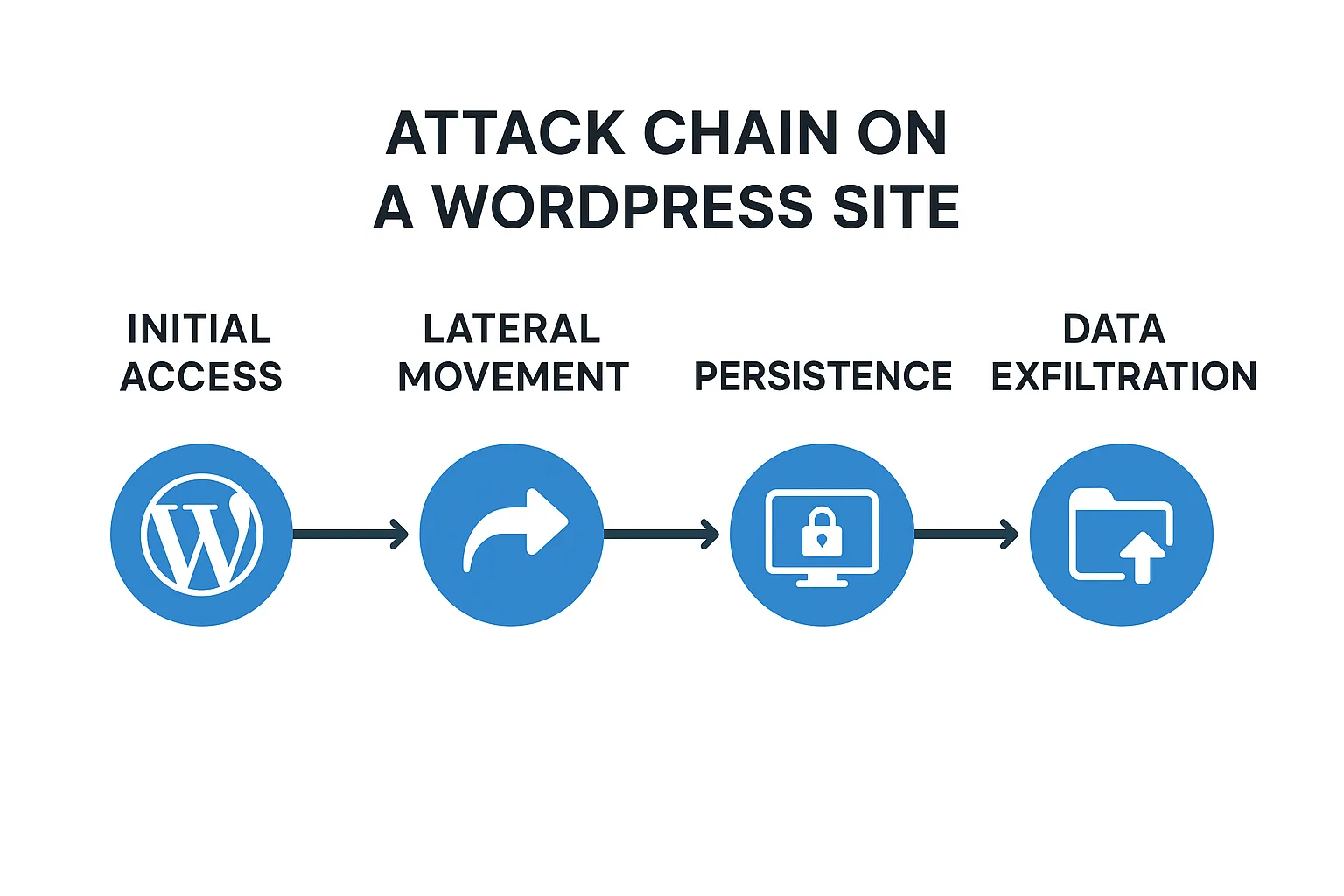
Attack chain timeline infographic for a WordPress site.
Most successful compromises start with an easy win: a credential or a writable surface. Attackers exploit leaked credentials, vulnerable plugins, weak admin workflows, or writable upload/theme/plugin folders to gain a foothold. That foothold is then used to escalate privileges and persist with web shells or scheduler backdoors.
Common initial vectors (expanded)
- Credential reuse & credential stuffing: large botnets try reused passwords or lists against /wp-login.php and XML-RPC endpoints.
- Vulnerable plugins & themes: RCE bugs, authenticated file upload flaws, or insecure deserialization in third-party code.
- Writable media or plugin directories: the uploads directory and plugin/theme folders that allow PHP files to be placed where the webserver executes them.
- Stolen API keys / OAuth tokens: stale keys embedded in configuration or committed to repos give attackers privileged access.
- Misconfigured server permissions: overly-permissive file ownership and world-writable directories that allow lateral movement.
Why turning noisy telemetry into concrete signals matters
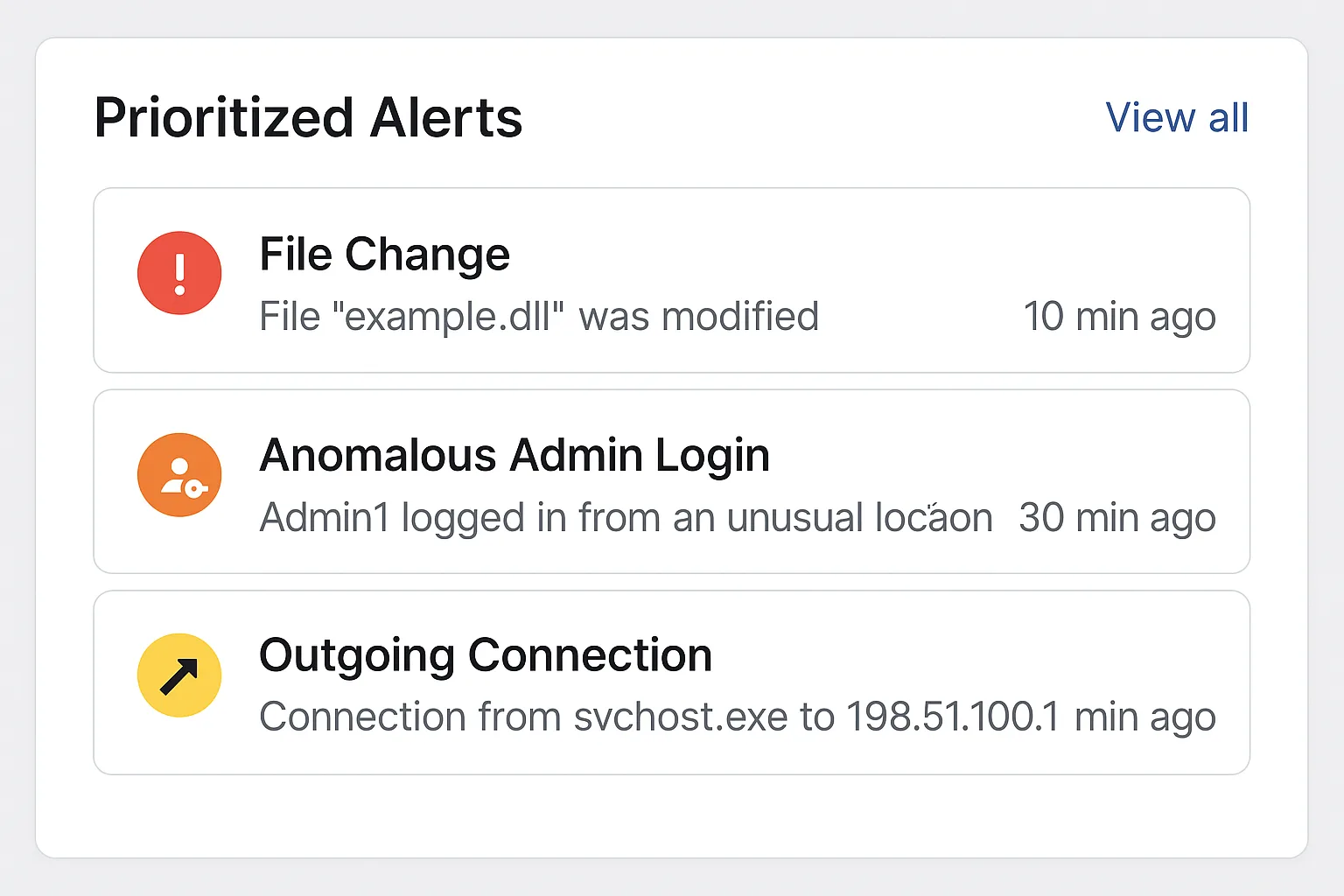
Mockup dashboard with prioritized WordPress security alerts.
Noise is the single biggest blocker for small teams. Raw failed logins, routine file edits, or benign external calls look scary on their own. The practical win is correlating sequences — for example, a surge of failed logins followed by a new PHP file in an uploads folder and then an outbound request — and treating the sequence as an operator-grade alert.
The three signal classes to prioritize
- Authentication anomalies: clustered failed logins that transition to unknown successful logins.
- File integrity events: new or modified PHP files in writable directories.
- Network egress: unexpected outbound connections from web worker processes.
How to reduce false positives fast
Limit alerts to events that span two or more signal classes within a short time window (minutes to a few hours). This reduces noise while preserving high-fidelity detection of real attacks.
Where to instrument these signals
Deploy lightweight monitoring on the server and inside WordPress: audit admin logins, watch the uploads and plugin/theme folders for PHP file writes, and capture outbound connection attempts originating from PHP processes. Instrumentation can be as simple as:
- Enable WordPress login and activity logging (plugins or server-side audit logs).
- File system watchers for wp-content/uploads, wp-content/plugins, and wp-content/themes (inotify/auditd or a WordPress-scanner on a schedule).
- Host-level egress monitoring: block or log PHP processes making outbound connections.
For implementation detail and integrated tooling, consult the Operational Roadmap and Layered Defense guides such as Operational Roadmap: Harden WordPress and Contain Malware & Web Shells and Layered Defense for WordPress.
Incident mini-case study: an admin account plus an uploads write
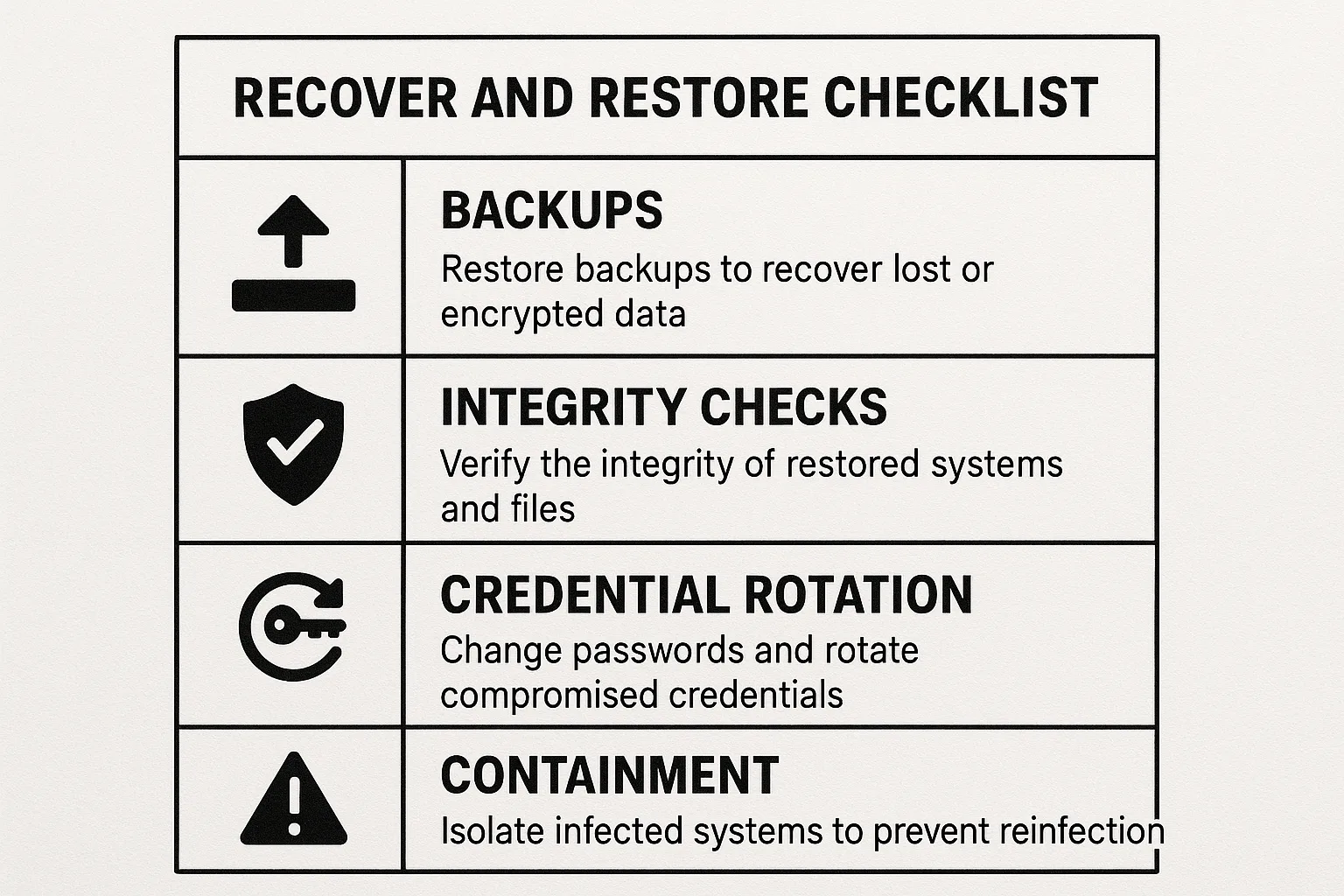
Printable recovery and restore checklist card for WordPress incidents.
What happened: a site owner reused an old password after a disclosure, a botnet performed credential stuffing, one login succeeded, and a PHP file was uploaded to the media folder. The file opened an outbound channel to a staging server and created a cron task.
Immediate containment actions taken
- Revoked all active admin sessions and required MFA for all admins.
- Quarantined and moved the uploads directory to a read-only location for inspection.
- Disabled outbound connections from PHP processes at the host firewall while investigating.
Recovery steps that prevented repeat compromise
- Validated backups in an isolated environment and rebuilt the site from a verified snapshot.
- Rotated all keys, replaced passwords with unique, strong credentials, and audited plugin code for unauthorized changes.
- Implemented automated file-change alerts and admin login hardening to detect repeated attack chains earlier.
Comparison: Prevention, Detection, and Recovery — practical takeaways
| Layer | Operator action | Practical takeaway |
|---|---|---|
| Prevention | Harden admin workflows, limit writable areas, and patch promptly. | Reduces probability but won’t stop targeted misuse or stolen credentials. |
| Detection | Prioritize correlated signals (auth anomalies + file writes + egress). | Fewer false alarms and faster containment triggers for small teams. |
| Recovery | Validate backups, isolate restores, rotate credentials, run integrity checks. | Prevents recurrence when combined with containment and remediation plans. |
Actionable checklist: reduce blast radius now
Use this checklist to implement controls that limit attacker movement and speed detection for small teams.
- Map high-value assets: identify admin accounts, payment endpoints, and writable plugin/upload folders.
- Enable prioritized telemetry: admin login audit, file-change monitoring for uploads/plugins/themes, and PHP outbound monitoring.
- Automate containment triggers: revoke admin sessions, set uploads to read-only for inspection, and block outbound PHP egress on suspicious sequences.
- Validate backups: perform a restore in an isolated environment and run file integrity checks before returning to production.
- Credential hygiene: rotate admin passwords, revoke stale API keys, and enforce unique credentials across environments.
- Document and drill: keep a one-page operational playbook that ties alerts to exact containment steps.
Checklist example: a trigger chain and immediate actions
- Trigger: 20 failed admin logins from multiple IPs, followed by a successful admin login from new IP.
- Contain: revoke all admin sessions, force MFA re-enrollment, and lock new session to read-only.
- Investigate: snapshot filesystem, inspect recent file writes in uploads and plugins, and capture outbound connection logs.
- Recover: restore validated backup if persistence found, rotate credentials, and apply layered defenses.
Operational controls you can implement this week
Small teams can make defensible gains quickly by focusing on three fast wins: tighten admin workflows, instrument writable paths for file changes, and record outbound connections from PHP. For concrete roadmaps and remediation steps, see our Operational Roadmap, the Layered Defense guide, and the tactical playbooks listed below.
Where to apply the read-only principle
Make non-essential folders read-only at the filesystem level (for example, plugin/theme directories that are not updated frequently) and only allow controlled deployment windows. That limits attacker ability to write web shells into locations that the webserver will execute.
Which telemetry reduces mean-time-to-contain (MTTC)
Correlated admin-login anomalies, file-change events in writable areas, and PHP-originated outbound connections reduce MTTC most effectively for teams without 24/7 staffing.
Practical implementation steps (concrete and quick)
- File permissions: set directories to 755 and files to 644, ensure wp-content/uploads is not world-writable. Use chown to set correct owner for the web process.
- Disable in-dashboard file editing: add define(‘DISALLOW_FILE_EDIT’, true); to wp-config.php and protect that file with strict filesystem permissions.
- Block PHP execution in uploads: add a lightweight webserver rule or an .htaccess file in wp-content/uploads to deny execution of PHP files.
- Automated watchers: add an inotify/auditd rule to alert on creation or modification of *.php under wp-content/uploads and plugins.
- Login throttling: enforce rate limits and lockouts for failed logins (and consider blocking XML-RPC if unused).
Example .htaccess snippet to block PHP execution in uploads
# Place in wp-content/uploads/.htaccess

  php_flag engine off


  Deny from all
Example alert thresholds and response timelines
- Auth anomaly: >10 failed logins for any username from >3 distinct IPs within 5 minutes — mark as suspicious.
- File-write: any new or modified *.php in wp-content/uploads or wp-content/plugins — immediate priority.
- Egress: outbound connection from PHP worker to IPs/domain not seen before — quarantine and block egress.
When two of the above fire within a 30–60 minute window, treat as an incident and execute the one-page playbook: revoke sessions, make directories readonly, snapshot, and investigate.
What should I do first if I suspect a compromise?
Immediately isolate the site by revoking admin sessions and making writable directories read-only, then collect volatile evidence (recent file writes, access logs, and active PHP processes). Use a controlled restore from validated backups only after confirming no persistent backdoors remain.
How to operationalize this playbook with a single tool
Implementing all controls by hand is error-prone. Hack Halt Inc. provides integrated monitoring, prioritized alerting, and recovery orchestration that maps directly to the checklist above. Use Hack Halt Inc. as a direct way to implement these controls and automate containment and restore workflows: Get Hack Halt Inc.
Further reading and playbooks
For specialized operator guides linked to the detection and containment techniques in this playbook, read:
- Why Other Plugins Aren’t Enough for plugin exploit windows.
- Incident Walkthrough: Locking Down Admin Access for privilege compromises.
- WordPress Scanner for automated integrity checks.
- Fight Back: Stop Brute-Force & Credential Stuffing for login hardening and operator playbooks.
- Playbook: Defend High-Value Content and Checkout Flows for ecommerce-focused defenses and the related teardowns.
- See the telemetry-to-remediation roadmaps: How WordPress Hacks Actually Happen — A Roadmap and companion tactical threat-model guides.
Final pragmatic guidance
Small teams win by collapsing detection and containment into simple, repeatable sequences. Map your assets, instrument three signal classes, codify containment triggers, and practice restores. That reduces the blast radius dramatically compared to chasing individual plugin vulnerabilities without a recovery plan.
Appendix: quick operator templates
Containment trigger template
Trigger: auth-anomaly + file-write in uploads within 30 minutes. Action: revoke admin sessions, set uploads to read-only, quarantine new files for forensic inspection.
Restore validation checklist
Restore to isolation, run file integrity checks, validate no outbound connections originate from restored instance, rotate credentials, document the restore time and files changed.
Post-incident retrospective
Record the attack chain, list missed signals, and update your one-page playbook with any new containment steps or telemetry you now need to capture. Use this retrospective to update thresholds, add new watchers, and eliminate single points of failure in credential and deployment workflows.