As an eCommerce manager protecting WooCommerce payments and customer data, your security inbox is noisy: dozens of alerts, many false positives, and a few true incidents hiding in the clutter. This teardown shows the common mistakes that turn telemetry into background noise, then gives operator-focused corrective actions you can implement today so each alert becomes a concrete remediation task that protects checkout flows and customer records.
- Common telemetry mistakes eCommerce managers make
- How do you convert noisy telemetry into concrete remediation actions?
- Tactical corrective actions — operator playbook
- Where to implement controls and what to monitor
- Incident mini-case study: Containing a checkout tamper
- Operationalize these changes in two weeks
- Resources and further reading
- FAQ
Common telemetry mistakes eCommerce managers make
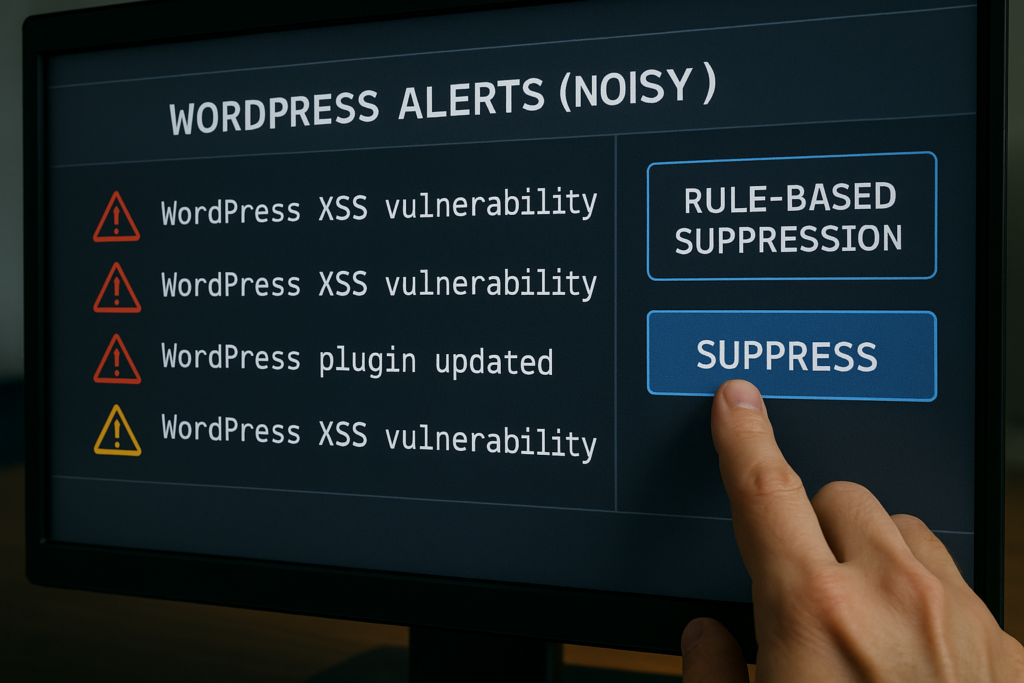
Analyst filtering WordPress security alerts with rule-based suppression
Most teams make the same operational errors when handling WordPress telemetry. These mistakes increase time-to-contain, let attackers touch checkout flows, and create compliance risk for stored payment and customer data.
Mistake: Treating all alerts equally
Operators assume every alert deserves the same urgency. In reality, a modified theme file and a brute-force login attempt are not equally dangerous for a WooCommerce checkout. Tag and escalate based on asset criticality—checkout endpoints, payment gateway accounts, and admin users should get higher priority.
Mistake: No signal enrichment
Logs without context are noise. Alerts that lack user agent, originating IP, associated session IDs, or recent deployment metadata make triage slow. Build enrichment steps so each alert includes the user session and recent change history before it lands in the queue.
Mistake: Blind automation or no automation
Some teams automate everything and risk outages; others do nothing and burn analyst hours. Define low-risk automated actions (IP block, lock account) and reserve manual steps for actions that touch payment flows or admin plugins.
How do you convert noisy telemetry into concrete remediation actions?
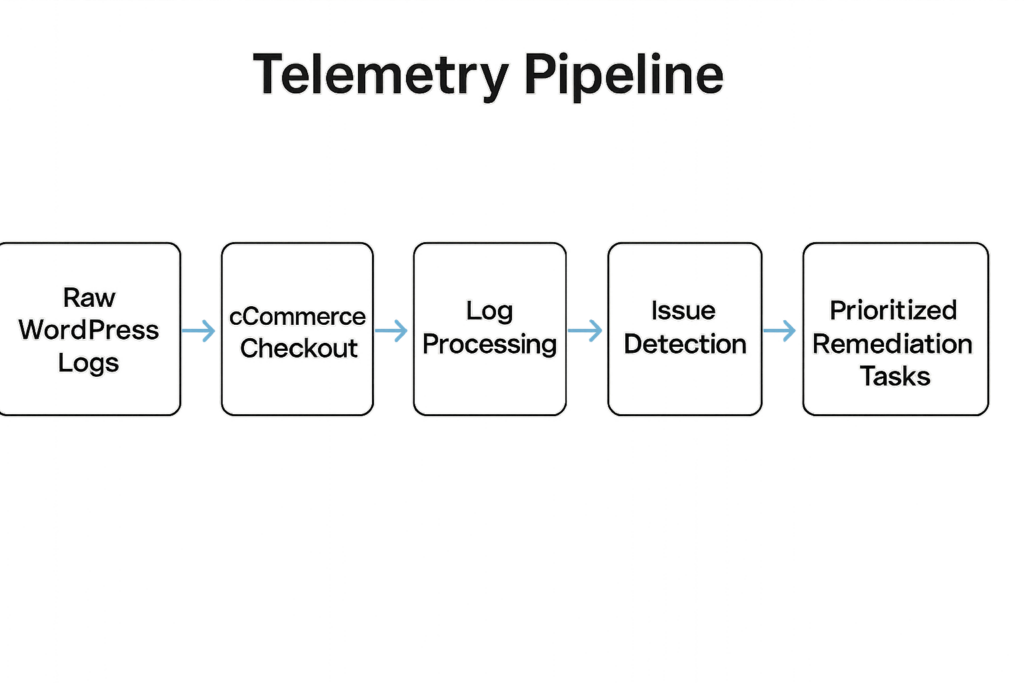
Diagram showing telemetry pipeline to prioritized remediation tasks for checkout
Map each alert to one of three operator outcomes: ignore (false positive), remediate (contain and fix), or escalate (deeper investigation). Enrich the alert with session, recent deploys, and file-change context automatically, then apply playbook rules to produce the single next action for a human operator. This is the core of effective WordPress telemetry remediation: automated enrichment + deterministic playbooks = predictable outcomes.
Tactical corrective actions — operator playbook
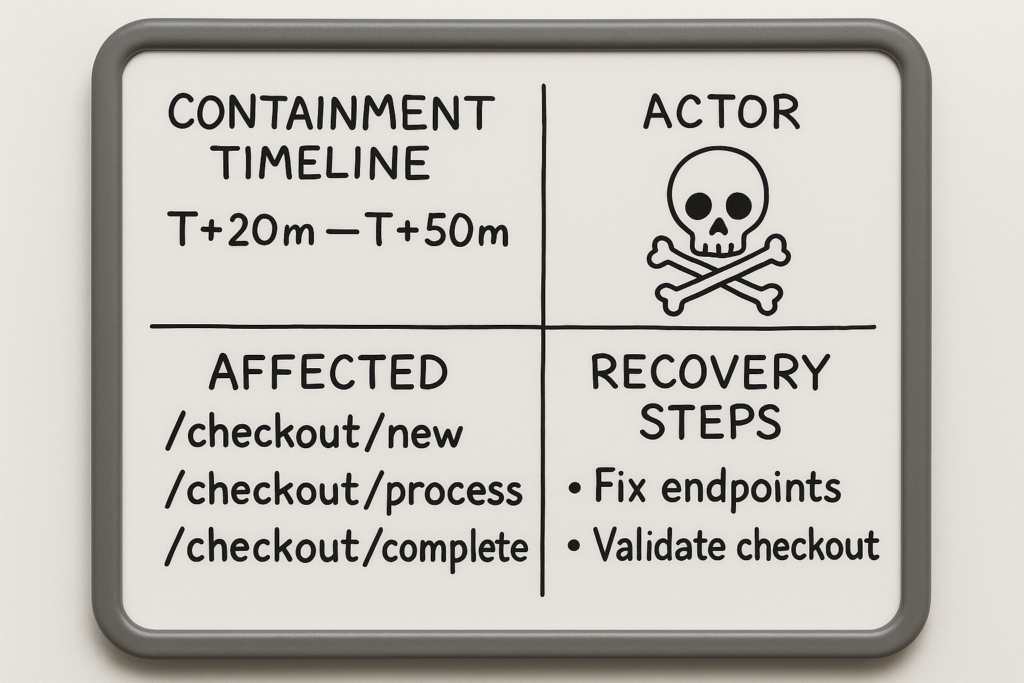
Incident whiteboard with containment timeline and recovery steps
Below are specific, operator-focused corrections you can apply immediately to reduce noise and make remediation repeatable.
Triage: Add context automatically
Attach these fields to every alert so analysts can prioritize without hopping between tools:
- User context: user ID, username, roles, last auth method
- Session & request chain: session ID, recent requests, cookie flags
- Network & reputation: originating IP, ASN, Geo, threat score
- Change history: last deployment hash, CI pipeline ID, git commit message
- File diffs: line-level diff for modified PHP files and checksum comparison
- Payment impact: which gateway credentials or order IDs are referenced
- Automation flags: was a cron/job/plugin update running at the same time?
Example enrichment payload (abbreviated):
{
  "alert_id": "A-2026-0001",
  "user": {"id": 42, "roles": ["administrator"], "auth_method": "sso"},
  "session": {"id": "sess_abc123", "last_requests": ["/cart","/checkout"]},
  "deploy": {"hash": "f4d8a9", "pipeline_id": 314},
  "file_diff": {"wp-content/themes/shop/checkout.php": {"lines_added": 12, "suspicious_calls": ["eval"]}},
  "payment_impact": {"gateway": "stripe", "credentials_last_rotated": "2025-11-02"},
  "threat_score": 78
}
This kind of structured context makes it trivial to decide: is this a checkout-impacting incident or a routine change?
Containment: Small, reversible actions first
When telemetry indicates suspicious admin activity or modified checkout-related files, take reversible containment actions. Keep this checklist handy:
- Suspend the user: remove privileges or set a temporary ‘suspended’ meta value; record the original role for restore.
- Block source IP(s) temporarily at the WAF or firewall; prefer rate-limit rules over permanent blocks.
- Rotate affected API keys: payment gateway keys, webhook secrets. Perform rotation with a staged rollout if the gateway supports dual-key use.
- Serve an interstitial or rate-limited checkout: throttle suspicious sessions and require step-up verification (OTP) instead of full outage when feasible.
- Disable the changed theme/plugin in a reversible way: revert to the previous theme or disable the plugin via CLI/management console.
Example containment steps for a tampered checkout template:
- Set site to ‘checkout rate limited’ mode (limit POSTs from high-risk IPs).
- Suspend the theme auto-update job and revert to the previous deploy hash via CI rollback.
- Rotate relevant gateway keys and monitor for failed payments.
Remediation: Concrete fix exactly once
Each alert should produce one remediation ticket with a single owner and a single next action. Use this ticket template:
- Title: concise incident summary (e.g., “Checkout template modified — potential tamper”)
- Owner: team + primary engineer
- SLA: time-to-contain target
- Next action: explicit single instruction (e.g., “Revert theme to git tag v1.4.2 and rotate Stripe keys”)
- Validation: list of verification checks (order integrity, no new admin users, file checksums match baseline)
- Rollback/restore plan and evidence preservation steps
Keeping tickets focused prevents partial remediations and drives incidents to closure with measurable validation.
Prevention: Tune detection rules by outcome
Convert frequent false positives into instrumentation improvements. Examples of practical rule tuning:
- Ignore build-time artifact diffs by excluding known CI-modified paths (node_modules/, build/, .map files).
- Flag PHP code additions that introduce dangerous functions (eval, create_function, base64_decode + exec patterns) rather than every file timestamp change.
- Alert on outbound connection creation from PHP processes (fsockopen, curl_exec) originating from web worker processes.
- After every safe deploy, update the integrity baseline so future diffs are meaningful.
These changes reduce noise while preserving high-fidelity detections for real threats — the heart of WordPress telemetry remediation.
Where to implement controls and what to monitor
Focus your controls where WooCommerce is most vulnerable: admin accounts, REST/API endpoints used by checkout, payment gateway connectors, and file integrity for PHP-sourced entry points.
Admin and privileged workflows
Lock down admin workflows: require multi-factor authentication, restrict IPs for privileged users, and monitor admin session anomalies. For a step-by-step admin hardening implementation roadmap, see Fight Back: Hardening Admin Access and Privileged Workflows — An Implementation Roadmap and Hardening Admin Access and Privileged Workflows: A Practical Roadmap for IT Operators.
Checkout and REST API monitoring
Instrument checkout endpoints and REST routes that affect orders (for example, /wp-json/wc/v3/orders and custom endpoints used by payment plugins). Flag unusual POST rates, identical cart modifications from the same IP range, and API calls that modify payment methods. Use those indicators as automatic escalation signals for containment. See operator blueprint resources for defending checkout flows and automated abuse patterns in Operator Blueprint: Defend High-Value Content & Checkout Flows.
File integrity and web shell detection
Monitor PHP file changes in wp-content and correlate writes with cron jobs and plugin updates. Implement layered detection — signature, behavioral, and inventory-based — and consult our layered defense playbooks at Why Other Plugins Aren’t Enough and related walkthroughs for practical controls and escalation flows.
Incident mini-case study: Containing a checkout tamper
Timeline (detailed): 00:00 — an alert shows modified checkout template files; 00:03 — telemetry enrichment links the change to a recent third-party theme auto-update; 00:07 — automated rules mark the change as high-risk (suspicious function patterns found); 00:10 — automated containment suspends the theme, blocks the update source IP, and creates a single remediation ticket. The owner rotated payment gateway credentials, rolled back the theme via CI (git revert to tag v1.4.2), and verified order integrity within 90 minutes. Evidence was preserved by exporting the modified file and the enrichment payload for forensic review.
Key corrective actions used: automated enrichment (session and deploy hash), reversible containment (suspend theme, block IP), and a single-owner remediation ticket that required no further context. This same flow is codified in our playbook at Playbook: Turn Noisy WordPress Security Telemetry into Concrete Remediation Actions, which includes checklists for checkout-sensitive incidents.
Operationalize these changes in two weeks
Week 1: Instrumentation and enrichment — add session and deploy metadata to alerts, enable file-integrity diffs, and mark checkout endpoints as high-priority assets. Day-by-day checklist:
- Day 1–2: Inventory high-value assets (payment gateways, admin accounts, checkout endpoints).
- Day 3–5: Implement alert enrichment (session, deploy hash, file diff) and add a debug field for investigators to quickly copy context.
- Day 6–7: Baseline file integrity post-deploy and document exclusions for CI artifacts.
Week 2: Playbooks and automation
Create three playbooks that map alerts to outcomes: false positive rules, low-risk automated containment, and human escalation for checkout-impacting incidents. Follow this deployment checklist:
- Define the single next-action for each playbook and codify it into your ticketing system.
- Implement reversible containment automations (temporary IP blocks, role suspension scripts, staged key rotation).
- Run 2–3 tabletop exercises on recent alerts, record decisions, and fold results back into detection tuning.
For guidance on reducing blast radius with monitoring and recovery playbooks, see Operator Notes: Reduce Incident Blast Radius with Monitoring and Recovery Playbooks.
Where Hack Halt helps
To implement these controls and convert telemetry into prioritized remediation quickly, consider using Hack Halt Inc. as the operational platform that centralizes enrichment, playbooks, and reversible containment. Start a controlled rollout from the admin and checkout monitoring templates and scale to full-site coverage. Learn more about pricing and rapid deployment at Hack Halt Inc. pricing.
Resources and further reading
For tactical teardown guidance and how WordPress hacks actually occur in the wild, read the detailed operator teardown at How WordPress Hacks Actually Happen: A Tactical Teardown to Stop Brute-Force & Credential Stuffing on WooCommerce. If you want to shrink your incident blast radius with monitoring and recovery playbooks, see Operator Notes: Reduce Incident Blast Radius with Monitoring and Recovery Playbooks. For layered malware and web shell defense, consult our multiple playbooks including Why Other Plugins Aren’t Enough: A Battle-Tested Playbook for Layered Malware & Web Shell Defense.
FAQ
How do I reduce false positives without missing real attacks?
Start by enriching each alert with context and then tune detection to focus on behavioral changes (new admin sessions, outbound connections, and payment configuration changes) rather than superficial file timestamp changes. Use a short feedback loop so investigators can mark true/false positives, and fold those decisions back into detection rules. Maintain a living whitelist of benign CI artifacts and scheduled jobs so they don’t trigger alerts.
What’s the safest first containment action for checkout-impact alerts?
Take small, reversible steps first: block the suspected IP, suspend the associated account, and force credential rotations for any admin or payment API keys touched by the alert. These actions protect customers while preserving evidence for investigation. Prefer rate-limits and step-up authentication over full checkout shutdown unless evidence of tampering is conclusive.
Can I keep the checkout up while investigating?
Yes — when possible keep checkout available but rate-limit suspicious sources and force additional verification for risky sessions. If evidence shows tampering of payment flows, enable maintenance on checkout to prevent fraudulent transactions and protect customer data.
How do I measure if telemetry changes worked?
Track mean time to detect (MTTD) and mean time to contain (MTTC) for checkout-impacting incidents and measure the percent of alerts that require escalation. After implementing enrichment and playbooks, these metrics should drop; run regular retrospectives to adjust rules and automation. Track also the percentage of remediation tickets closed with validation checks passed — that demonstrates effective WordPress telemetry remediation in practice.