

When a plugin vendor warns of an imminent public disclosure, your clock starts. As a technical founder you don’t want theory — you want prioritized controls you can apply immediately to shrink the plugin exploit window, detect early misuse, and recover quickly if attackers beat you. This walkthrough assumes single-site or small multi-site WordPress deployments and focuses on low-overhead, high-impact steps you can implement in hours to days.
- Immediate threat-model: what an attacker will try first
- How do you reduce plugin exploit window fast?
- Tactical controls, ordered by urgency
- What are the practical trade-offs of each control?
- Implementation examples and verification
- Pre-disclosure checklist (actions to run through immediately)
- How to operationalize this without adding a new toolchain?
- Where to go next after the emergency window closes
Immediate threat-model: what an attacker will try first
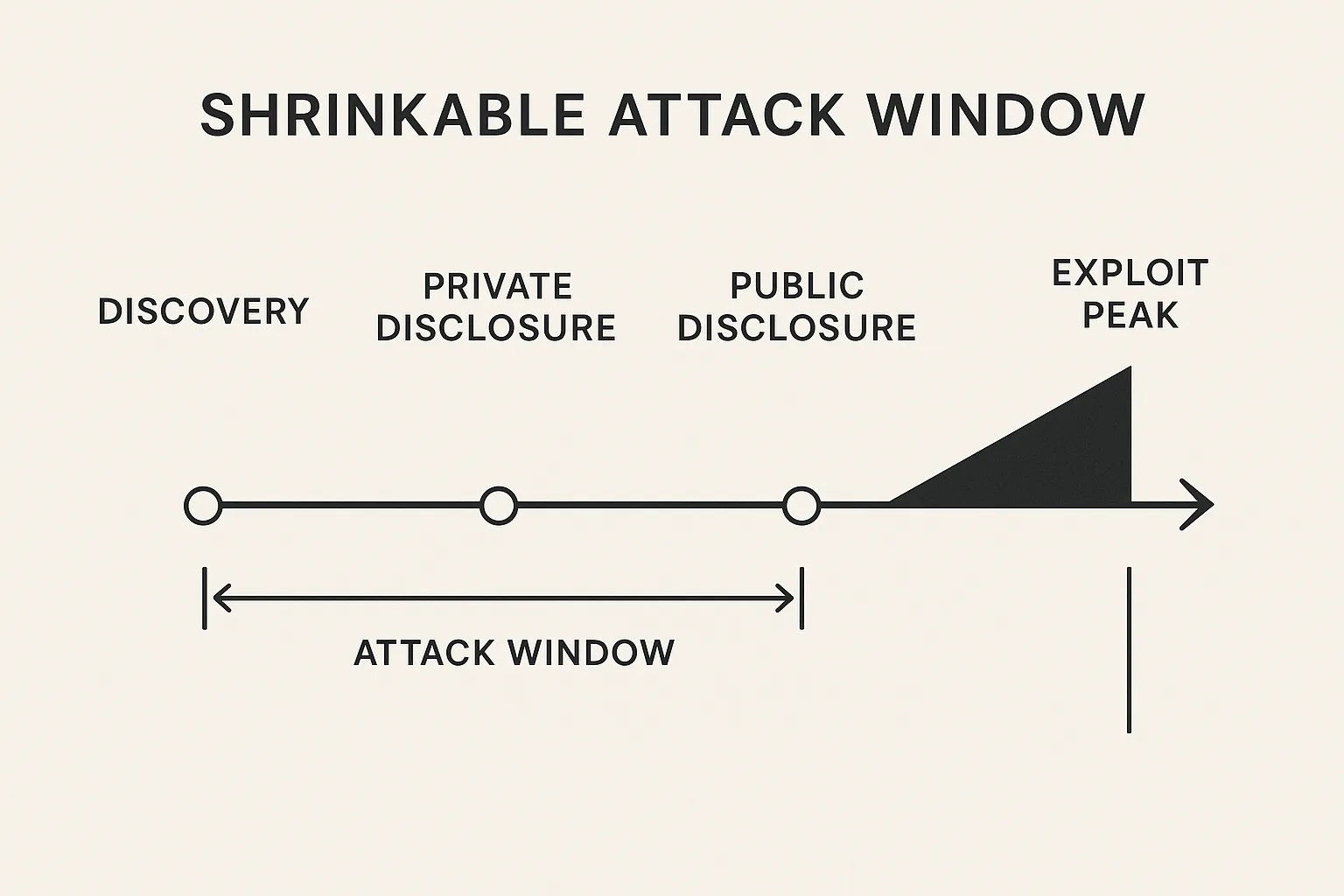
Timeline infographic of disclosure to exploit window
Understand the likely attacker objectives before you act: automated mass exploitation for web shells, targeted privilege escalation to access payments, or scraping/abuse of high-value content. Each objective changes the fastest, cheapest attack paths an adversary will try.
Attacker capabilities and preferred vectors
Hit-and-run bots will scan many sites for the vulnerability signature and attempt automated payload delivery. More capable adversaries will chain the plugin flaw with weak admin credentials or a misconfigured REST endpoint. Prioritize controls that stop automated scanning and immediate privilege escalation — those actions shorten the plugin exploit window most effectively.
Signals of active exploitation
Monitor sudden spikes in POSTs to unfamiliar endpoints, rapid creation of new admin users, anomalous file writes in wp-content, and outbound connections to unknown IPs. These signals are noisy — convert them into a short set of high-confidence indicators you can act on in minutes.
- Unusual POST/PUT requests to plugin-specific paths (high frequency, same payload).
- New administrators created in quick succession.
- Unexpected PHP/JS file writes under
wp-content. - Outbound HTTP/SSH connections to ephemeral hosts.
Why reducing the attack surface matters
Every additional exposed endpoint, administrator user, or writable plugin directory multiplies the blast radius. If you reduce surface area before disclosure, you reduce the number of sites that will yield workable footholds to attackers and compress the plugin exploit window attackers can act inside.
How do you reduce plugin exploit window fast?
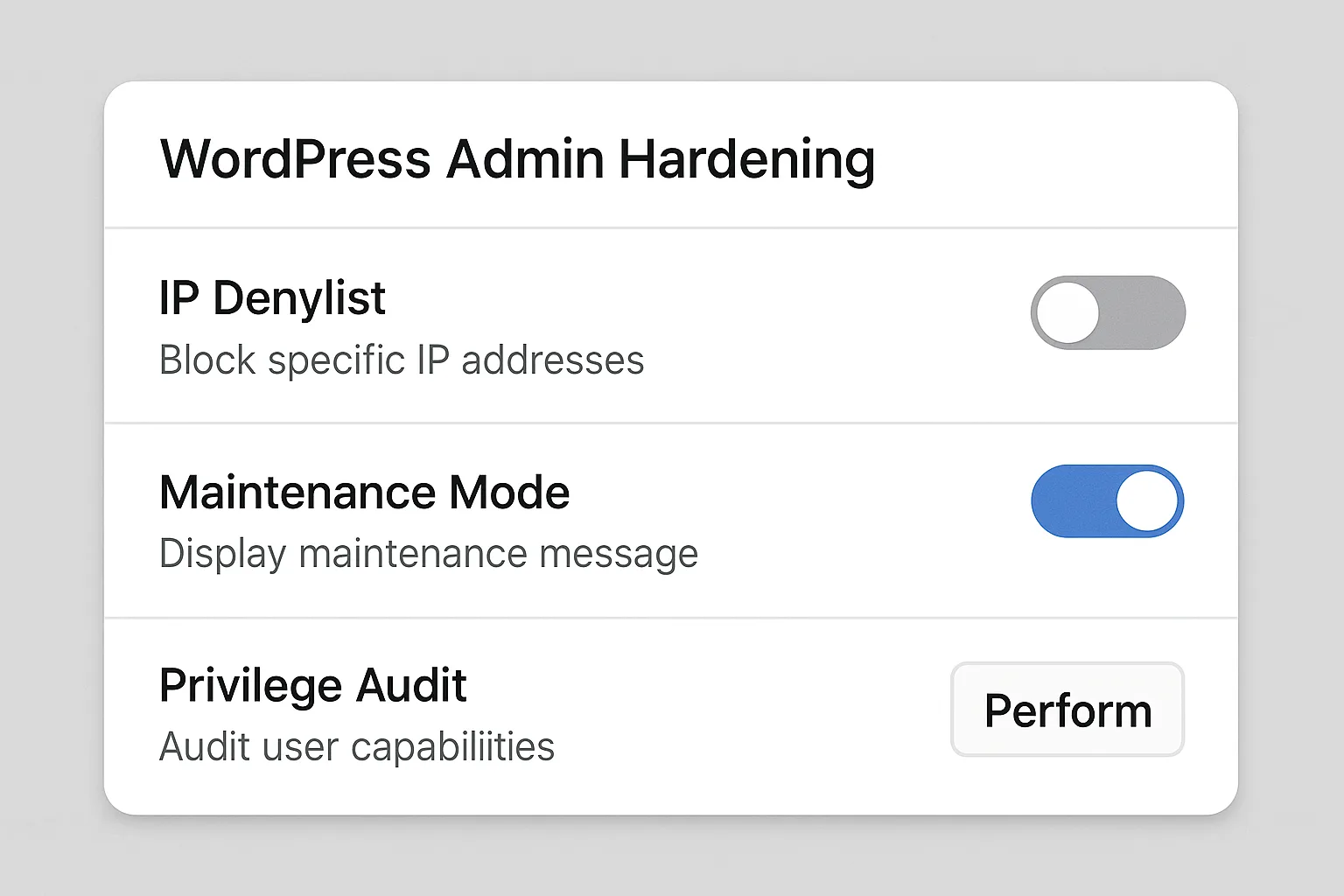
Mockup of admin hardening UI showing denylist and maintenance mode
Immediate actions target automation and privilege escalation: take the site into a restricted state, stop unauthenticated access to the vulnerable endpoint, and tighten admin access. Apply short-lived, decisive blocks and monitoring rules so you gain time for safer, permanent fixes.
Tactical controls, ordered by urgency
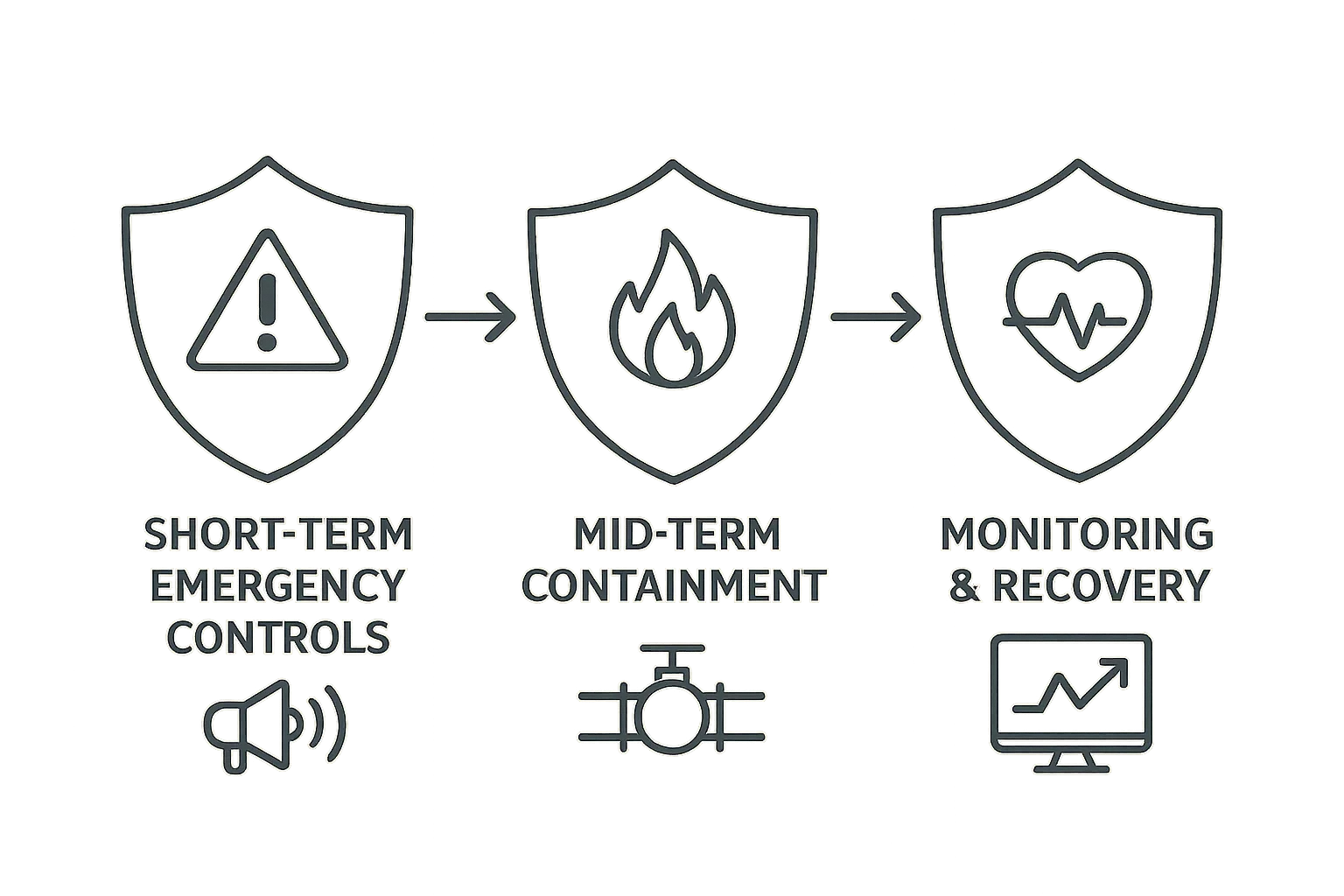
Layered defense diagram: emergency controls to recovery
Apply the following prioritized controls in sequence. Each subsection explains the trade-off and how to validate success without enterprise tooling.
Short-term emergency controls (minutes to hours)
-
Restrict public access (maintenance mode + allowlist):
- Enable a maintenance page for general visitors while allowing only trusted IPs (your devs and Ops) to access the site.
- Use host-level allowlists (cloud firewall or nginx/ipset) rather than application plugins where possible to avoid relying on WordPress integrity when under attack.
-
Block the vulnerable endpoint at the edge:
- Create a webserver or WAF rule that returns 403 for the plugin’s known paths. This is reversible and low-risk compared with disabling the plugin if that would break core business flows.
-
Disable the plugin (if acceptable):
- Fastest mitigation. If the feature is non-essential for the public site, take it offline. Test that functionality and integrations are compensating or postponed.
Mid-term containment (hours to one day)
- Rotate admin credentials and enforce MFA: Reset passwords for all administrators and high-capability accounts. Enforce MFA and remove any legacy single-factor recovery methods.
- Expire active sessions: Force logout for all users by removing stored session tokens from user meta.
- Reduce privileged users: Remove install/update capabilities from users who don’t need them — use roles and capability plugins conservatively.
- Throttle suspicious traffic: Add rate limits for POST-heavy endpoints and apply temporary CIDR blocks for obvious scanner ranges.
Monitoring and detection (hours to days)
Deploy focused telemetry that looks for attack patterns: file modification alerts for PHP/JS files, anomalous process spikes, new scheduled tasks, and outbound connections to staging or attacker-controlled hosts. Map alerts to one concrete action: block, investigate, or roll back.
For help mapping noisy signals into concrete remediation actions see the telemetry playbook and remediation mapping in Hack Halt’s resources: Playbook: Turn Noisy WordPress Security Telemetry into Concrete Remediation Actions.
What are the practical trade-offs of each control?
Balancing uptime and risk is unavoidable. Use the following checklist to decide which controls to apply based on business priorities.
- Is the vulnerable plugin user-facing or admin-only? (User-facing → higher customer impact from disabling.)
- How many active admins exist? (Large numbers increase rotation work.)
- Are payments or PII processed on this site? (If yes, prioritize privilege-hardening and monitoring for data exfiltration.)
- How long is vendor disclosure delay? (Shorter windows -> faster, more decisive mitigations.)
The table below summarizes common emergency options, risk reduction, and operational cost so you can pick the right controls for your tolerance.
| Control | Time to implement | Expected risk reduction | Main operational cost | Practical takeaway |
|---|---|---|---|---|
| Temporarily disable plugin | Minutes | High for plugin-specific exploit | Feature outage | Best first move if features are non-critical; low technical debt. |
| Restrict site by IP / maintenance mode | Minutes | High for automated mass exploitation | Blocks legitimate users | Use for short windows to stop scanning bots and buy time. |
| Request filtering for specific endpoints | Minutes to hours | Medium to high | False positives if overly broad | Targeted and reversible; ideal when disabling plugin is impossible. |
| Rotate creds + enforce MFA | Hours | High for privilege escalation chains | Operational fatigue | Always required if exploit allows admin creation or session hijack. |
| Focused telemetry & file integrity alerts | Hours to days | Medium (detects successful attempts) | Monitoring noise to tune | Essential for containment and speedy rollback. |
Implementation examples and verification
Below are concrete implementation notes, commands and how to validate each control without heavy ops overhead.
Example: Blocking the vulnerable endpoint
Webserver (nginx) example: add a location rule to return 403 for the plugin path.
location ~* /wp-content/plugins/vulnerable-plugin/ {
    return 403;
}
Test from an external host:
curl -I -A 'ExploitScanner' https://example.com/wp-content/plugins/vulnerable-plugin/endpointExpected: HTTP/1.1 403 Forbidden. If you use Apache, add a RewriteRule or Require all denied for the same path. When creating regex rules, be conservative to avoid blocking legitimate REST routes (test in staging first).
Example: Fast admin hardening
Practical wp-cli sequence to rotate passwords and expire sessions:
- List current admins:
wp user list --role=administrator --fields=ID,user_login,user_email - Rotate password for a user:
wp user update 12 --user_pass='StrongRandomPassword!' - Expire sessions for the user (force logout):
wp user meta delete 12 session_tokens
Validation: check last login timestamps and IPs in your access logs and verify that old sessions no longer present. For a team, communicate a short maintenance window and provide a secure channel for new credentials and recovery steps.
Example: File integrity snapshot and rollback
Create a checksum baseline for plugin/theme code:
cd /var/www/html
find wp-content/plugins your-theme -type f -name '*.php' -o -name '*.js' -print0 | xargs -0 sha256sum > /tmp/initial-hashes.sha256
Store that manifest offline. Trigger automated comparison daily while the disclosure window is open:
find wp-content/plugins your-theme -type f -name '*.php' -o -name '*.js' -print0 | xargs -0 sha256sum --check /tmp/initial-hashes.sha256On mismatch: block the site (maintenance), restore from last-known-good archive, and preserve the altered file for forensic analysis.
Example: Quick WAF rule for POST floods
Create a rate-limiting rule that blocks IPs sending N POSTs to the same endpoint within M seconds. Monitor the rule hits and loosen if you observe false positives from legitimate clients.
Pre-disclosure checklist (actions to run through immediately)
- Identify plugin path(s) and vulnerable endpoints.
- Put site in restricted mode or allowlist access for devs.
- Block endpoints at the edge (nginx/WAF) with conservative patterns.
- Consider temporarily disabling plugin if non-critical.
- Rotate admin credentials and enforce MFA; expire all sessions.
- Take checksum snapshot of plugins/themes and enable file-change alerts.
- Throttle POST/registration endpoints and enable rate-limits.
- Document every change and the rollback method before applying more invasive fixes.
How to operationalize this without adding a new toolchain?
Use pragmatic automation: small scripts to rotate secrets, server-level rules for immediate filtering, and lightweight telemetry that maps alerts to actions. Tie each alert to one of three actions: block, investigate, rollback — and automate the easiest one first (block).
If you want deeper operator patterns that address chained abuse, checkout operator and tactical blueprints in Hack Halt’s catalog for defending high-value flows and reducing incident blast radius, for example: Operator Blueprint: Defend High-Value Content & Checkout Flows, Reduce Plugin Exploit Risk Before Disclosure: A Threat-Model Walkthrough for Founders, and related playbooks on layered defense and monitoring.
Where to go next after the emergency window closes
Once the public disclosure stabilizes, plan durable remediation: patch or replace the plugin, run a full site integrity and configuration audit, and document the incident and lessons learned. Link the attack chain to specific control gaps so your next response is faster. Review layered detection and recovery blueprints and hardening checklists such as Fight Back: Layered Defense Against WordPress Malware & Web Shells and resources on admin privileges and hardening.
For owners running e-commerce or high-value content, combine these plugin-specific steps with account and checkout hardening. See targeted operator playbooks for preventing chained abuse: Operator Blueprint: Stop Automated Abuse on High-Value Content and Checkout Flows and the WooCommerce-focused tactical teardown on brute-force and credential stuffing patterns.
Time is the critical resource during a disclosure. Start with decisive, reversible blocks to stop automation, harden admin paths to prevent privilege escalation, and instrument focused telemetry that maps directly to action. These moves compress the plugin exploit window and make recovery straightforward if the worst happens.
Hack Halt Inc. maintains documentation and playbooks to help founders implement these exact controls quickly — review the reduction and operator playbooks for step-by-step guides and configuration examples, and integrate these procedures into your incident runbooks so your team can act fast on the next disclosure.