
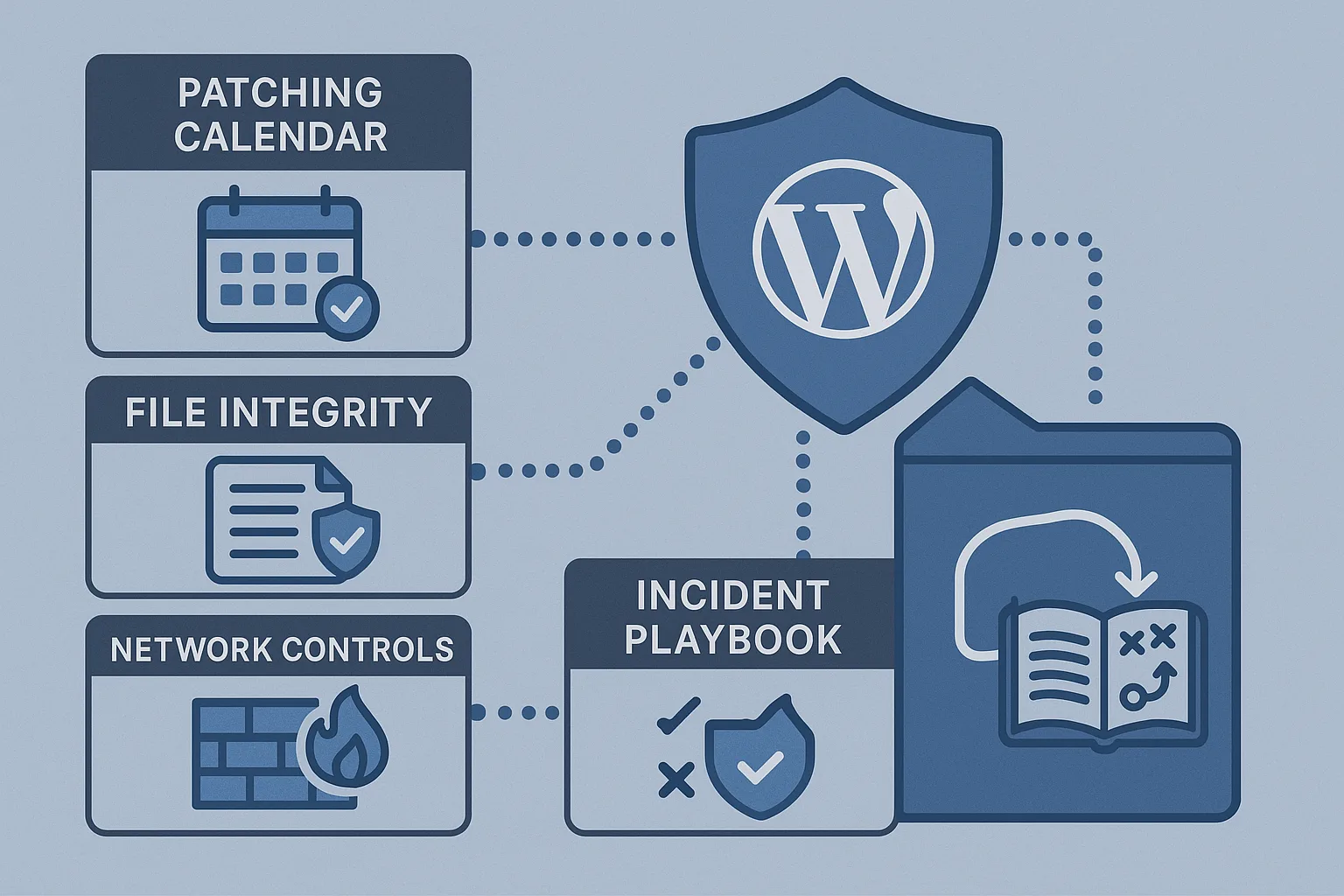
As the IT generalist responsible for uptime, patching, and incident response, you need a roadmap that balances quick wins you can apply today with deeper fixes that prevent reinfection. This article lays out an operational, layered-defense approach focused on stopping malware and web shells while preserving site availability.
- Layered defense overview
- Why does layered defense stop malware and web shells?
- Quick wins: reduce attack surface
- Deep fixes: strengthen detection and recovery
- Incident response playbook
- Actionable checklist
- Implementation steps and examples
- Sample alert definitions
- Incident mini-case study
- What detection signals should you tune first?
- Frequently asked questions
Layered defense overview
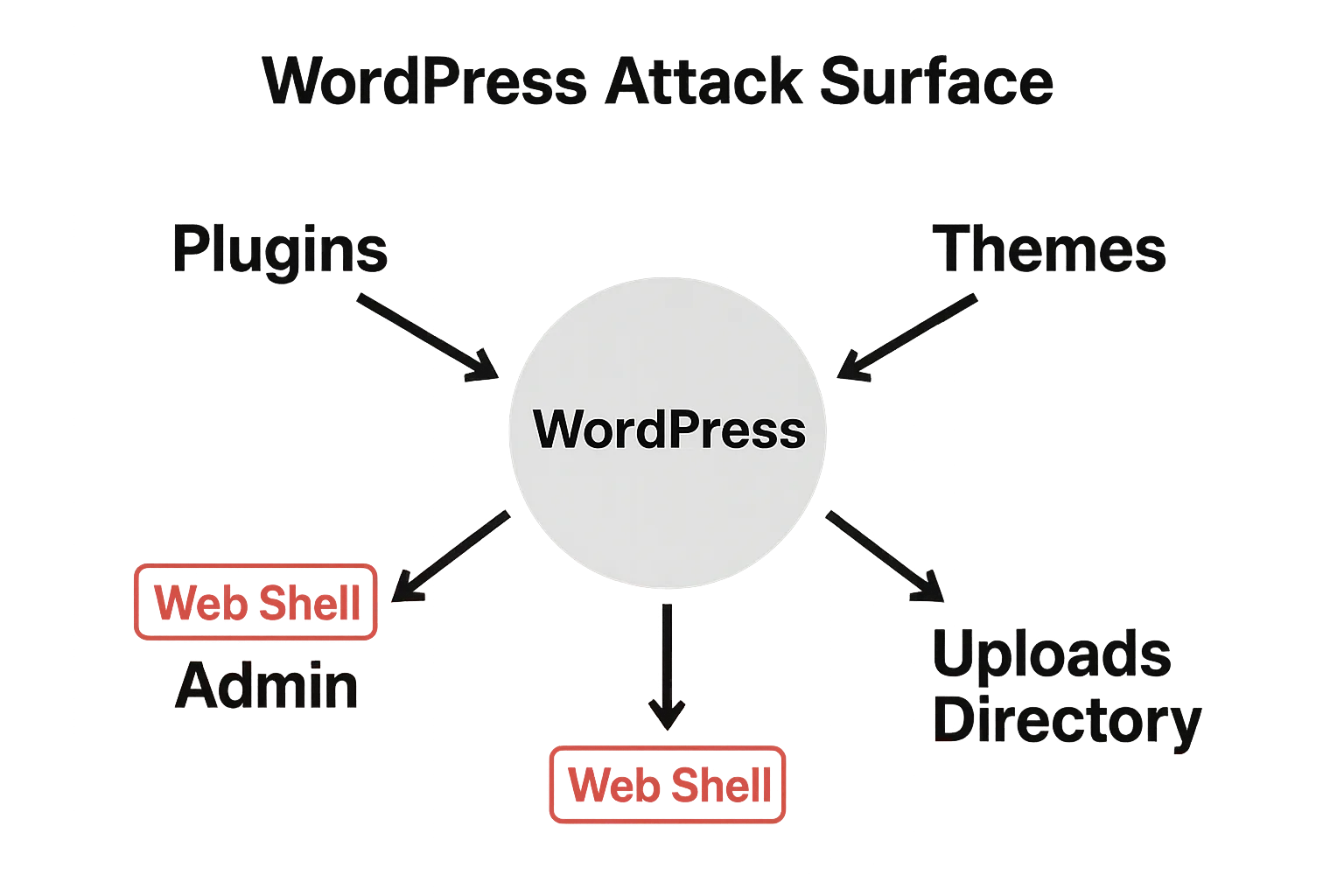
WordPress attack surface and web shell vectors diagram
A layered defense mixes immediate, low-effort controls with detection and recovery investments. The goal is to make successful compromise more expensive and noisy, and to give you high-confidence actions that contain and remove threats without unnecessary downtime. Use this as a prioritized playbook you can run during normal operations and during an incident. This WordPress layered defense roadmap pairs technical controls with operator playbooks so you can act quickly and confidently.
Why does layered defense stop malware and web shells?
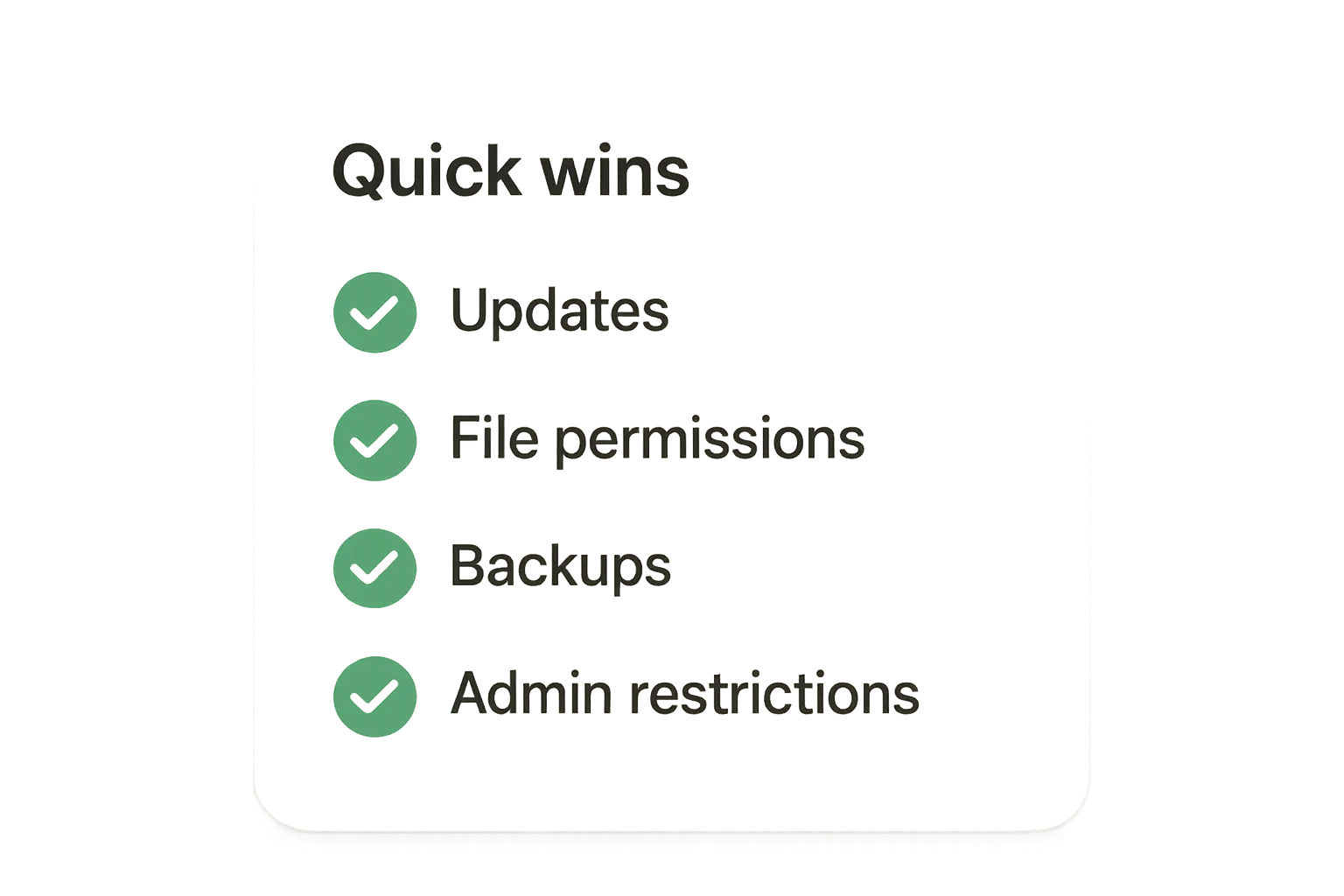
Hardening quick-win checklist graphic
Layered defenses combine attack-surface reduction, rapid detection, and resilient recovery so that single failures don’t lead to a persistent compromise. Each layer—patching, access controls, integrity checks, logging, and recovery—interrupts common attacker paths and gives operators the telemetry needed to act fast. The approach turns noisy probing into actionable signals and narrows the blast radius when incidents occur.
Quick wins: reduce attack surface
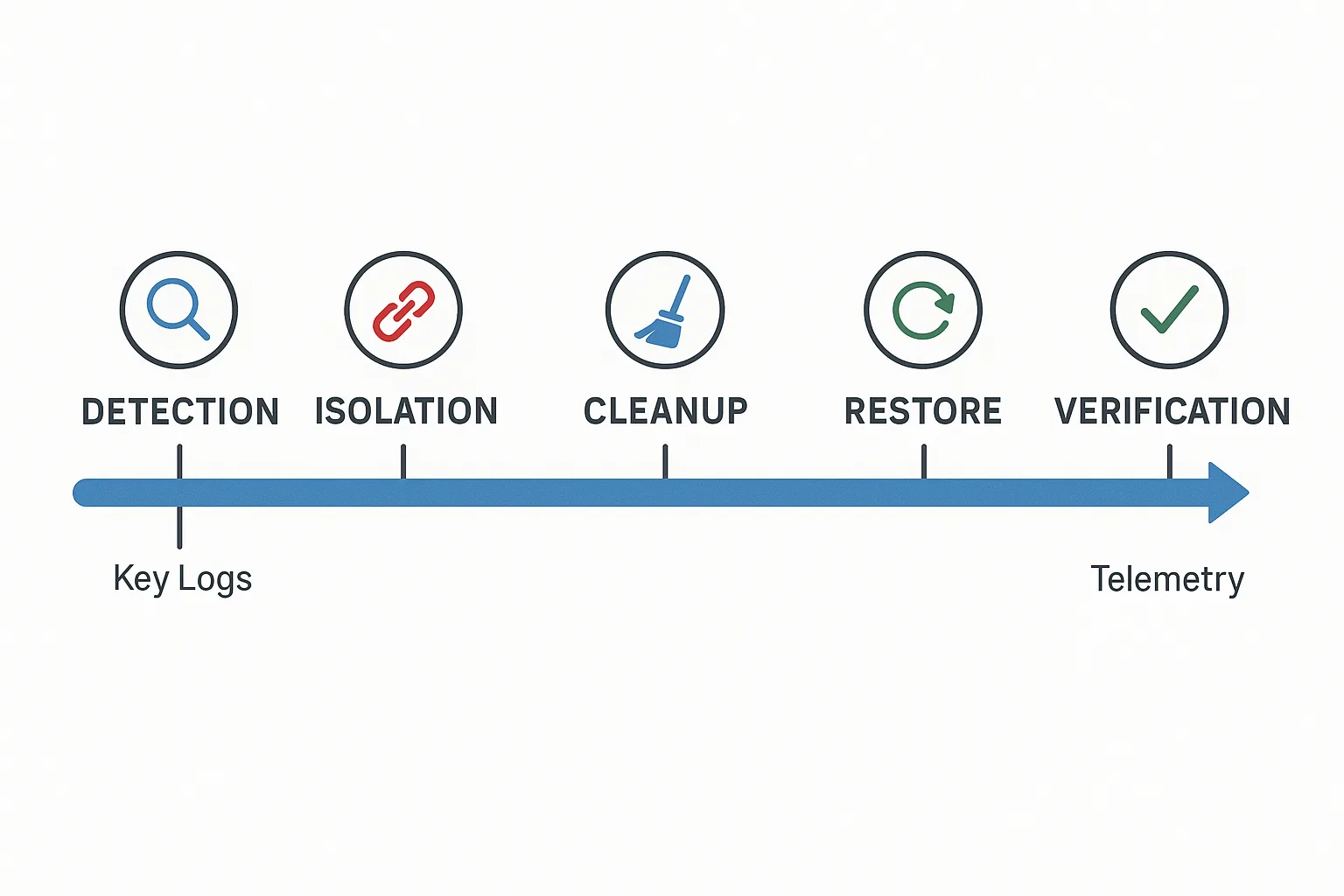
Incident response timeline for a WordPress compromise
These changes are high-impact and low-friction: prioritize them on day one and automate where possible.
Patching cadence and validation
Start with an immediate patching sprint for WordPress core, active plugins, and themes. Record current versions and verify compatibility in a staging snapshot. Schedule automated checks and a weekly review for critical CVEs to shrink the exposure window.
Practical example
Using WP-CLI for fast, repeatable updates:
- wp core update
- wp plugin update –all
- wp theme update –all
Log the output and snapshot the site before and after patching so you can revert if compatibility issues appear.
File permissions and upload controls
Ensure core files are not writable by the web server user and limit write access in the uploads directory. Remove execute bits where PHP execution isn’t required. These simple file-system hardening steps prevent many automated web shell drops.
Common baseline permissions (adjust to your environment):
- Files: chmod -R 644 /path/to/wordpress
- Directories: chmod -R 755 /path/to/wordpress
- Uploads should not contain executable PHP: find wp-content/uploads -type f -name “*.php” -print (investigate and quarantine unexpected files)
Restrict admin access and reduce blast radius
Remove unnecessary admin accounts, enforce strong, unique credentials, and limit admin logins by IP or location where practical. If your environment supports MFA enforcement for admin roles, enable it immediately to reduce credential-stuffing impact.
Hardened configuration and secrets handling
Move sensitive keys out of publicly readable files, rotate database and API credentials that might have been exposed, and set strict file ownership. Treat any plugin or theme that stores credentials as a high-risk vector until you can validate its handling.
Deep fixes: strengthen detection and recovery
Quick wins reduce immediate risk; deep fixes make the environment resilient over time.
File integrity monitoring and baselining
Establish a trusted baseline for core files, themes, and high-value content. Configure ongoing integrity checks and alert on unauthorized changes to PHP files, new executable files in uploads, or modifications to autoloaded code paths.
Example baseline creation:
<!-- baseline command (run from WordPress root) -->
find . -type f -name '*.php' -exec sha256sum {} ; > /opt/baselines/wp-php-baseline-$(date +%F).sha256
Store the baseline in a tamper-evident location and compare regularly with sha256sum –check.
Telemetry and centralized logging
Centralize access logs, PHP errors, and system logs in one place so you can correlate anomalies. Prioritize alerts for spikes in POST volume, unusual file writes, and new admin user creations. This makes noisy probes actionable rather than overwhelming.
Automated containment and rollback
Plan for surgical containment: an automated action to revoke write permissions, disable plugin execution, or switch the site to a maintenance page buys you time to investigate. Maintain tested backups and a rollback playbook for fast recovery.
Containment examples (operator-friendly commands):
- Switch to maintenance: wp maintenance-mode activate
- Revoke uploads write: chmod -R a-w wp-content/uploads
- Disable a risky plugin: wp plugin deactivate plugin-slug
How Hack Halt fits into the stack
Hack Halt Inc. integrates policy enforcement, integrity monitoring, and an operator-friendly incident playbook so you can automate containment and speed cleanup. If you want a direct way to implement these layered controls in production, consider the practical deployment and pricing options available at Hack Halt.
Incident response playbook
When telemetry suggests a compromise, follow an orderly containment-first playbook to protect customers and services while preserving forensic evidence.
Contain: make the site read-only and preserve evidence
Immediately limit write access: switch the site to maintenance mode, revoke write permissions for the web server user, and freeze outgoing credentials. Collect volatile logs and snapshot the filesystem for later forensic review.
Triage: identify indicators and scope
Use integrity diffs, file timestamps, access logs, and recent admin activity to determine the initial vector and the scope of affected assets. Look for newly added PHP files, modified index files, or unexpected scheduled tasks.
Remediate: remove injected files and recover known good state
Remove files that are not in your baseline and replace modified core files from trusted sources. If an integrity baseline isn’t available, restore from a clean backup and rotate all secrets after restoring.
Validate and harden post-recovery
After restoring, re-run integrity checks, re-enable monitoring, and document the fixes implemented. Harden the controls that allowed the initial compromise and schedule a follow-up review to confirm no hidden persistence remains.
Actionable checklist
Run this checklist during normal ops and when responding to incidents. Each item is a defensible, operator-focused action.
- Immediate patch sprint for core, plugins, and themes; log changes and snapshot before/after.
- Set file permissions: remove web-server write on core files; limit execute in uploads.
- Limit admin accounts and enforce MFA; rotate high-risk credentials.
- Enable file integrity monitoring and baseline critical directories; store baselines off-server.
- Centralize logs and create alerts for high POST activity and new PHP files.
- Prepare a containment action: maintenance page, revoke writes, snapshot filesystem.
- Test backup restores quarterly and document rollback steps.
- Conduct a post-incident review and update controls and runbooks.
- Audit plugin risk: remove unused or unmaintained plugins (see Why Other Plugins Aren’t Enough).
Implementation steps and examples
Use these step-by-step tasks to operationalize the checklist.
- Inventory: wp plugin list && wp theme list && wp core version — capture to a changelog.
- Baseline: run sha256sum for PHP/JS/CSS assets and push baseline to an S3-compatible bucket or write-once storage.
- Monitoring: configure alerts for “new file in wp-content/uploads matching *.php” and “POST rate > X per minute to /wp-admin/*”.
- Containment script: create a small script that (1) enables maintenance, (2) chmods uploads read-only, (3) deactivates plugins by slug, and (4) snapshots logs—test it in staging weekly.
- Recovery drill: run a quarterly restore from backup to a staging environment and validate site functionality and integrity checks.
Sample alert definitions
These examples translate detection ideas into practical signals:
- Alert A: “New PHP in uploads” — trigger when a new file matching *.php appears in wp-content/uploads and is writable.
- Alert B: “Admin role change” — trigger on any user created or updated to role=administrator outside a maintenance window.
- Alert C: “POST flood to unusual endpoint” — trigger when POSTs per minute to a non-standard admin endpoint exceed a baseline multiplier.
Incident mini-case study
Situation: An e-commerce site showed a sudden surge in POST requests to an obscure admin endpoint and customers reported odd redirects. Containment: the operator switched the site to maintenance mode, revoked write access to uploads, and froze API keys. Investigation: centralized logs revealed an automated upload to the uploads/2026/07 directory with a PHP file that started a cron-like callback. Remediation: the operator removed the file, restored modified core files from a verified baseline, rotated credentials, and enabled daily integrity checks. Recovery: the site was returned to service after automated health checks passed; a postmortem added an automated alert for new PHP uploads and prioritized patching of the vulnerable plugin. For a similar structured response, see our deeper walkthrough in the layered roadmap: Layered Defense for WordPress and the practical Incident Walkthrough: Locking Down Admin Access.
What detection signals should you tune first?
Tune alerts for unexpected PHP files in upload directories, large POST spikes to non-standard endpoints, and sudden admin role changes. Prioritize signals that correlate across logs—file writes plus suspicious requests—so alerts are actionable and avoid alert fatigue. Cross-check alerts against recent deployments or scheduled jobs before escalating to reduce false positives.
Frequently asked questions
Q: How quickly should I expect to detect a web shell?
A: Detection time varies, but with baseline integrity checks and centralized logging you should detect most automated web shell drops within hours; without those controls detection often takes days or longer.
Q: Is a full restore always necessary after malware?
A: Not always—if you have recent integrity baselines and can confirm the scope, surgical removal is possible. When persistence mechanisms or unknown backdoors are present, prefer a clean restore from a trusted backup.
Q: Which directories are highest priority to monitor?
A: Monitor wp-content/uploads, plugin and theme directories, and any writable custom paths. Unexpected PHP files or new autoloaded code in these locations are strong indicators of compromise.
Q: How can I avoid repeating the same incident?
A: Run a formal postmortem, implement the checklist items above, harden the weakest control that enabled the compromise, and schedule recurring audits to ensure the fix persists. Operator-focused automation and the integrated playbooks offered by vendors like Hack Halt can reduce manual gaps. See additional playbooks such as Fight Back and the Playbook: Defend High-Value Content for defensive patterns.
For documented configuration steps that map directly to these techniques, see the operator documentation at Hack Halt documentation and the tactical threat-model guidance for protecting high-value content: How WordPress Hacks Actually Happen. Implementing this WordPress layered defense approach will help you reduce the risk of malware and web shells while preserving uptime and operational control.
Need an operational partner to implement these controls and automate containment? Visit Hack Halt Inc. to learn how their platform fits into your incident response workflow.