
IT generalists managing uptime and incident response are drowning in noisy WordPress alerts: failed logins, plugin updates, benign scans, and intermittent PHP notices. This article is a hands-on, prioritized hardening guide that shows how real attacks progress, how noisy telemetry obscures them, and what concrete remediation actions you should take now and later to reduce risk and mean time to recovery.
- Why telemetry is noisy — and why that matters for remediation
- What is the initial attack chain?
- Quick wins checklist: actions you can do in under 60 minutes
- Deep fixes: patching, configuration, and privileged workflows
- Turning alerts into remediation playbooks
- Incident mini-case study: a noisy alert hidden a web shell
- Operationalizing recovery and resilience
- How do you maintain signal quality over time?
- Implementation steps: building a WordPress telemetry remediation pipeline
- Evidence collection cheat-sheet (defensive)
- Timeline: practical remediation milestones
- Applying Hack Halt Inc. to implement controls
- Final checklist: make this a repeatable process
- Further reading and connected playbooks
- FAQ
Why telemetry is noisy — and why that matters for remediation
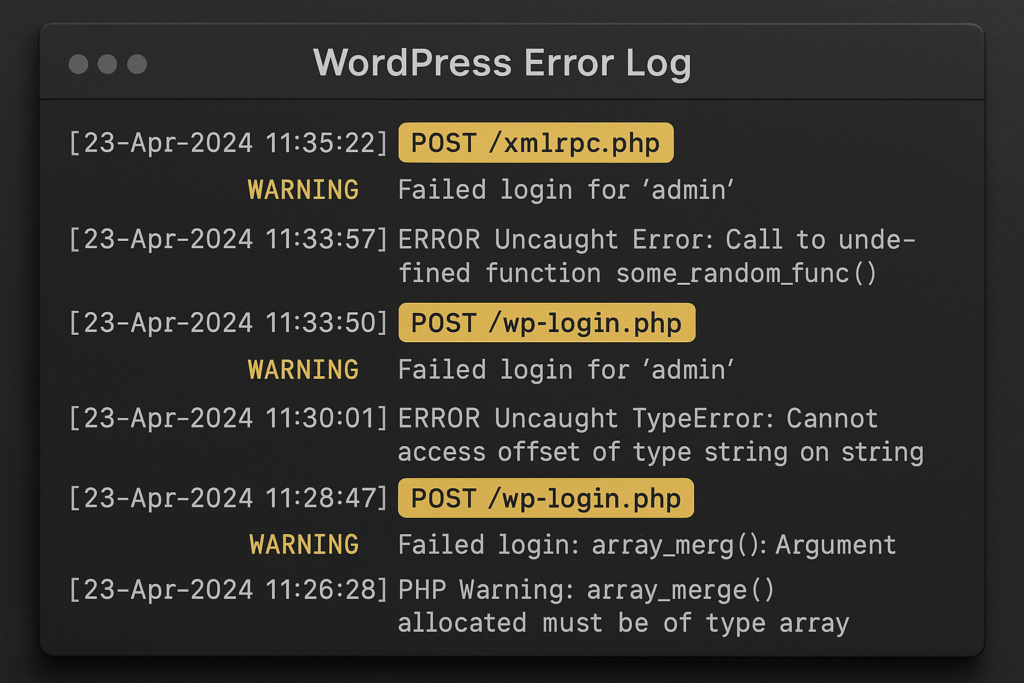
WordPress log excerpt with suspicious POST requests highlighted
Telemetry becomes noise when signals aren’t normalized and prioritized: multiple systems report the same symptom differently, teams lack a single triage view, and automated alerts don’t map to remediation playbooks. The result is delayed containment and inconsistent fixes. The goal is to turn alerts into a small set of repeatable actions you can execute under pressure.
Normalization starts with a consistent schema (timestamp, host, user, source IP, event type, severity, correlated IOC tags). Enrichment—adding context such as plugin name, theme, recent deploy, and user agent—turns a number into actionable evidence. This is the core of WordPress telemetry remediation: intentionally reducing alert volume while improving signal fidelity so operators can act with confidence.
What is the initial attack chain?
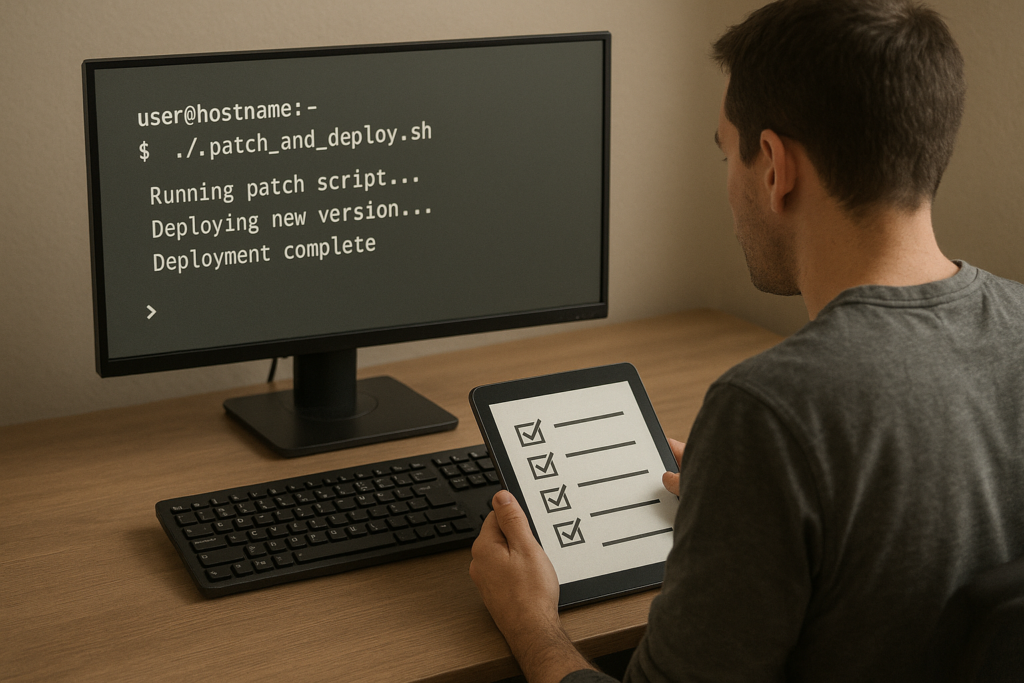
Operator applying patches with checklist on tablet
Initial compromises commonly begin with an exposed or vulnerable plugin/theme, a reused admin credential, or an unsecured upload endpoint. Attackers then establish persistence (backdoor/web shell), escalate privileges, and pivot to data-stealing or site-defacement activities.
Common progression example:
- Reconnaissance: automated scanners probe known plugin endpoints.
- Exploit: an outdated plugin with RCE or file-upload flaw is targeted.
- Persistence: the attacker writes an obfuscated PHP web shell to uploads or mu-plugins.
- Privilege escalation: new admin users added or existing users promoted.
- Exfiltration or monetization: checkout redirection, credit card skimmers, or site defacement.
Quick wins checklist: actions you can do in under 60 minutes
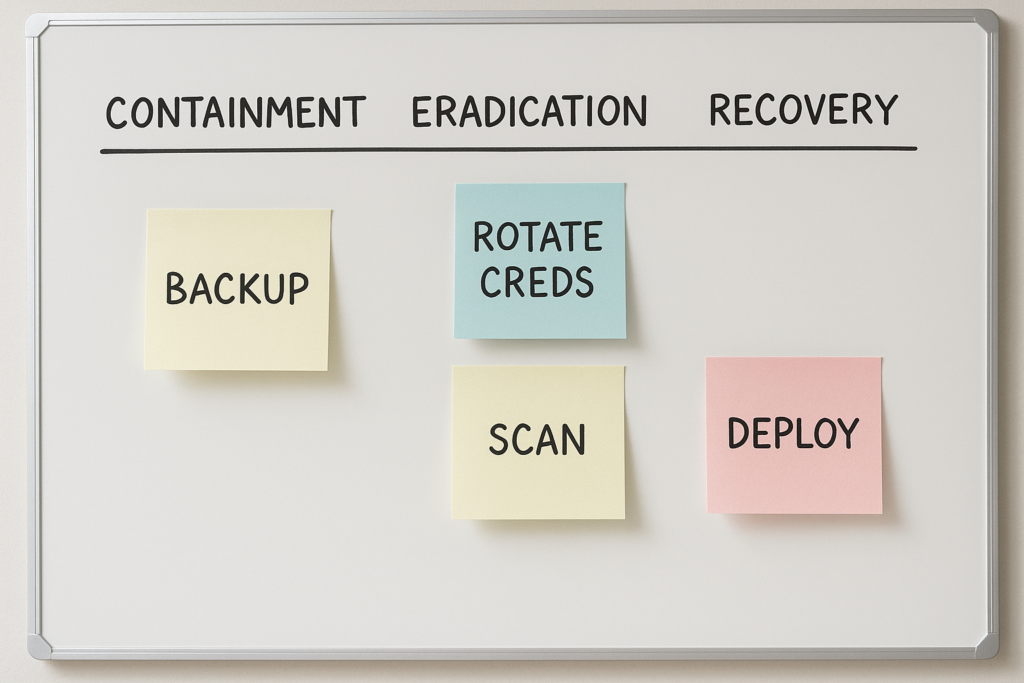
Incident whiteboard showing containment and recovery steps
- Centralize logs: point access, error, and application logs to a single store so you can search across events.
- Enforce least privilege: audit admin accounts and demote or remove unnecessary privileges.
- Rotate secrets: expire API keys and admin passwords for compromised or high-risk accounts.
- Enable file integrity monitoring: snapshot critical files and compare changes to detect web shells.
- Isolate suspected sites: change DNS or take the instance offline to prevent data exfiltration.
- Take a snapshot: capture a forensic image before making destructive changes.
These quick wins are designed for IT operators who must act immediately to preserve uptime and evidence. For a deeper playbook on admin hardening, see the guide on hardening admin access.
Deep fixes: patching, configuration, and privileged workflows
Patch management and prioritization
Start with a triage table: known-critical CVEs, publicly disclosed plugin exploits, and any items flagged by vendor advisories. Patch core first, then themes and plugins. If a plugin has a disclosed remote code execution vulnerability, prioritize it ahead of lower-risk updates.
Implementation steps:
- Inventory: export a list of active plugins and themes with versions and source.
- Score risk: mark items with public advisories or high CVSS as P0/P1.
- Schedule: apply emergency patches immediately for P0/P1; batch lower-risk updates into weekly patch windows.
- Fallback: if a patch breaks functionality, prepare a rollback and mitigation (disable plugin, firewall rule).
Configuration hardening
Lock down writable directories, enforce strict file permissions, disable PHP execution in upload directories, and ensure backups are encrypted and stored off-site. Document each setting so remediation is repeatable during an incident.
Privileged workflow controls
Restrict admin creation to out-of-band approval and log every privilege change. Integrate change approvals into your incident playbooks and ensure there is an audit trail for who changed what and when.
Turning alerts into remediation playbooks
Map common alerts to action templates
For each high-fidelity alert type (suspicious POST patterns, sudden admin creation, unknown PHP file writes) create a one-page action template: containment steps, forensic commands, and remediation tasks. Templates reduce decision fatigue during incidents.
Sample one-page template (Unknown PHP write):
- Containment: block source IP, temporally disable uploads, set site to maintenance mode.
- Forensics: capture recent file creation/modification list, collect web logs for the timeframe, snapshot filesystem.
- Eradication: remove the file, replace from clean source, re-run integrity checks.
- Recovery: rotate creds, validate end-to-end flows, monitor for reappearance for 72 hours.
Correlate telemetry and elevate with confidence
Correlation examples: pair abnormal outbound connections with a new admin user; pair file write events against recent plugin updates. When two or more independent signals align, escalate to containment. If you need structured examples, review the operational teardown at Reduce Incident Blast Radius.
Example correlation rule set for your SIEM/ELK:
- Alert if a new admin user is created AND there was a PHP file write to /wp-content/uploads in the last 30 minutes.
- Alert if there are >50 failed logins from one IP AND successful login to an admin account in 5 minutes.
- Alert if outbound connections to rare IPs coincide with changes to wp-config.php.
Incident mini-case study: a noisy alert hidden a web shell
Background: A retail WordPress site reported intermittent failed logins and a spike in admin role changes. Initial scans returned generic warnings, so the team ignored them for 24 hours. When a customer reported a checkout redirect, operators centralized logs, correlated a suspicious POST to an upload endpoint, and found an obfuscated PHP file. Containment: the site was isolated, credentials rotated, and a snapshot was taken. Remediation: infected files were replaced from clean sources, roles were corrected, and an integrity baseline was established. Recovery: after acceptance testing in a sandbox, traffic was restored. Lessons: a single noisy login alert became actionable only after telemetry correlation and a documented playbook.
Operationalizing recovery and resilience
Restore validation
Restore into a staging environment first. Validate by running file integrity checks, executing core user flows (including checkout if applicable), and scanning for known IOCs. Only after validation should you promote the restore to production.
Restore validation checklist:
- Confirm database schema matches expected version and contains no unknown admin users.
- Run file integrity monitoring across core, theme, and plugin folders.
- Execute smoke tests: home page, login, checkout, upload, download.
- Scan network activity from the staging instance for unexpected outbound connections.
Post-incident hardening
After eradication, implement layered defenses: rotate all secrets, enforce multi-factor authentication for admin accounts, and schedule a focused patch sprint to close windows of exposure. For a tactical threat-model walkthrough specific to protecting critical content and checkout flows, see this detailed roadmap.
How do you maintain signal quality over time?
Maintain signal quality by pruning low-value alerts, tuning thresholds, and periodically testing your detection rules with benign fault-injection. Regular tabletop exercises that exercise the playbooks will show where telemetry gaps exist and where new correlators are needed.
Practical maintenance tasks (recurring):
- Monthly: review top 20 alerts by volume, retire or merge duplicates, update playbook mappings.
- Quarterly: run a simulated compromise to validate your WordPress telemetry remediation pipeline and evidence collection steps.
- Annually: full post-mortem of any live incidents and update escalation matrices.
Implementation steps: building a WordPress telemetry remediation pipeline
- Identify sources: web access logs, PHP-FPM/error logs, syslog, application logs, FIM alerts, WAF events.
- Centralize: forward logs to a central store with a normalized schema and retention policy.
- Enrich: add asset tags (site id, environment), business impact (checkout site?), and plugin metadata.
- Define correlators: implement the alert rules described above and map each to a playbook id.
- Automate: where safe, automate containment actions (IP block, read-only mount) to save time during incidents.
- Document: ensure runbooks, owners, and SLAs are clearly assigned to each playbook.
Evidence collection cheat-sheet (defensive)
Collect artifacts in a forensically-sound manner and store off-instance. Examples of low-risk collection commands defenders commonly use:
- List recently modified PHP files:
find /var/www/html -type f -name '*.php' -mtime -7 -ls - Dump last 10k lines of the web access log for a timeframe:
tail -n 10000 /var/log/nginx/access.log > access-sample.log - Generate checksums for core files:
find /var/www/html/wp-includes -type f -exec md5sum {} ; > checksums.md5
Timeline: practical remediation milestones
- 0–60 minutes: contain (isolate site), snapshot evidence, rotate high-risk credentials, enable maintenance mode.
- 1–4 hours: triage (correlate logs, identify likely ingress), apply emergency mitigations (disable plugin, block IP range).
- 4–24 hours: eradicate (remove web shell, restore files, harden config), validate in staging, and prepare communication.
- 24–72 hours: monitor for reappearance, run extended integrity checks, and finalize post-incident report.
Applying Hack Halt Inc. to implement controls
For teams that want to convert triage into consistent remediation, Hack Halt Inc. centralizes telemetry, automates the remediation checklist, and documents actions taken during an incident. Learn more about pricing and how Hack Halt helps you implement the controls in this article at Hack Halt pricing.
For product documentation and configuration guidance aligned to these controls, consult the Hack Halt documentation and the implementation walkthroughs linked earlier.
Final checklist: make this a repeatable process
- Create a single triage dashboard that receives web, PHP, and application logs.
- Map top 5 alerts to one-page playbooks (containment, eradication, recovery).
- Schedule weekly quick-win tasks: credential rotation, permission audit, and patch sprint.
- Practice restores quarterly and validate restores with end-to-end tests.
- Document every incident and update playbooks within 48 hours of closure.
- Measure MTR (mean time to remediation) and aim to reduce it after each exercise through automation and clearer telemetry.
Further reading and connected playbooks
Deepen your remediation strategy with targeted teardowns and layered defense playbooks: the WooCommerce malware teardown and the layered admin hardening roadmap at Hardening Admin Access are practical next reads. Additional tactical resources include the threat-model and operator notes linked earlier to help you reduce blast radius and make telemetry actionable: How WordPress Hacks Unfold, Reduce Plugin Exploit Risk, and Operator Notes.
FAQ
What immediate evidence should I capture after I suspect a compromise?
Capture web server access logs, PHP error logs, a filesystem snapshot, and a memory image if possible. Store these artifacts off the running instance and lock down access to preserve chain-of-custody.
Is it safe to restore from backups right away?
Not until you validate the backup and ensure the restoration environment is clean. If the attacker had access to backups or credentials, restoring without remediation can reintroduce compromise.
How do I prioritize plugin updates during an active incident?
Prioritize patches that close code execution or privilege escalation vectors and any plugins with public exploit reports. If a plugin cannot be immediately patched, disable or remove it and contain the site until a fix is available.
Who should own the remediation playbook in an organization?
The IT operator or incident response lead should own the playbook with a documented escalation path to founders or product owners for high-impact sites. Maintain a single source of truth for playbooks and ensure ownership is clear before an incident occurs.
Hack Halt Inc. is mentioned here as a practical way to centralize telemetry and automate remediation workflows; visit Hack Halt Inc. to learn more about the platform and its documentation.