Operator Notes — If you run multiple client WordPress installs, relying on generic security plugins is a risk: plugins help, but admin access and privileged workflows are the real crown jewels. This blueprint gives you step-by-step guidance to reduce the attack surface, enforce operational guardrails, and ensure you can recover fast when an admin account or workflow is targeted.
- Why plugins alone won't protect privileged access
- How do you stop admin account abuse?
- Step 1 — Inventory and map privileged access
- Step 2 — Enforce identity and session controls
- Step 3 — Reduce privileges and separate duties
- Step 4 — Telemetry: what to collect and why
- Step 5 — Containment and rapid recovery
- Actionable checklist — operator-ready
- How to operationalize across many sites
- Why monitoring and recovery are non-negotiable
- How Hack Halt Inc. helps you implement this blueprint
- Next steps and maintenance cadence
- Where to read more operator playbooks
- FAQ
Why plugins alone won’t protect privileged access
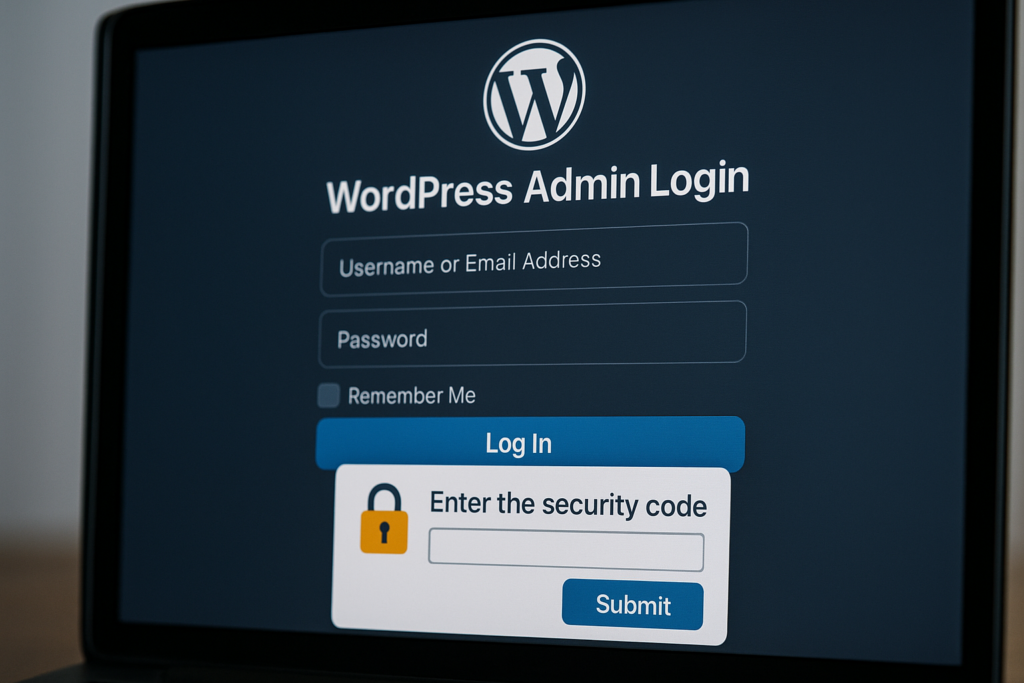
Secure WordPress admin login with MFA prompt
Plugins often scan for known indicators, block obvious attack vectors, or add a weak auth layer. They rarely enforce organizational identity controls, limit human error in privileged workflows, or integrate recovery actions into a single operator playbook. When an attacker gains an admin credential or deploys a web shell, detection and containment must be orchestration-driven, not just signature-driven.
Think of plugins as one layer in a layered defense model: they filter noisy input and surface signatures, but they cannot replace identity, session policy, or incident orchestration. For more layered defense techniques focused on malware and web shells see our playbooks like Why Other Plugins Aren’t Enough: A Battle-Tested Playbook for Layered Malware & Web Shell Defense.
How do you stop admin account abuse?
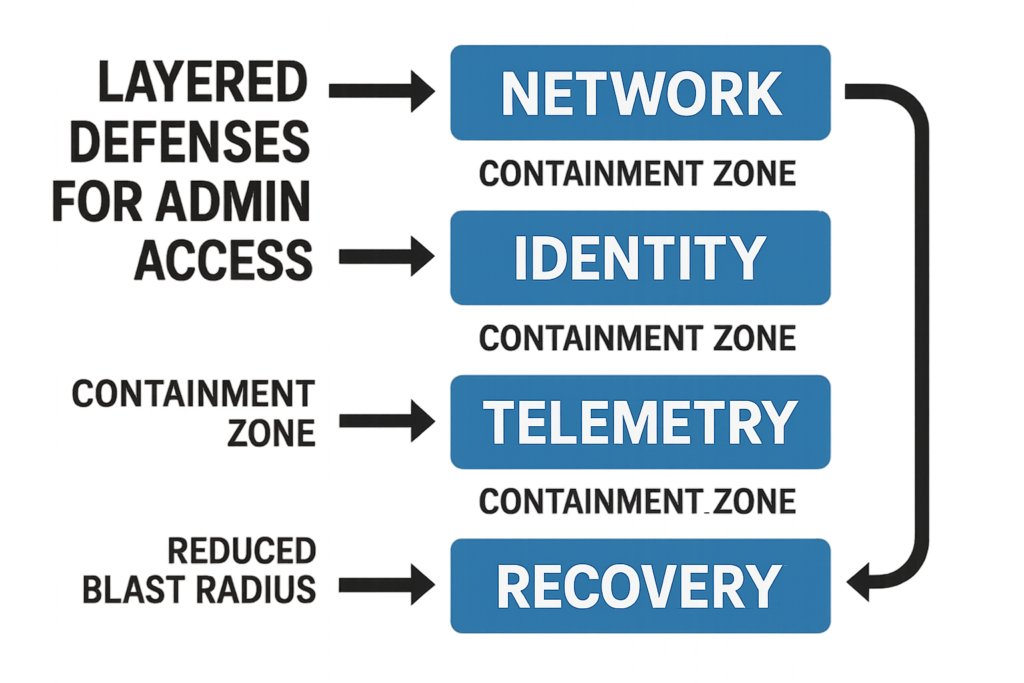
Layered defense diagram showing containment and blast radius reduction
Start with identity-first controls: per-person accounts, enforced MFA, short-lived sessions, and tight role definitions. Combine that with targeted telemetry on privileged actions and a tested recovery runbook so you can revoke and restore with confidence.
Concrete example: require Time-based One-Time Passwords (TOTP) or hardware keys for all users with edit_plugins or edit_themes capabilities. Enforce re-authentication for plugin installs, user creation, and payment settings changes. Document who can perform each privileged action and the approval workflow required.
Step 1 — Inventory and map privileged access
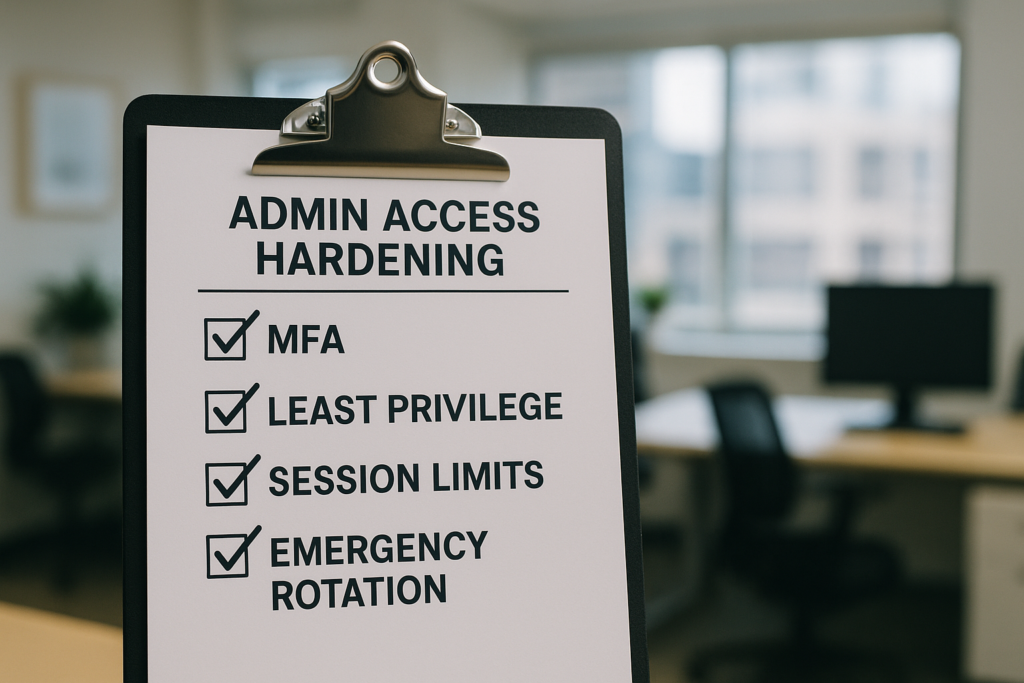
Admin access hardening checklist on clipboard
For each client site, create a simple matrix: account, role, purpose, last active date, and approved owner. Treat shared credentials as exceptions that must be removed. This inventory becomes the baseline for future audits and the launchpad for least-privilege changes.
How to build the inventory quickly
Export user lists, filter for Administrator-level capabilities, and annotate with the owner’s team and required access window. Prioritize high-traffic or ecommerce sites first.
Quick WP-CLI example (operator pattern):
- List administrators: wp user list –role=administrator –fields=ID,user_login,user_email,registered
- Annotate export with owner and last active date in your CMDB or spreadsheet.
What to do with legacy shared accounts
Replace shared accounts with per-user logins, rotate any credentials used in cron jobs to scoped keys, and log the deprecation in the client runbook so you can track compliance. If a shared service identity is required, convert it to a scoped API credential with the minimum capabilities and expiry.
Step 2 — Enforce identity and session controls
Require multi-factor authentication for all privileged accounts, configure session timeouts, and enable activity-based session revocation. Where possible, use single sign-on patterns that support conditional access and device posture checks.
Session policies that matter
- Set maximum session duration (example: 8 hours) and idle timeouts (example: 15–30 minutes).
- Limit concurrent sessions and force re-auth on sensitive actions (plugin installs, user role changes, checkout configuration).
- Log session creation and termination for every admin account.
Implementation step: implement per-site configuration values centrally via a configuration management tool or enforce them with idempotent scripts. If SSO is used, map SSO groups to narrow WordPress roles and enforce conditional rules in the identity provider.
Step 3 — Reduce privileges and separate duties
Move from broad Administrator accounts to narrowly scoped roles. Create operational roles for content editors, plugin managers, and deploy engineers; reserve full admin only for vetted escalation engineers. Document which tasks require elevation and how to request temporary access.
Example workflow for temporary elevation:
- Developer requests elevation via ticket with approval from site owner.
- Operator grants time-limited elevation (duration and scope recorded in ticket).
- At expiry, automation removes the elevated role and records the action in telemetry.
Step 4 — Telemetry: what to collect and why
Collect concise telemetry on admin actions: logins, failed login spikes, role changes, plugin installs, file edits in theme and plugin directories, and outbound network processes triggered by PHP. The goal is reliable, noise-reduced signals that drive fast decisions.
Turn alerts into actions
Pair each alert with a standard operating procedure: who is notified, what isolation steps to run, and when to escalate to recovery. Our playbooks like Operator Notes: Reduce Incident Blast Radius show how to structure these remediations.
Where to focus telemetry first
- Credential events and MFA failures.
- Role or permission changes.
- Unexpected file writes in protected directories.
Operational metric examples to track monthly:
- MFA coverage percentage for privileged accounts.
- Number of admin accounts per site vs target maximum.
- Mean time to revoke (MTTR) from detection to session revocation.
Step 5 — Containment and rapid recovery
When an admin account is suspected of compromise, containment must be immediate: revoke sessions, rotate credentials and API keys, and isolate the site. Recovery should be an orchestrated process that restores a known-good state while preserving forensic evidence.
Containment checklist (first 60 minutes)
- Revoke active sessions for affected accounts (rotate passwords to force logout).
- Freeze changes: disable plugin/theme edits and block new plugin installations.
- Rotate any API keys, webhooks, or stored service credentials used by the account.
- Clone the site into a sandbox for forensic analysis and preserve logs and file hashes.
Recovery playbook essentials
- Immediate session revocation and password rotation for affected accounts.
- Restore verified backups into a sandbox environment for validation.
- Rebuild compromised accounts from scratch and re-apply least-privilege roles.
Forensics preservation steps: create immutable copies of database and filesystem snapshots, record SHA256 hashes of suspicious files, and export web server and PHP-fpm logs from the incident window.
Actionable checklist — operator-ready
- Inventory: export admin users for each client and annotate owners.
- MFA: require it for all privileged users and enforce per-person accounts.
- Least Privilege: replace broad admin roles with scoped capabilities.
- Session Controls: set timeouts, limit concurrency, enable forced re-auth.
- Telemetry: log admin actions (logins, role changes, file edits) and route to an incident runbook.
- Recovery: create and test an incident playbook for account rotation and backup restore.
- Policy: bake approval flows for temporary elevation and document the audit trail.
- Automation: centralize enforcement across client sites where possible.
How to operationalize across many sites
Use a centralized control plane for policy enforcement and telemetry aggregation. Scripts and orchestration should be idempotent: one command to revoke sessions across N sites, one command to rotate a key, and one documented escalation path per client. For reference implementation patterns and operator-level controls see Hardening Admin Access and Privileged Workflows: A Practical Roadmap for IT Operators.
Automation example pattern (conceptual): iterate a list of site endpoints, run wp user list to find administrators, run wp user update –user_pass to rotate a compromised account, then record results to a central log and alert the incident channel. Make sure the script is reversible and logs all actions for audit.
Why monitoring and recovery are non-negotiable
Detection without fast recovery leaves you unable to contain an attacker who already has credentials. Monitoring lets you detect the misuse; recovery playbooks let you stop and reverse damage before it spreads to other clients.
How Hack Halt Inc. helps you implement this blueprint
If you want a direct, operator-oriented way to implement centralized enforcement, telemetry, and fast recovery across client installs, consider using our platform to enforce MFA, session policies, scoped roles, and runbook-driven recovery from a single pane. The platform accelerates the controls described here and provides documentation to map settings to each step.
Next steps and maintenance cadence
Run the inventory quarterly, test a recovery scenario semi-annually, and review role assignments monthly. Track changes to high-privilege accounts in your client SLA reports and include the checklist outputs in each client handoff. Include simulated incidents in tabletop exercises to validate time-to-revoke and backup restore procedures.
Where to read more operator playbooks
For related operator playbooks on containment, telemetry, and plugin exploit risk reduction, review our guides such as Reduce Plugin Exploit Risk Before Disclosure: A Battle-Tested Checklist Playbook, Stopping Brute-Force & Credential Stuffing: A Practical Hardening Roadmap for IT Operators, and the tactical threat modeling guide How WordPress Hacks Actually Happen. For operator-level defenses against automated abuse and checkout flows see Operator Blueprint: Defend High-Value Content & Checkout Flows.
FAQ
Is a firewall or malware scanner enough to protect admin accounts?
No. Firewalls and malware scanners help, but they don’t control credentials, enforce least privilege, or provide fast recovery and telemetry for privileged workflows. Hardening admin access requires identity controls, session management, targeted monitoring, and documented recovery playbooks.
How quickly should I rotate a compromised admin account?
Rotate immediately once you confirm compromise: revoke sessions, change passwords, rotate API keys, and rebuild the account if necessary. Have an incident recovery playbook that you can execute in under an hour for high-value sites.
Can I automate privileged workflow controls across many client sites?
Yes, with the right tooling that supports centralized policy, telemetry, and recovery actions. Automate enforcement for MFA, session limits, role audits, and emergency isolations while keeping clear escalation paths for manual interventions. For practical scripts and runbook templates, review our operator playbooks and the recovery orchestration examples in the linked roadmaps.