
As an agency operator responsible for multiple client WordPress installs, you face the same persistent adversary at scale: automated credential-stuffing and brute-force attacks. This blueprint walks you through a practical, mentor-style roadmap to detect attacks early, harden login paths, and recover quickly when things go wrong. The goal is repeatable controls you can apply across clients with minimal disruption.
- Overview: why stopping brute-force and credential stuffing must be an operator priority
- What is credential stuffing and why does it matter?
- Threat model: what are we defending against?
- Detection and telemetry: what to log and why
- Hardening roadmap: step-by-step controls to deploy across clients
- Actionable checklist: immediate actions you can run across clients
- Operational playbooks: detection to recovery
- Scaling controls: automation and consistency
- How will I know this is working?
- How do you implement these controls quickly across clients?
- Further reading and operator resources
- Final checklist before you finish a client rollout
- FAQ
Overview: why stopping brute-force and credential stuffing must be an operator priority
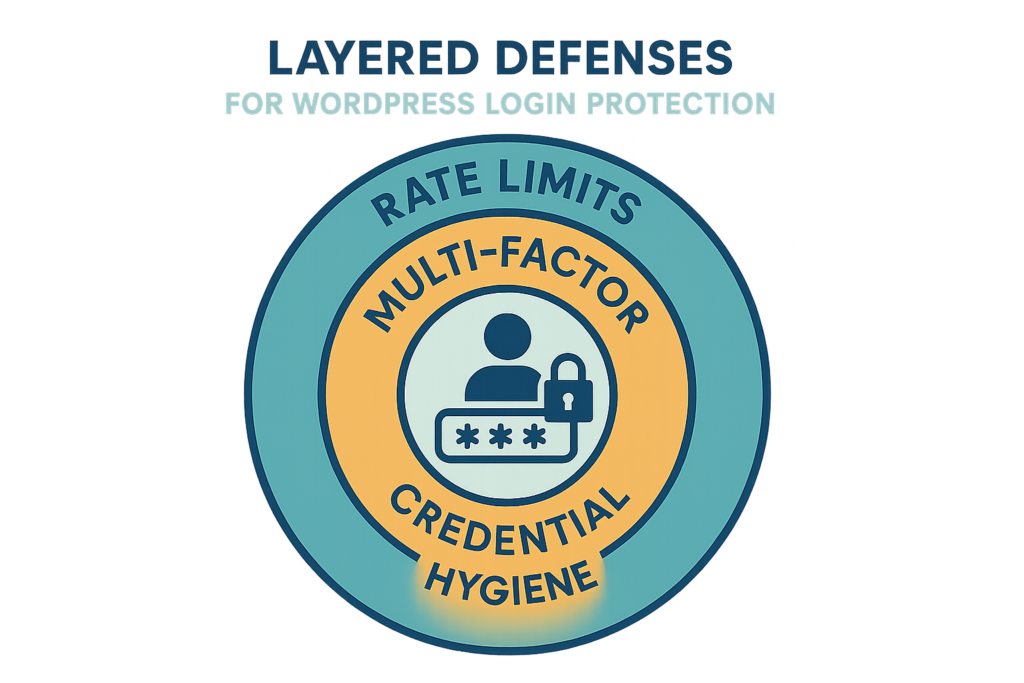
Layered defenses diagram for WordPress login protection
Brute-force and credential-stuffing campaigns are noisy, cheap for attackers, and effective if you manage many sites with shared credential behaviors. Your agency-level responsibilities are not just to stop one site but to stamp out the patterns that let attackers scale across clients: weak passwords, default admin accounts, permissive rate limits, and slow detection.
What is credential stuffing and why does it matter?
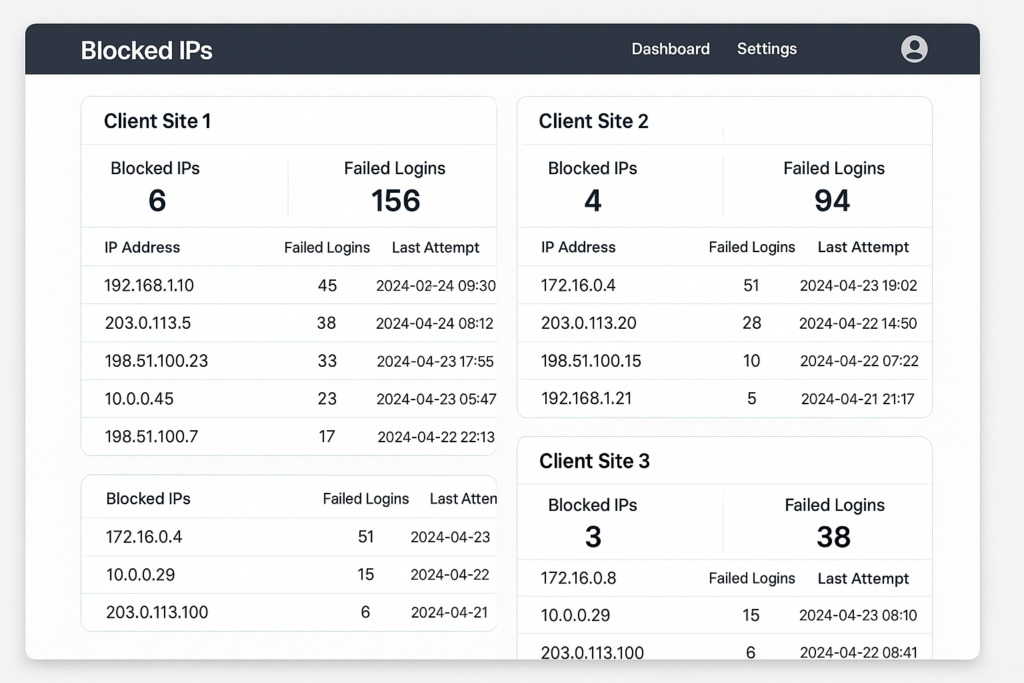
Mockup dashboard showing blocked IPs and failed login attempts per client
Credential stuffing is an automated attack where attackers replay breached username/password pairs against login endpoints; it matters because reused credentials across multiple client sites let attackers pivot from low-value sites to high-value admin or checkout flows quickly. The impact is account takeover, fraud, and time-consuming recovery for your team.
Threat model: what are we defending against?
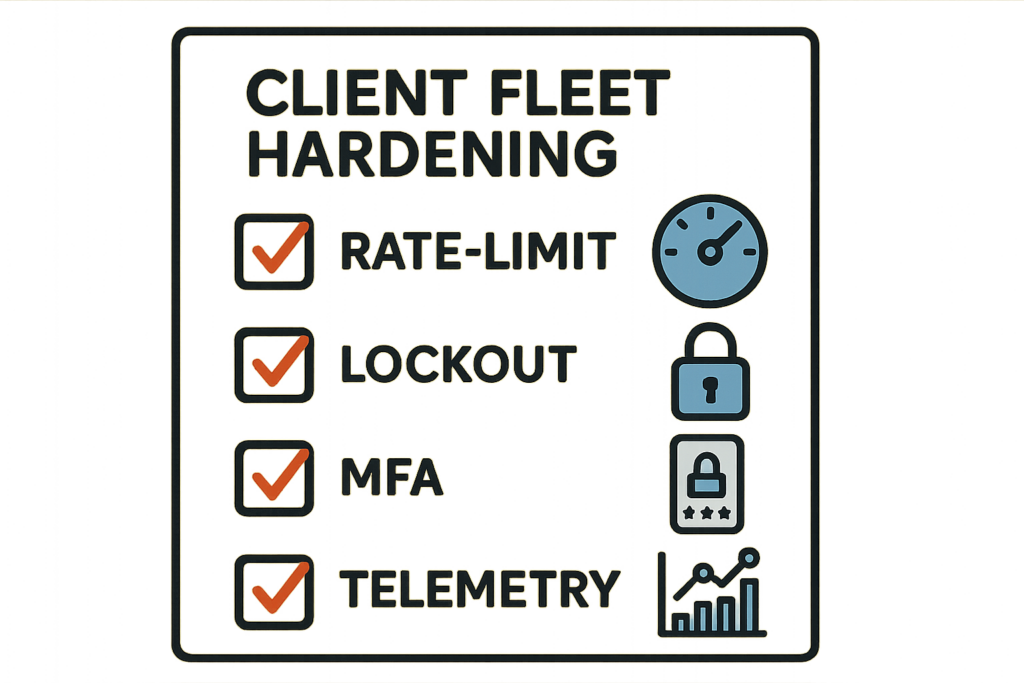
Checklist graphic for fleet hardening actions
As an operator, assume attackers will use distributed IP pools, credential lists, and automated tooling to attempt millions of logins. Your defenses should focus on detection of automation patterns, reducing attack surface, and minimizing recovery effort if an account is compromised. Use threat modelling to prioritize which client sites require stricter controls (e.g., eCommerce, membership sites, high-traffic blogs).
Common attacker techniques to watch for
- High-frequency failed logins from single IP or ASN ranges.
- Requests to multiple login endpoints (wp-login, xmlrpc, REST auth routes) in rapid succession.
- Use of common usernames (admin, administrator, webmaster) followed by low-entropy passwords.
Who should get the strictest rules first?
Prioritize clients with financial transactions, admin-only content, and large user bases — these are high-value targets where compromise has outsized consequences. Use the Defend High-Value Content and Checkout Flows playbook to guide prioritization.
Detection and telemetry: what to log and why
Reliable detection begins with consistent telemetry. For every client, capture failed login counts, usernames attempted, client IPs, user-agent strings, and timestamps. Centralize this telemetry so you can spot distributed attacks that individually look benign.
Telemetry signals that indicate credential stuffing
- Rapid bursts of failures across many usernames within a short window.
- Multiple sites showing similar failure patterns tied to the same IP ranges.
- Repeated attempts against legacy endpoints (xmlrpc.php) that should be disabled.
How to turn noisy alerts into action
Follow a simple rule: if an alert exceeds a baseline threshold, immediately raise the site’s hardening level — tighten rate limits, enforce lockouts, and require MFA for admins. The How WordPress Hacks Actually Happen roadmap helps translate telemetry into remediation steps you can operationalize across clients.
Hardening roadmap: step-by-step controls to deploy across clients
Apply these layered controls in order. Each step reduces attack surface and buys time to detect and respond.
Step 1 — Inventory and surface minimization
Inventory login endpoints, exposed REST auth routes, and active authentication plugins. Disable or restrict xmlrpc.php, block or rate-limit REST authentication where unused, and eliminate unnecessary admin accounts.
Step 2 — Rate limiting and progressive lockouts
Implement IP and username-based rate limiting with progressive lockouts to frustrate automated tools. Tune thresholds per client traffic; aggressive settings on low-traffic clients are acceptable. For help with tuning and rollout, reference operator-focused guidance in the Stopping Brute-Force & Credential Stuffing roadmap.
Step 3 — Credential hygiene and privileged access
Enforce strong passwords and expiration for dormant privileged accounts; remove or rename default usernames. Require MFA for all admin and privileged users and consider enforcing MFA by policy across clients.
Actionable checklist: immediate actions you can run across clients
- Inventory: list login endpoints and admin users for each client within 24 hours.
- Disable xmlrpc.php and restrict REST auth where not used.
- Apply per-site rate limits and set a temporary 15-minute lockout after 5 failed attempts.
- Block or challenge traffic from abusive ASNs and known bad IP ranges detected in your telemetry.
- Enforce MFA for all admin accounts and auto-enroll or assist clients with enrollment.
- Remove default usernames and rotate stale passwords for all privileged accounts.
- Centralize failed-login telemetry into a dashboard and set alert thresholds.
- Document and automate the above as a repeatable deployment for new clients.
Operational playbooks: detection to recovery
When an attack is confirmed, move through three phases quickly: containment, remediation, and verification. Containment includes tightened rate limits and temporary IP bans. Remediation covers password resets for affected accounts and forensic log collection. Verification tests that the attacker can no longer access privileged areas.
Containment checklist
- Increase lockout sensitivity and enable temporary site-wide challenge pages if login attempts persist.
- Block offending IP ranges and throttle traffic at the edge.
- Force password resets for accounts that showed suspicious login attempts.
Remediation and recovery
Collect logs, identify compromised accounts, rotate credentials, and—if necessary—restore from a clean backup. Use the Operator Notes playbook to structure your recovery steps and reduce blast radius across the client fleet.
Scaling controls: automation and consistency
Repeatable automation is how you secure dozens or hundreds of sites without burning the team. Package your inventory, rate-limit settings, lockout policies, and telemetry collectors into a deployable configuration. Use central dashboards so one alert reveals cross-client attacks quickly.
Automating policy rollout
Script the baseline hardening actions and test on a canary client before mass rollout. Keep per-client exceptions documented and short-lived. For controls that Hack Halt addresses directly, consult the Hack Halt documentation to map settings to your deployment scripts.
How will I know this is working?
Measure success by sustained reductions in failed-login rates, fewer lockout-triggered customer support tickets, and reduced incident frequency. Regularly review telemetry to ensure that tightened controls do not create excessive false positives.
How do you implement these controls quickly across clients?
Use a managed deployment path: automate the baseline hardening, centralize telemetry, and use a single control plane to push and revert settings as needed. If you want a direct way to implement these controls at scale, consider deploying Hack Halt Inc. to standardize rate limits, lockouts, MFA enforcement, and fleet-wide telemetry collection across all clients.
Further reading and operator resources
Keep the following operator-focused materials handy as you harden clients: the tactical roadmap for stopping credential stuffing (Stopping Brute-Force & Credential Stuffing), the telemetry-to-remediation roadmap (How WordPress Hacks Actually Happen), and targeted high-value content playbooks (Defend High-Value Content and Checkout Flows).
Final checklist before you finish a client rollout
- Confirm xmlrpc and unused auth routes are disabled.
- Ensure rate limits and lockouts are in place and tested.
- Validate MFA for all admin users and critical workflows.
- Verify telemetry is flowing to your central dashboard and alerts are configured.
- Document exceptions and schedule a 30-day review to tune thresholds.
FAQ
How fast should I act when I see a spike in failed logins?
Treat a sudden spike in failed logins as high priority: immediately enable stricter rate limits and temporary IP blocks for the affected site, review telemetry for targeted username patterns, and communicate with the client about short-term access changes while you investigate.
Can credential stuffing be fully prevented?
No single control fully prevents credential stuffing; you stop most automated attacks with layered controls—rate limiting, account lockout policies, credential hygiene, anomaly detection, and forcing multi-factor authentication for high-privilege logins—and you scale these defenses across clients to reduce risk.
What’s the minimum monitoring I should have on each client site?
At minimum, monitor failed login rates, brute-force signatures (rapid attempts from single IP ranges), geographic anomalies, lockout events, and successful logins to admin accounts; set alerts for thresholds so you can act before account takeover completes.