
Start here
Real WordPress protection, at no cost
A firewall, intrusion prevention and multi-factor authentication, free with no expiry and no request limits.
Built for sites that deserve protection, not a security budget.
Most WordPress sites are attacked by automation, not people — credential stuffing, vulnerability probes and bots looking for a known hole. Free stops that class of attack at the door, and shows you it is happening.
What is actually included, for nothing
A real firewall
Requests are inspected and filtered before WordPress processes them, with policies you control rather than a fixed ruleset.
Intrusion prevention
Repeat offenders are locked out automatically. Credential stuffing and enumeration are recognised as campaigns, not isolated failures.
Multi-factor authentication
Enforce a second factor by role using any standard authenticator app. No SaaS account, no per-seat charge.
Vulnerability scanning
Scan plugins, themes and core against published CVEs whenever you want to know, rather than waiting to be told.
Live traffic visibility
Every request with its country, method, path and the decision Hack Halt took — the same view the paid tiers get.
Hardening and recovery
Guided hardening closes the configuration gaps attackers rely on, and recovery tools are there before you need them.
Why is it free?
A fair question to ask about a security product, and one most free plugins avoid answering.
Hack Halt Free exists because a protected site is a better advertisement than a landing page. If your firewall blocks a real attack next Tuesday and you see it happen in the live traffic view, you will understand what the product does far better than any feature list could explain it. Some of those sites eventually grow into ones that need scheduled scanning, file integrity monitoring and automated response — and those are the paid tiers.
What we do not do: throttle protection to make Free feel broken, expire it after thirty days, or count your requests. The firewall, intrusion prevention and MFA are the same code the paid tiers run. What Pro and ProSecure add is automation and depth, not permission to be protected.
Free does require a free registration tied to your domain at hackhalt.com. That is how licensing and updates work across all three tiers, and it takes a minute.
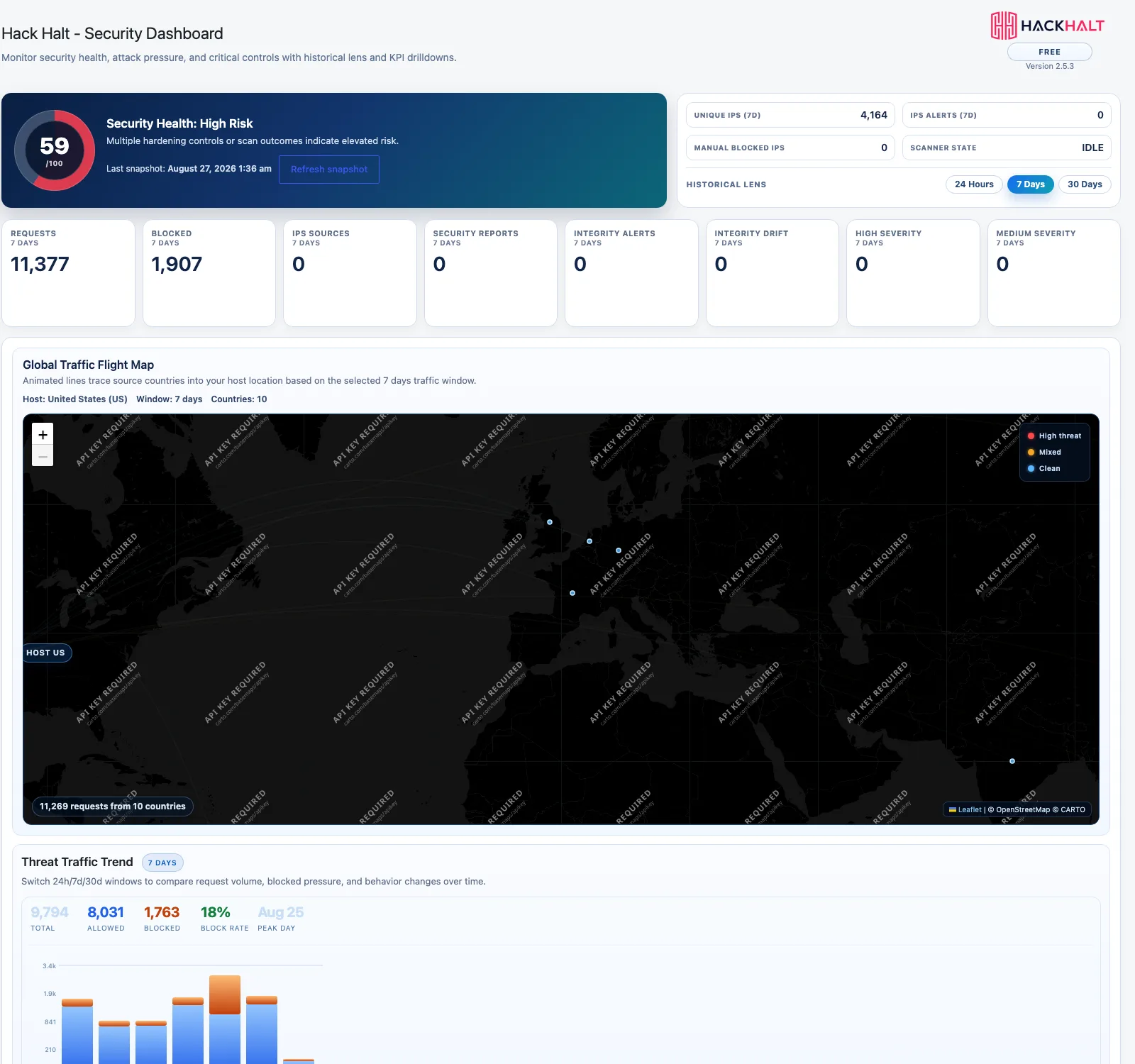
Understand your security in one screen.
A single health score, the controls that still need attention, and what actually hit your site this week.
- Security health score with plain-English reasons
- Request and block counts over 24 hours, 7 and 30 days
- Integrity and severity indicators surfaced together
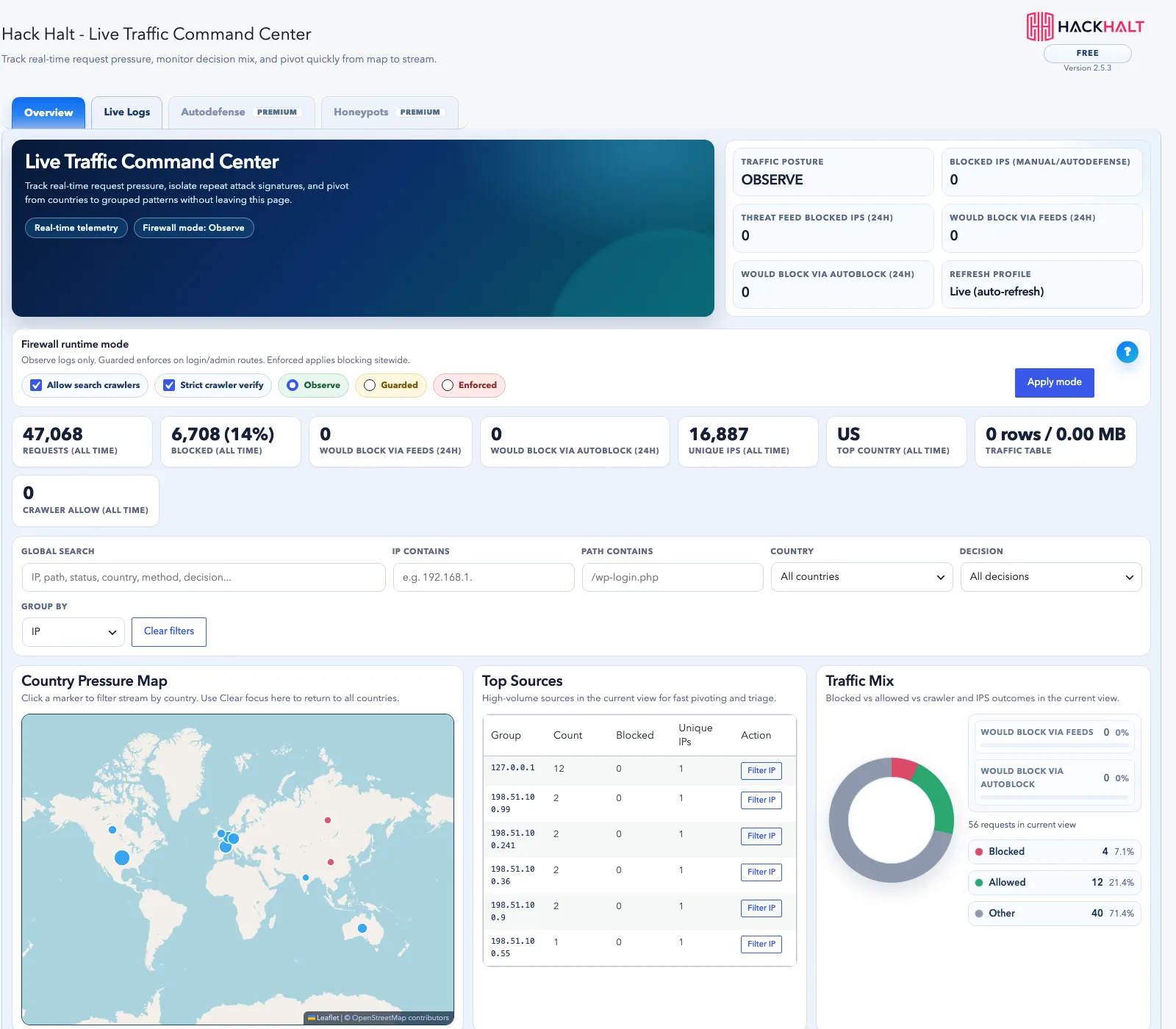
See what is hitting your site — and what was stopped.
Live traffic shows every request with its country, method, path and the decision Hack Halt made, without digging through server logs.
- Per-request decisions: allowed, blocked, challenged
- Country and network context on every row
- Filter down to exactly what you are investigating
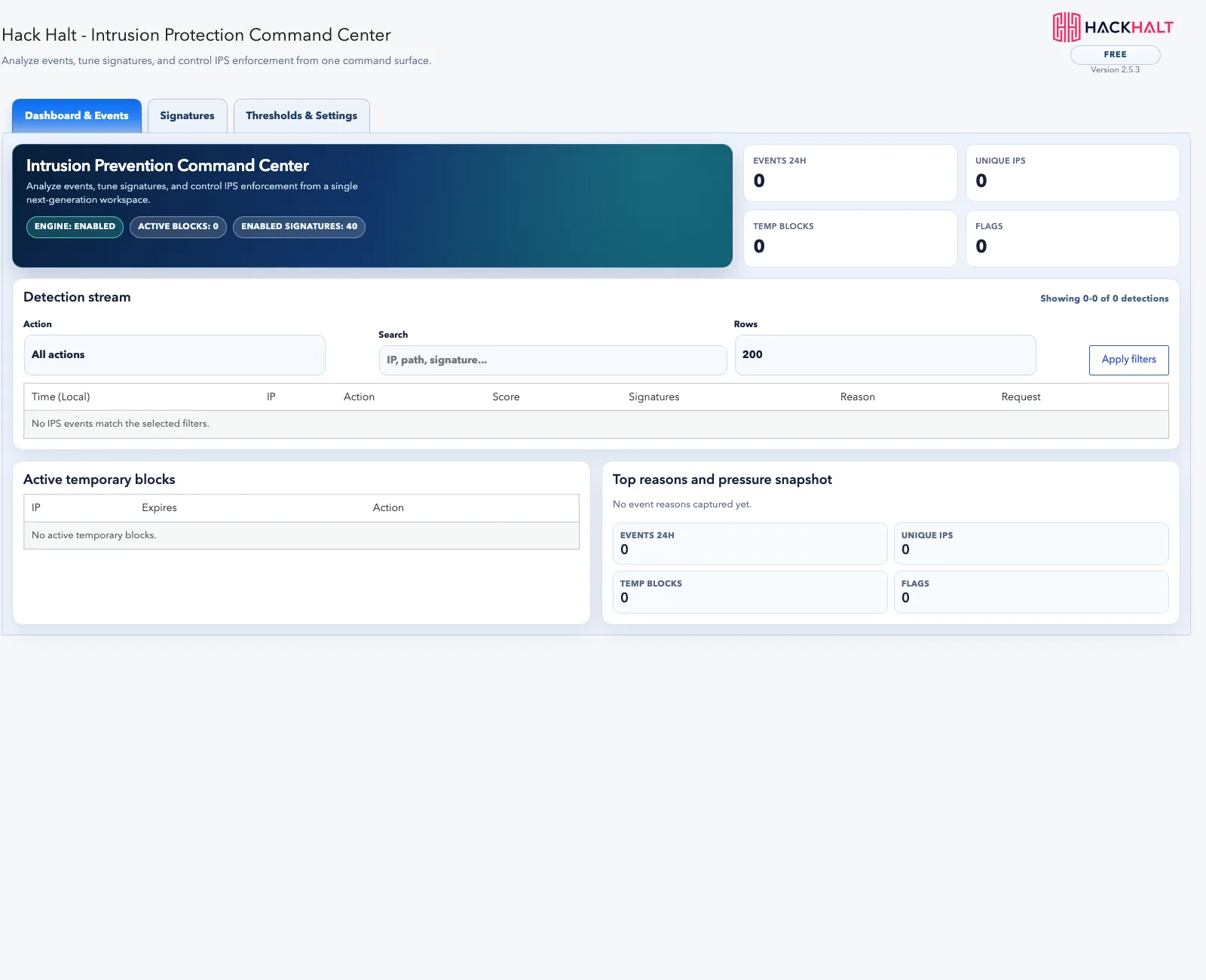
Protect the login before attackers get in.
Brute-force protection, lockouts and multi-factor enforcement are included at no cost — the controls that stop the most common WordPress compromise.
- Automatic lockouts for repeat failures
- Multi-factor authentication you can enforce by role
- Login attempt visibility with password-pattern labels
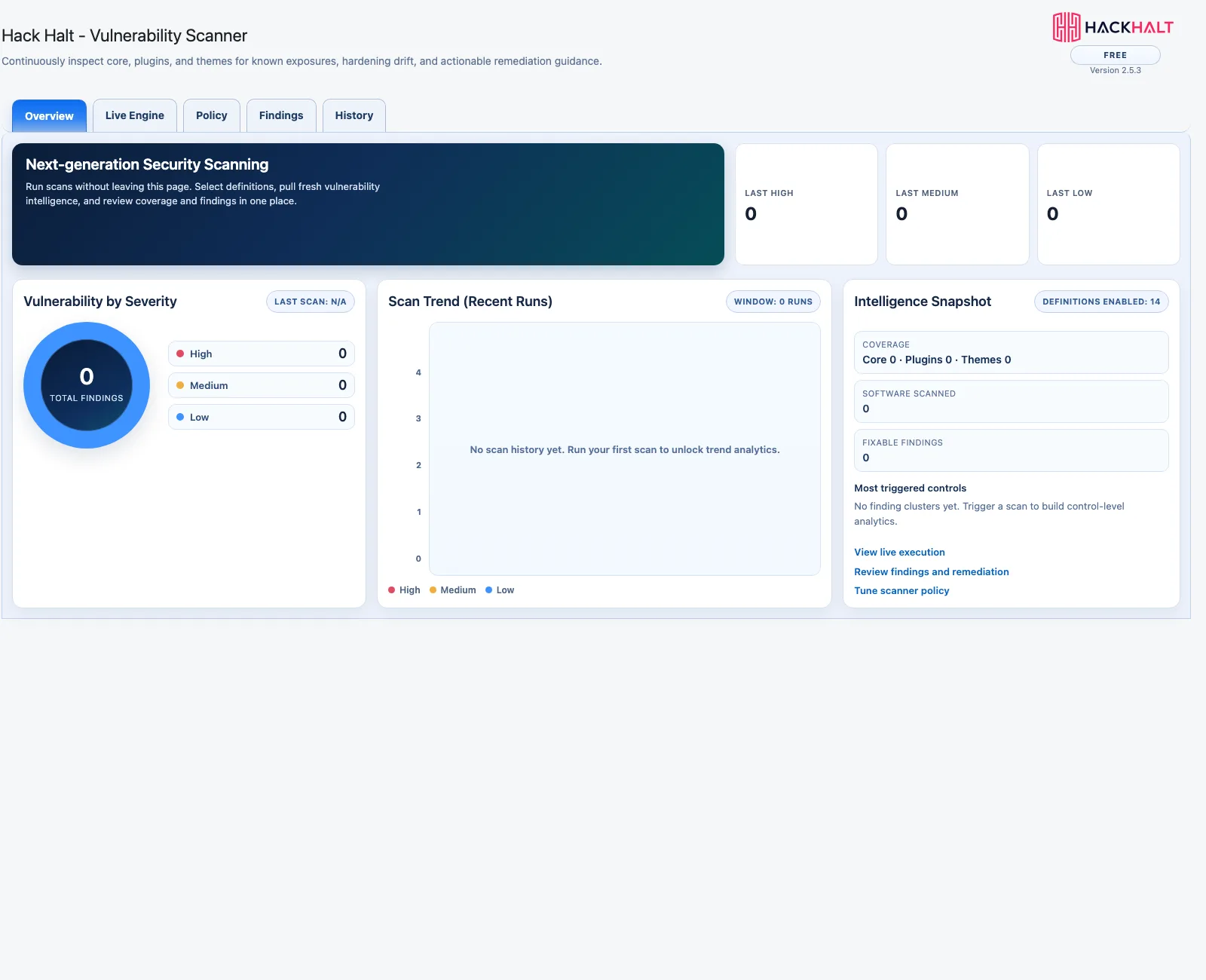
Find vulnerable plugins before someone else does.
Scan your plugins, themes and core against known vulnerabilities whenever you want. Scheduling that scan automatically is a Pro feature.
- Manual vulnerability scanning included
- Plugin, theme and core coverage
- Clear severity and remediation guidance
Need more than the essentials?
Move up to Hack Halt Pro when your site becomes too important to leave with only foundational protection — threat feeds, file integrity monitoring, scheduled scans and automated response.
Protection, measured
99.9%
Threat detection and prevention rate
Across protected installs
20
Security controls compared
Free, Pro and ProSecure
5
Capability groups covered
Protect, detect, respond, recover
4
Plans, including a free tier
No trial expiry
Frequently asked questions
Is Hack Halt Free actually free, or a trial?
Genuinely free, with no expiry and no request limits. It requires a free registration tied to your domain, which is how licensing and updates work across all tiers, but there is nothing to pay and nothing that stops working after a trial period.
What is the catch?
There isn’t a hidden one. The free tier includes the firewall, intrusion prevention and multi-factor authentication in full. The paid tiers add automation and depth — threat-intelligence feeds, file integrity monitoring, scheduled scanning and automated attack-chain response — rather than unlocking protection you were being denied.
Will it slow my site down?
Visitor-facing overhead is a handful of extra database queries and a few milliseconds per page on a host with an opcode cache enabled, which is the normal configuration. Scanning runs when you ask it to, not during a visitor’s page load.
Do I need to be technical to set it up?
No. The defaults protect a normal WordPress site immediately, and guided hardening explains each recommendation in plain language before you apply it. You do not need to write firewall rules or understand HTTP headers to benefit from it.
Can it lock me out of my own site?
It is deliberately designed not to. Multi-factor enforcement always lets an administrator who has not enrolled yet sign in so they can enrol, and recovery tools provide a way back in if a setting causes a problem. Security that locks out the owner is a failure, not a feature.
Does it work alongside my existing security plugin?
It can, but running two firewalls is rarely a good idea — they duplicate work, and conflicting rules make it much harder to tell which one blocked something and why. If you are switching, disable the other one first.
When would I need to upgrade?
When forgetting becomes the risk. Free protects you actively; Pro removes the tasks that depend on you remembering — scheduled scans, file integrity monitoring, threat feeds and automated response. If your site earns money or holds customer data, that is usually the point to move up.
Where to go next
Free protects your site actively. These are the levels above it, and the full comparison.
There is no reason to leave your site unprotected.
Install Hack Halt Free, register your domain, and have a firewall running today.