
Most sites
Security that does the work for you
Threat feeds, file integrity monitoring, scheduled scanning and honeypot deception — the security work you stop doing by hand.
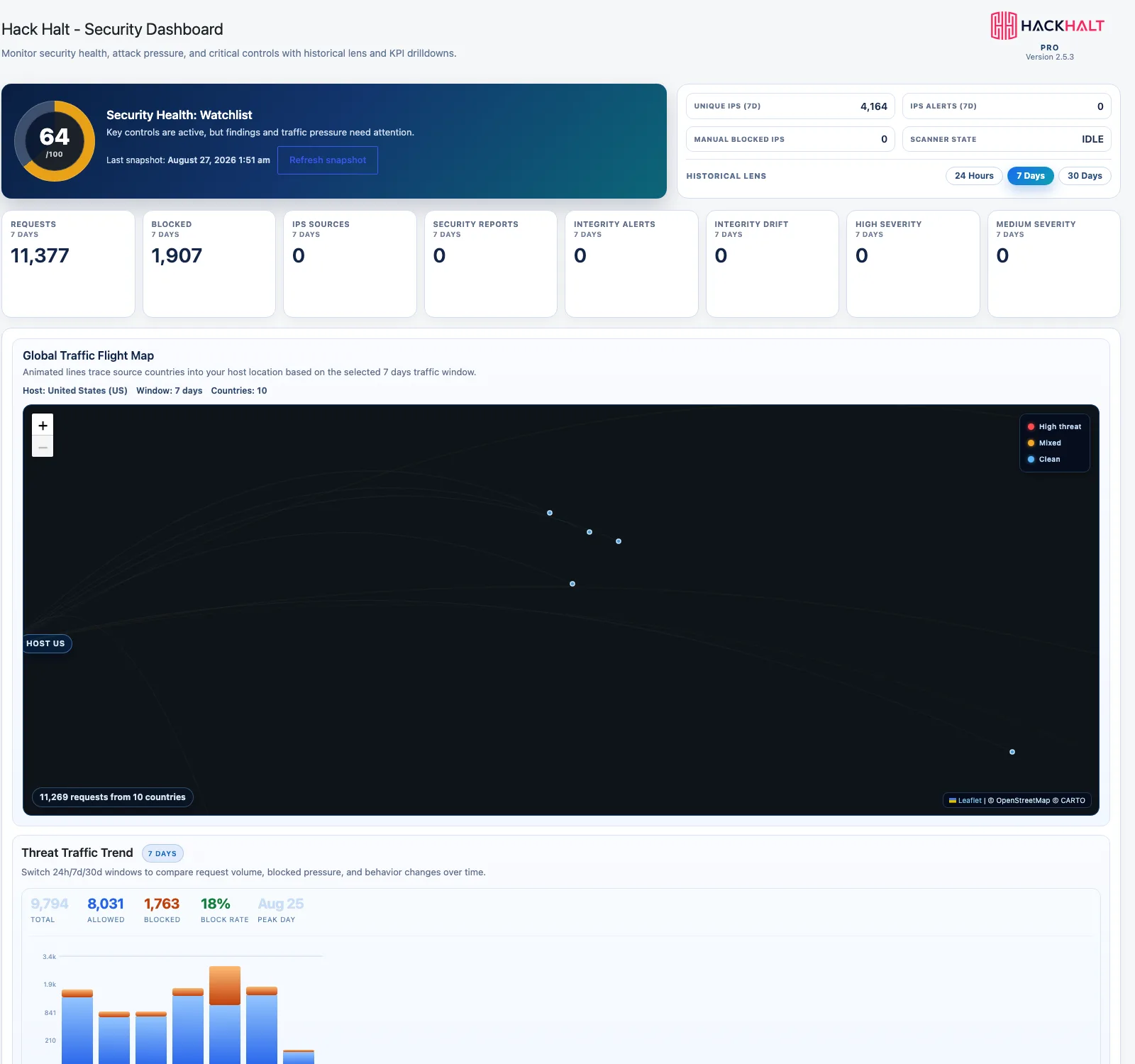
For websites where downtime costs money.
Free protects you. Pro removes the manual work — the scanning you forget to run, the file change you never noticed, and the attack that unfolds while nobody is watching the dashboard.
Nine things Free does not do
Threat-intelligence feeds
Reputation data from every protected site. An attacker blocked elsewhere is already known here before it reaches you.
File integrity monitoring
Every file compared against a known-good baseline, so a changed core file surfaces as drift with a diff attached.
Scheduled vulnerability scanning
Scans run on a cadence you set instead of when you remember, and report against published CVEs.
Autodefense
Attack-chain correlation recognises a sequence of small signals as one campaign and responds to the campaign.
Honeypot deception
Decoy endpoints only an automated scanner would touch, identifying hostile traffic before it finds anything real.
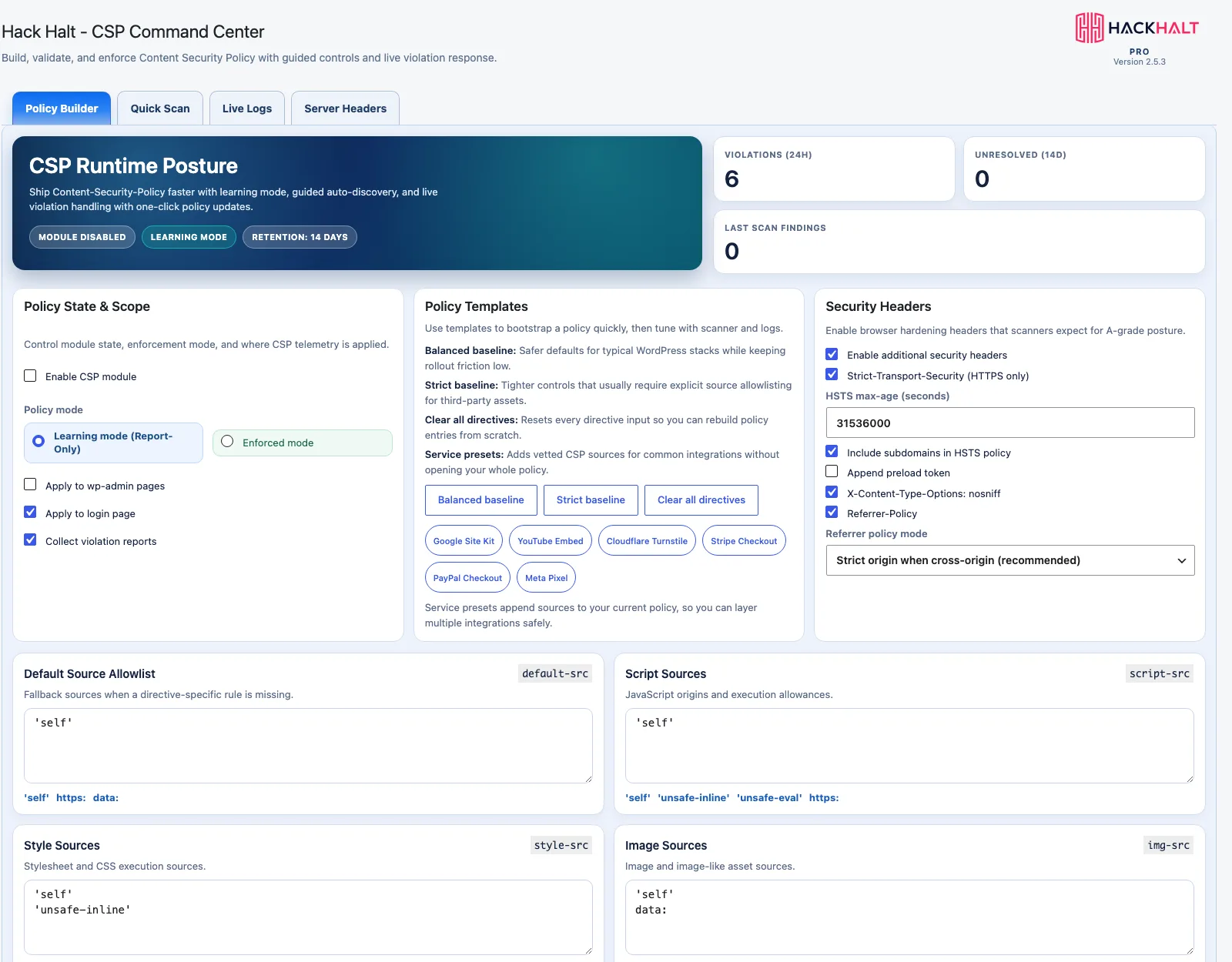
CSP automation
Content Security Policy generated from observed traffic, rather than hand-written and then quietly disabled.
Persistent geo-IP cache
Country resolution retained rather than looked up live, so traffic history stays readable after the fact.
Same-day support
A reply from someone who works on the product, usually the same business day.
Monthly vulnerability reports
A summary of what was found, what was blocked and what still needs a decision from you.
The security work you stop doing
Every security task that depends on somebody remembering is a task that eventually gets skipped. Nobody schedules a vulnerability scan for the week they are shipping a redesign. Nobody notices a modified file at 2am on a Sunday.
That is the actual gap Pro closes. The scanning runs whether or not you are thinking about security. The file baseline is compared continuously rather than when you get suspicious. Known-bad traffic is refused before it becomes an incident you have to investigate. And when a genuine attack chain develops, Autodefense responds at machine speed instead of waiting for someone to read a log.
You still get the visibility — the live traffic, the decisions, the geography, the risk scores. You simply stop being the component that has to notice.
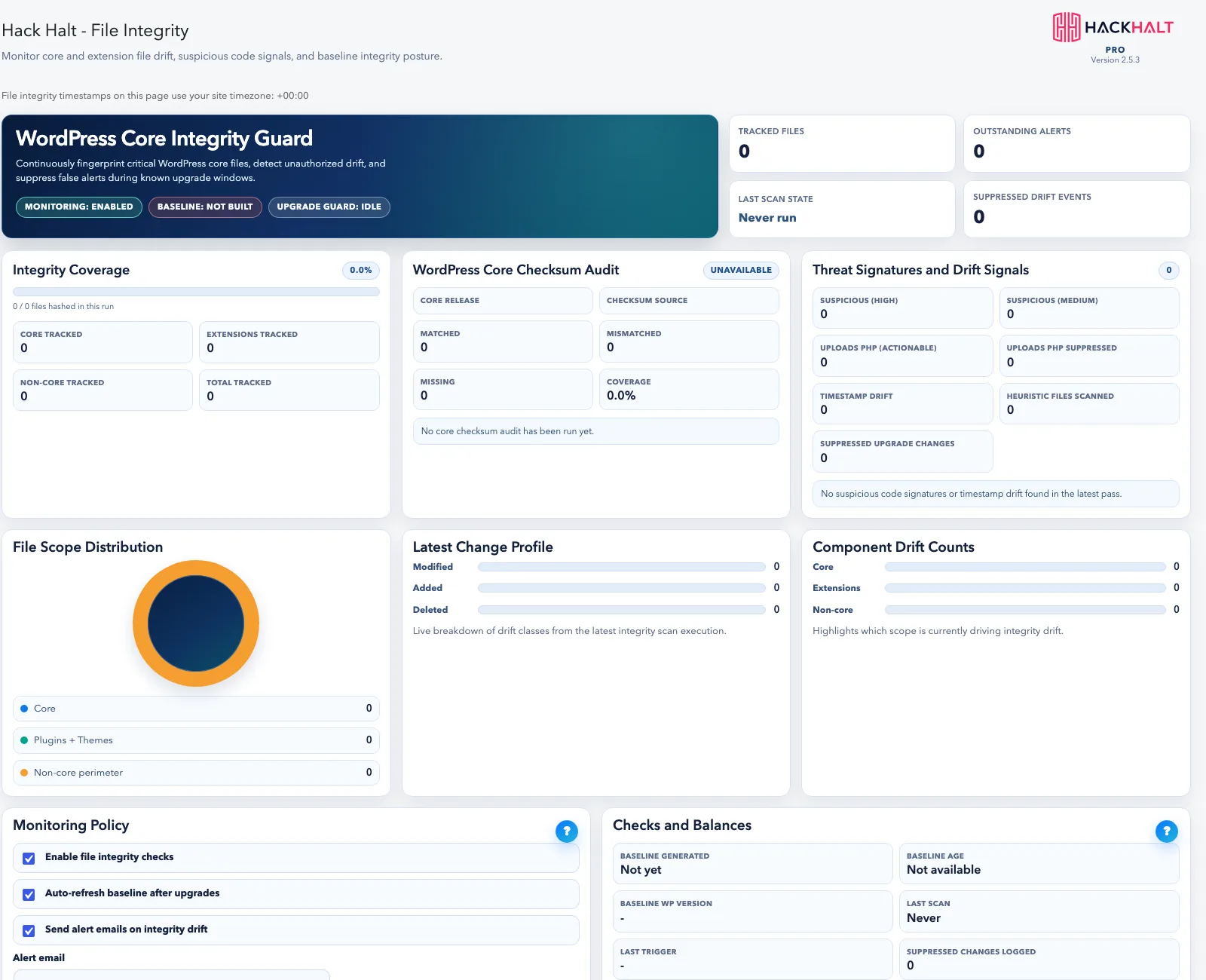
Know the moment a file changes.
Pro baselines your WordPress core, plugins and themes and tells you when something drifts — the earliest reliable signal that a site has been compromised.
- Baseline and drift detection across core, plugins and themes
- Unauthorised changes surfaced as they happen
- Review what changed instead of guessing
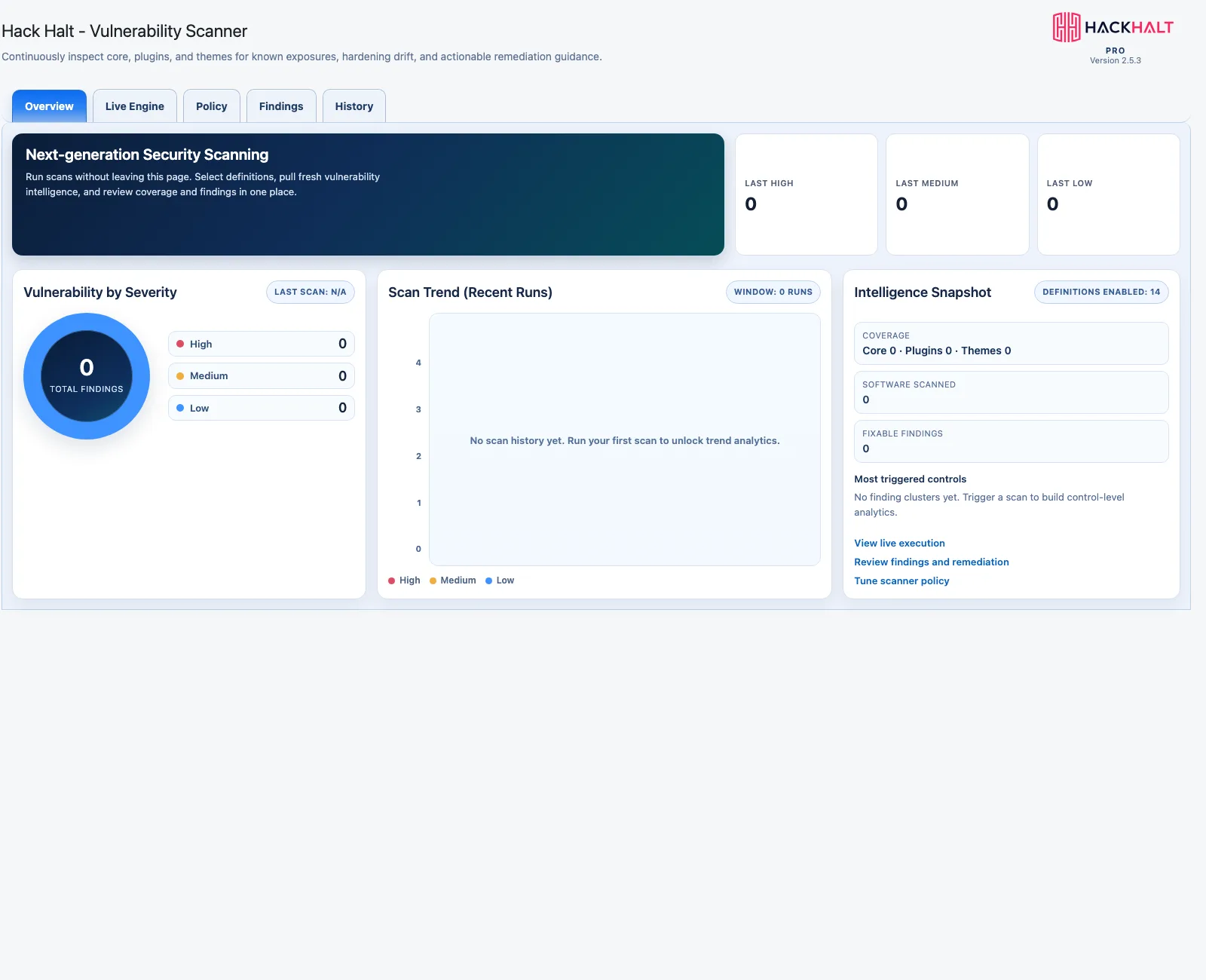
Never be the last to know about a new CVE.
Scheduled vulnerability scanning runs on its own cadence, so a newly published vulnerability in a plugin you use does not wait for you to remember to scan.
- Recurring automated scans
- Plugin, theme and core coverage
- Manual scanning remains available too
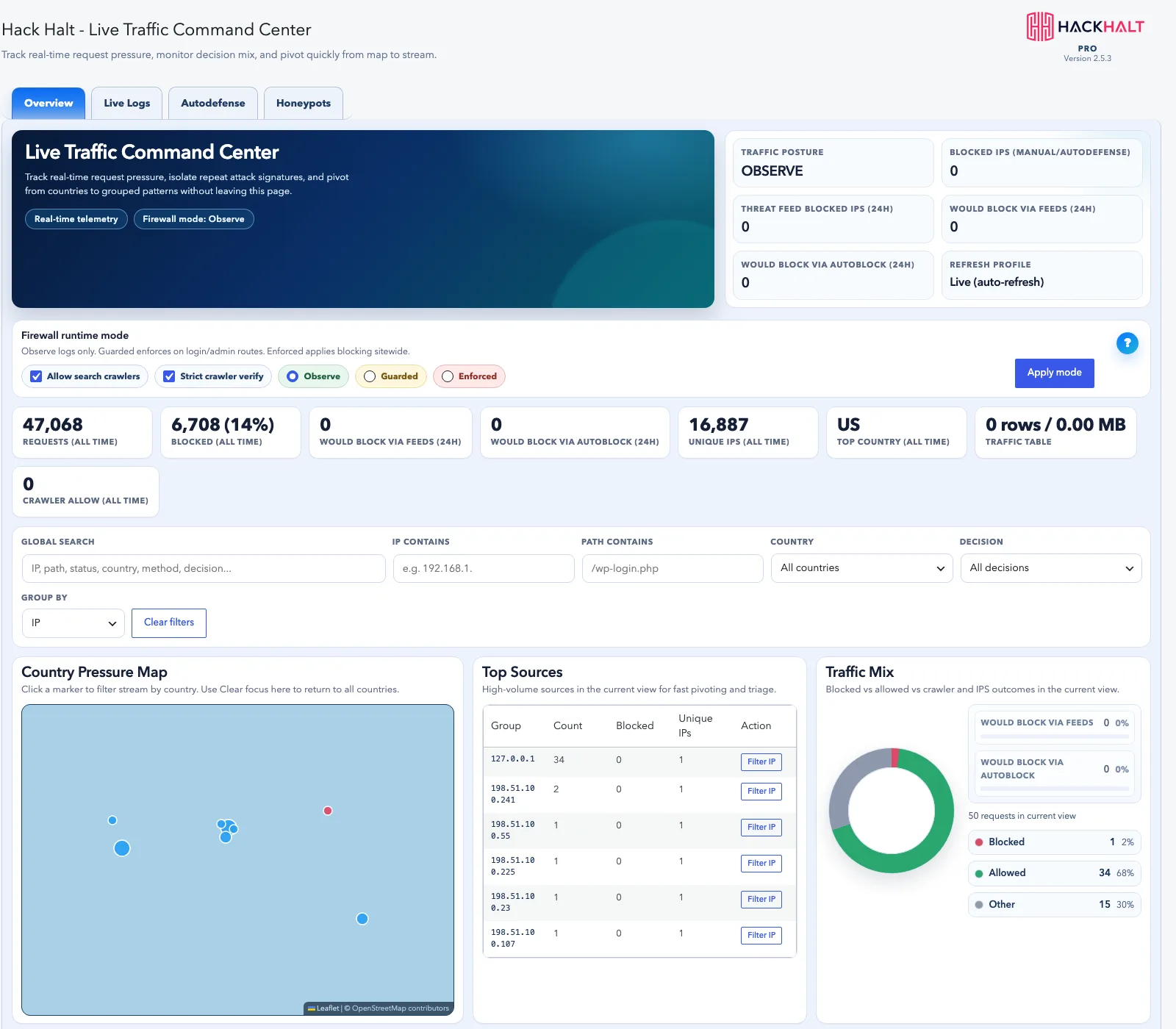
Block known attackers before they try.
Threat-intelligence feeds identify malicious IPs, bots and known attack infrastructure, and a persistent geo-IP cache makes your live logs resolve instantly.
- Real-time feeds of known malicious infrastructure
- Private local IP-to-country cache for faster logs
- Honeypot traps that fingerprint attackers probing your site
Handle the attack while it is happening.
Autodefense correlates activity into attack chains and acts before damage is done, and CSP automation builds and enforces a Content Security Policy without you touching code.
- Attack-chain correlation with automated action
- CSP scan, build and enforce without code
- Acknowledge and review workflows for what was handled
Need Hack Halt’s most advanced protection?
ProSecure adds WAF request inspection, webshell and database integrity scanning, incident orchestration and backups — a full detection and response platform.
Protection, measured
99.9%
Threat detection and prevention rate
Across protected installs
20
Security controls compared
Free, Pro and ProSecure
5
Capability groups covered
Protect, detect, respond, recover
4
Plans, including a free tier
No trial expiry
Frequently asked questions
Is Pro a different plugin, or an upgrade to Free?
The same plugin. Hack Halt Free and Hack Halt Pro are one codebase — a licence unlocks the premium modules. There is nothing to uninstall, migrate or reconfigure when you upgrade; the features you already use keep working exactly as they did.
What happens to my settings when I upgrade?
Nothing changes. Your firewall rules, blocked IPs, MFA configuration and hardening choices carry straight over. The Pro modules simply become available alongside them.
Do I still get manual vulnerability scanning on Free?
Yes. Manual scanning is a free feature and stays free. Pro adds scheduled scanning so it runs automatically on a cadence you choose.
What is Autodefense actually doing?
It correlates separate events into a single attack chain and acts on the pattern rather than the individual request. A probe, a burst of login attempts and a payload delivery look unremarkable one at a time; together they are an attack, and Autodefense responds while it is still in progress.
Will file integrity monitoring flood me with alerts every time I update a plugin?
No. Legitimate updates are expected changes and are reconciled against the update that produced them. What surfaces is drift that no update explains, which is the thing actually worth your attention.
Does Pro slow the site down?
Visitor-facing overhead is a handful of extra queries and a few milliseconds per page on a host with an opcode cache enabled. Scanning and feed syncing run on a schedule in the background, not during a visitor’s page load.
When should I move up to ProSecure instead?
Pro automates protection for a site that matters. ProSecure is for sites where a breach is a business event — it adds WAF request inspection, webshell and database integrity scanning, full incident orchestration, and backup and restore.
Where to go next
Pro automates protection. Below is where it sits relative to the other levels.
Your site matters enough to automate its defence.
Upgrade to Pro and stop doing security work by hand.