As an eCommerce manager running WooCommerce, you know the stakes: payment and customer data are high-value targets, and a single plugin exploit during a private disclosure can be catastrophic. This teardown lists the operator mistakes that extend disclosure windows and gives precise corrective actions you can deploy in the next 24–72 hours to reduce exposure while a vendor prepares a patch.
- Why relying on standard security plugins is a mistake
- How do you reduce plugin exploit risk before disclosure?
- Common operator mistakes that widen disclosure windows
- Tactical fixes to apply in the next 24–72 hours
- What monitoring and telemetry adjustments matter most?
- Mini incident case study: Checkout skimming attempt stopped during a disclosure window
- Operationalizing these controls for ongoing protection
- Where to go next
- FAQ
Why relying on standard security plugins is a mistake
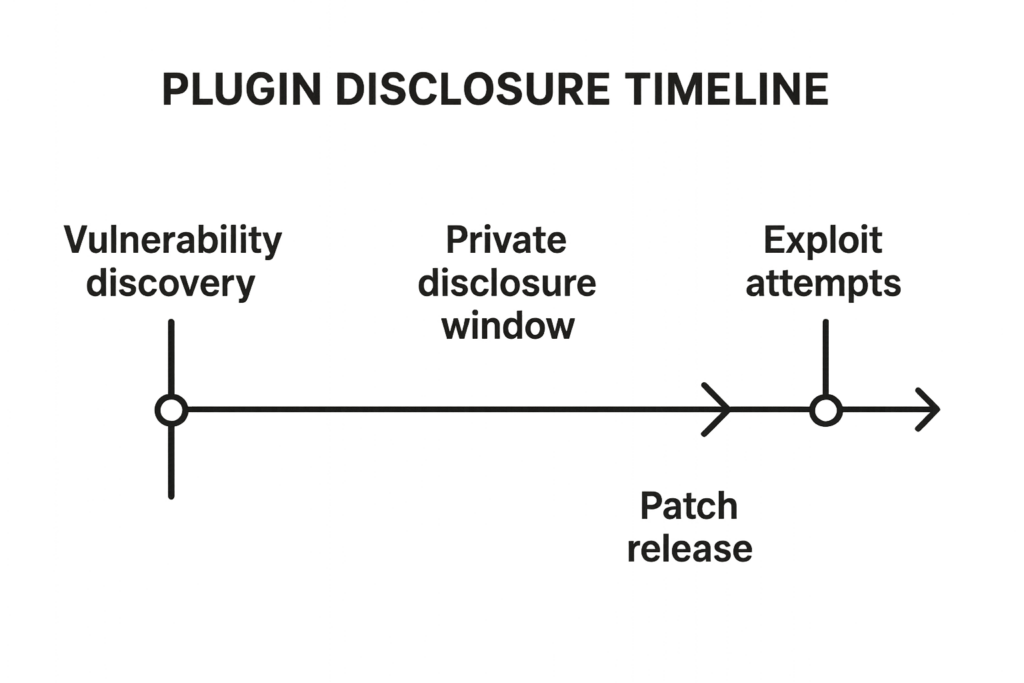
Timeline diagram of a vulnerability disclosure window with stages labeled.
Many teams treat security plugins as a silver bullet: install, activate, and assume the site is safe. That assumption fails because most plugins protect at specific layers (login flood protection, basic WAF rules, scanning) but don’t change operational controls that attackers exploit during disclosure windows: file write permissions, editor access, privileged workflow processes, and targeted telemetry. Operators need controls mapped to the exploit chain, not only signature-based blocking.
How do you reduce plugin exploit risk before disclosure?
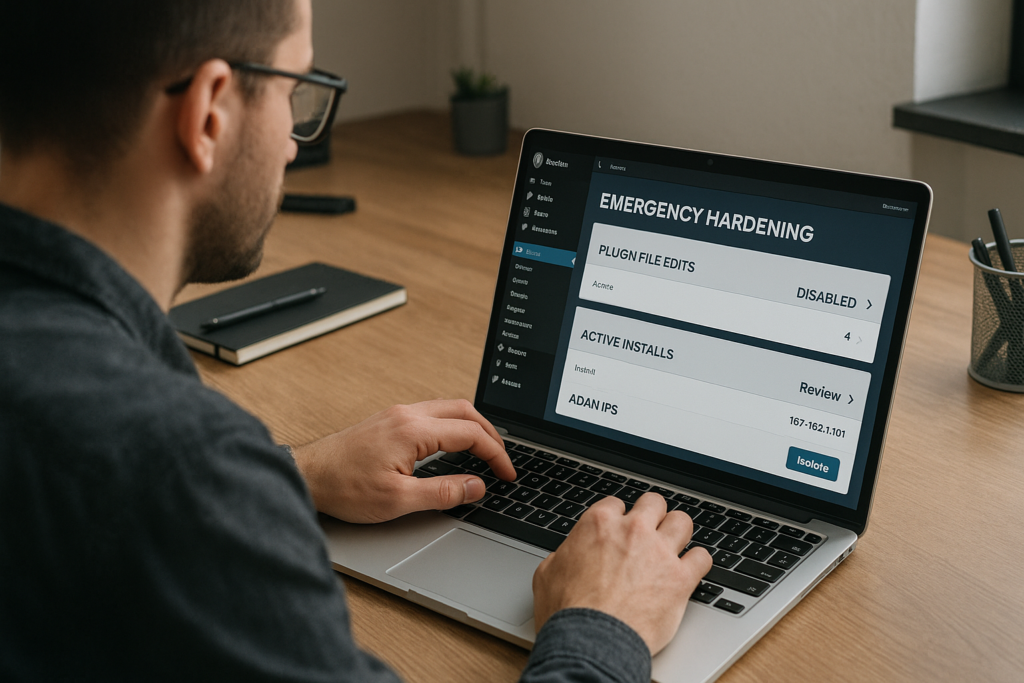
Operator locking down WordPress admin panel and restricting plugin file edits.
Shrink the window by hardening privileges, removing writable plugin surfaces, and implementing focused telemetry and isolation for checkout workflows; coordinate those steps with a vendor disclosure timeline and prioritize fixes that prevent remote code placement. Execute changes in staging and deploy progressive rollouts so you do not interrupt payment flows.
Common operator mistakes that widen disclosure windows
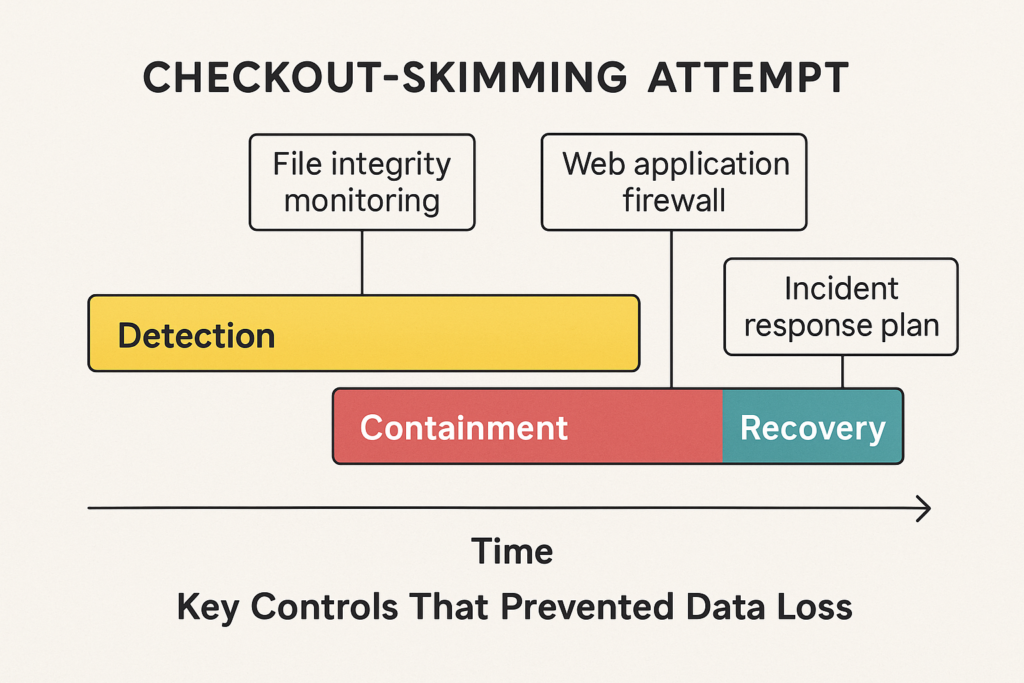
Case-study timeline showing detection and containment of a checkout skimming attempt.
Mistake 1 — Leaving plugin editors and writable plugin directories enabled
Many installs keep the in-dashboard PHP file editor and permissive file permissions. An attacker who gains an admin or compromised plugin account can drop web shells directly into plugin folders. Corrective action: disable the editor, set plugin directories to owner-only write, and enforce immutable-ish controls (use OS-level chattr on Linux where available) on known plugin paths. See our operational guidance in the documentation for safe permission changes that avoid breaking updates.
Mistake 2 — Treating all admin users the same
Excessive use of Administrator roles for support or marketing broadens blast radius. Corrective action: implement capability separation, temporary elevation workflows, and short-lived sessions for elevated tasks. Where SSH or WP-CLI access exists, ensure those accounts are rotated and monitored; remove persistent elevated accounts that aren’t essential for day-to-day operations.
Mistake 3 — Delayed staging and rollback testing
Operators who lack rapid staging mirrors can’t validate patches or rollback steps before production changes. Corrective action: keep a recent, writable staging mirror with sanitized data, and test both the vendor patch and your hardening changes there within hours of receiving disclosure details.
Tactical fixes to apply in the next 24–72 hours
1) Stop write access to plugin folders
Immediately change file ownership and permissions so only the system package manager/CI account can update plugin files. If your hosting model doesn’t allow this, use any available host-level file protections and capture current state for rollback. This prevents a remote exploit from writing web shells during the disclosure window.
2) Remove or lock down code-edit capabilities
Turn off any in-dashboard plugin or theme editors and restrict plugin installation to a private channel. Document the exact steps you took and test that editing attempts are blocked from low-privileged accounts.
3) Harden checkout and payment flows
Isolate checkout endpoints so they run under stricter routing rules and require fewer plugins on the critical path. Use short-lived access tokens and add integrity checks on client-side scripts touching payments. For detailed layered controls that defend checkout flows, see our teardown on layered defenses: Teardown: Mistakes That Let Malware and Web Shells Reach WooCommerce Checkouts.
What monitoring and telemetry adjustments matter most?
Increase the signal-to-noise ratio by instrumenting checks that directly indicate file-system changes, unexpected admin privilege grants, or anomalous POSTs to /checkout or wp-admin/plugin-install.php. Capture full request bodies for suspected incidents, and raise high-priority alerts when write attempts target plugin directories.
Improve alert fidelity
Update alerts to tie a filesystem write event to a source identity and a user-agent; an isolated write from a plugin update service is different from a low-privileged admin session creating PHP files. Tune alert thresholds to avoid blind spots and save noisy channels for lower-priority telemetry.
Log the right things
Record file hash baselines for active plugin files and compare them periodically; create exceptions for vendor-signed updates. Base your validation on content hashes rather than timestamps alone.
Use runbook-driven escalation
Ensure your incident runbooks list the exact telemetry to collect during a disclosure: user IDs, session cookies, WP-CLI command logs, host process lists, and recent deploys. If those items aren’t part of your standard collection, add them now.
Mini incident case study: Checkout skimming attempt stopped during a disclosure window
Timeline: a vendor disclosed a critical plugin vulnerability privately. Within the first 6 hours the site saw suspicious POSTs to checkout with a novel user-agent and attempts to write a file to the plugin directory. Root cause: writable plugin folders, a support user with admin privileges, and no file-integrity checks on plugin files.
Containment steps taken by operators: pulled admin access to a single time-bound support account, set plugin directories to owner-only write, disabled in-dashboard editors, and added a parity check that compared plugin file hashes to the staging baseline. Telemetry captured the attempted write and flagged the offending session; the write never persisted to a plugin file because permissions blocked it. Recovery: vendor patch applied the next day and operators rotated all admin credentials and recorded the incident in a postmortem.
Actions you can copy from this case: implement quick permission changes, tighten admin roles immediately on disclosure, and ensure file-hash baselining and collection are in place so you can prove whether code was modified.
Operationalizing these controls for ongoing protection
Hardening is not a one-time sprint. Move protective steps into deployment gates and SRE runbooks so they are applied automatically when a disclosure happens. Maintain staging mirrors and scripted hardenings that you can trigger on short notice.
Automate safe rollouts
Script your permission changes and have a tested rollback script. Automation reduces human error during stressful disclosure windows and provides repeatable evidence for auditors.
Run periodic attack path reviews
Schedule quarterly reviews that map admin roles, plugin capabilities, and writable surfaces. Use those reviews to retire unneeded plugins and reduce the attack surface before disclosures occur.
Train operators on focused containment
Run tabletop exercises that simulate a private disclosure: exercise the 24-hour plan to isolate, harden, and validate. Keep short playbooks for the top five actions you will run immediately.
Where to go next
For a ready-to-run checklist and operator steps dedicated to shrinking disclosure windows, consult our playbook: Reduce Plugin Exploit Risk Before Disclosure: A Battle-Tested Checklist Playbook. For related defensive work on automated abuse and brute force vectors see the operator blueprint: Fight Back: A Step-by-Step Operator Blueprint to Stop Brute-Force & Credential Stuffing.
If you want a direct way to implement these controls quickly across hosts and WordPress instances, Hack Halt Inc. provides deployment-ready configurations, telemetry tuning, and runbooks you can apply immediately — see pricing and get started here: Hack Halt pricing and deployment.
FAQ
How fast can I lock down a plugin after private disclosure?
From an operational perspective you can apply basic hardening in under two hours: disable editors, change permissions to stop writes, and restrict admin access. Testing on a staging mirror and collecting telemetry should follow in the next 24 hours.
Will file permission changes break automatic updates?
They can. That’s why you should implement changes as a step in your disclosure playbook with a tested rollback and coordinate with vendor patches. Some hosts provide safe update channels you can re-enable after the patch is applied.
Do I need a security team to apply these changes?
No. These are operator tasks that an informed platform or operations engineer can perform. The key is documented runbooks, a staging mirror, and telemetry that proves controls are effective.
Which internal resources from Hack Halt should I read first?
Start with the reduce-plugin-exploit playbook for immediate steps and our layered-defense teardown for checkout-specific guidance: Reduce Plugin Exploit Risk Before Disclosure and Teardown: Mistakes That Let Malware and Web Shells Reach WooCommerce Checkouts.