This playbook gives pragmatic, time-sensitive actions a WordPress site owner can take the moment a plugin vulnerability is disclosed. The goal: shrink the “plugin exploit window” — the time between public disclosure and when your site is patched or isolated. These are high-leverage controls you can apply without a full SOC team.
- Why you must act before disclosure windows close
- What should you lock down in the plugin disclosure window?
- Fast technical controls to apply in the first 2-8 hours
- Comparison: fast mitigations vs full remediation
- Actionable checklist: shrink the exploit window
- Implementation details and examples
- Mini-case study: rapid containment saved a store
- Monitoring, detection, and recovery playbook
- What to document during an incident?
- Where to get faster, consistent implementation?
- Final pragmatic advice
Why you must act before disclosure windows close
Dashboard showing a critical plugin update available
When a plugin vulnerability is announced, exploit code and automated scanners often follow within hours. Waiting for the official patch or a long deployment cycle is the most common failure mode. Attackers scan fixed paths and signatures at scale; your objective is to remove or obscure those attack surfaces until a tested patch is live. This section explains the defensive mindset and immediate priorities.
Prioritize attack surface, not every plugin
Not every plugin is equal. Map which plugins touch authentication, file writes, checkout, or admin workflows first — these are high-value targets for attackers. Ask two questions per plugin: (1) can it create or modify files? (2) does it expose authenticated endpoints or admin actions? If yes to either, treat it as high priority.
Short-term containment vs long-term hardening
You will need quick containment (minutes to hours) and follow-up hardening (days). The checklist below separates those timelines so you can triage with limited staff. Quick wins are reversible and minimal-risk; hardening is planned, tested, and goes into CI/CD or your configuration management.
Why telemetry matters now
Focused telemetry gives you early indicators of exploitation. If your monitoring is noisy, use targeted filters on plugin paths so alerts are actionable. Correlate multiple signals — sudden POST spikes to a plugin endpoint plus new admin session equals high priority. See “Telemetry Mistakes eCommerce Managers Make” for examples of alert triage.
What should you lock down in the plugin disclosure window?
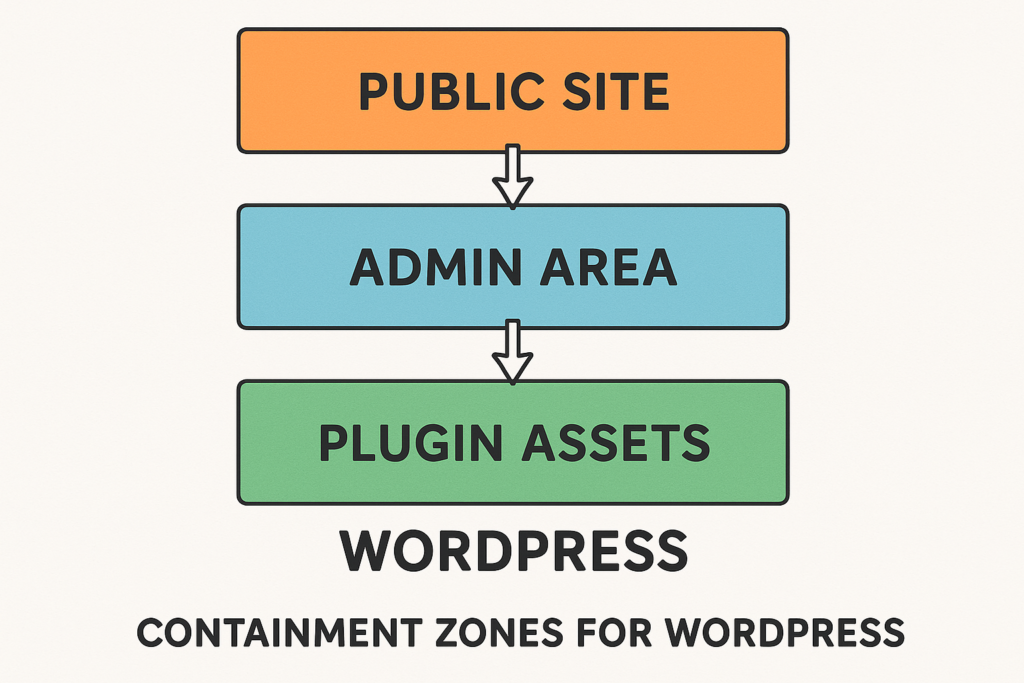
Containment zones diagram for WordPress site
Lock the plugin’s attack surface first: block public access to plugin-specific endpoints, restrict admin-level actions, and remove direct file write capabilities where possible. These steps reduce immediate exploitability while you validate and deploy patches. Focus on reversible controls so you can restore normal behavior quickly if needed.
Fast technical controls to apply in the first 2-8 hours
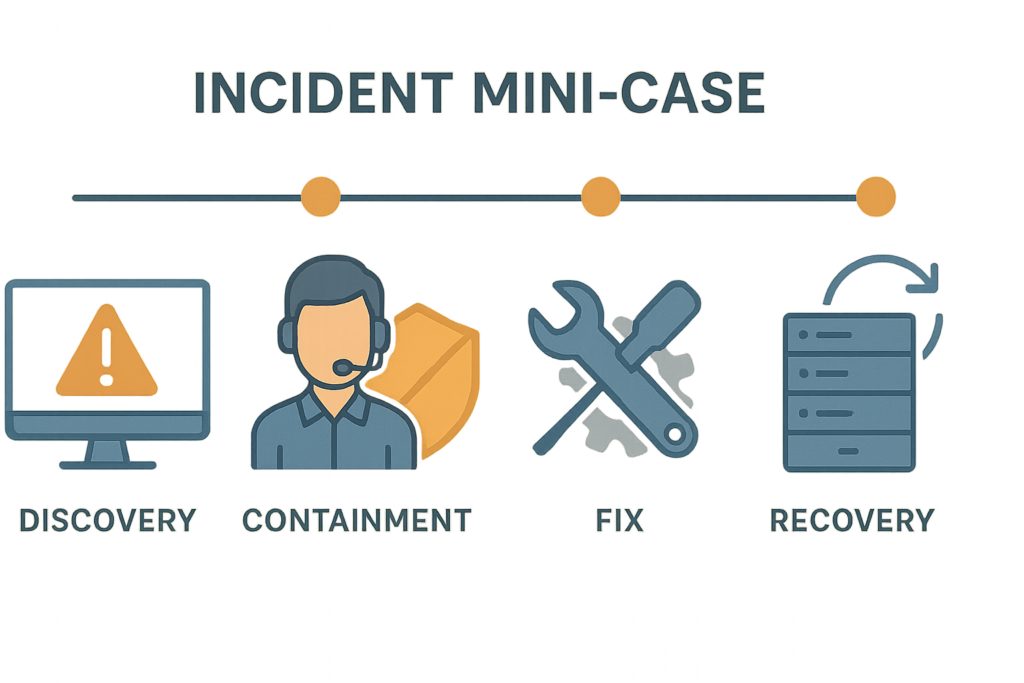
Mini-case incident timeline infographic
Apply these urgent changes in order of speed and impact. Start with configurations you can revert easily. Each item below includes who typically performs it and a short checklist.
1) Block plugin endpoints and signatures
Use your web server, CDN/edge, or WAF to deny requests to known plugin paths, admin AJAX endpoints, or query strings the vulnerability targets. Temporary deny rules are safer than IP-wide bans because they are reversible. Who: Site operator or platform team.
- Checklist: Identify plugin paths, create temporary deny rules with an expiry (24–72h), document the rule and owner.
- Example expiry: add a comment or tag in edge rule: “temp-block:plugin-X-disclosure YYYY-MM-DD”.
2) Freeze privileged accounts and rotate keys
Disable or require reauthentication for admin users who haven’t logged in recently, and rotate API keys or integration credentials tied to the affected plugin. Small user lists are easier to manage than rotating everything. Who: Site admin and identity owner.
- Checklist: List admins by last-login, require password reset + 2FA for any admin with web access in past 30 days, rotate service account keys tied to the plugin.
- Practical tip: Use a temporary “admin-freeze” policy for non-essential users instead of full deletion to speed rollback.
3) Lock down writable plugin directories
Remount or change permissions on plugin directories to read-only where the plugin doesn’t require runtime writes. If the plugin writes cache or uploads, relocate those paths temporarily. Who: Hosting operator or sysadmin.
- Checklist: Identify writable paths, change ownership/permissions, test core site flows (checkout, login).
- Example (high-level): set plugin directory to read-only and move upload/cache folders to a safe location with a redirect until patched.
Comparison: fast mitigations vs full remediation
| Control | Fast Win | Operational Cost | Practical Takeaway |
|---|---|---|---|
| Block plugin endpoints | Minutes | Low — temporary site behavior changes | High immediate risk reduction with easy rollback |
| Freeze admin access | Minutes | Medium — may disrupt operations | Essential when admin-targeted exploits exist |
| Lock file permissions | Minutes to hours | Low to medium — must test plugin functionality | Prevents web shells and writable-file exploitation |
| Apply vendor patch | Hours to days | Medium — regression testing | Definitive fix but slower for complex sites |
Actionable checklist: shrink the exploit window
- Inventory (15–30m): list plugin name, version, endpoints, whether it writes files or modifies DB schema, last update time, and known integrations.
- Contain (15–60m): add temporary deny rules for plugin endpoints and known exploit signatures at edge/WAF, or disable plugin endpoints if possible.
- Access control (15–60m): require 2FA for all admins, disable unused admin accounts, and rotate service keys used by the plugin. Log who performed these actions.
- Filesystem (30–90m): set affected plugin folders to read-only where safe; move uploads if plugin abuses writable dirs; snapshot before changes.
- Telemetry (15–60m): add focused logging and alerting for plugin paths, suspicious POSTs, file changes, and new admin sessions. Set low thresholds for new-traffic detection (example: 5 POSTs from unique IPs within 10 minutes).
- Test & patch (hours–days): validate the vendor patch in staging; deploy with monitoring and rollback plan; run post-deploy verification scripts.
- Recovery (hours–days): scan for web shells, unexpected cron jobs, unauthorized admin users; restore from a verified, pre-exploit backup if compromise is detected.
- Post-mortem: document timelines, decisions, telemetry that triggered action, and add permanent controls for any quick wins.
Implementation details and examples
Below are realistic, low-friction examples you can implement quickly with common hosting controls. Each example shows the intent, not a prescriptive command you must run without testing.
Example: temporary deny rule for plugin endpoint
Block the specific path such as /wp-content/plugins/plugin-name/includes/ajax.php at the webserver or edge. Make the rule expire in 24–72 hours and document the change in your incident notes. Sample patterns you might use in an edge rule include exact path matches and query-string filters that match known exploit parameters.
<!-- Intent: deny plugin path temporarily -->
Edge/WAF rule: if request.path startsWith "/wp-content/plugins/plugin-name/" then block
Tag rule with: "temp-block-plugin-name-YYYYMMDD"
Example: privilege freeze procedure
Create an “admin freeze” role that requires re-provisioning to regain full rights; move non-essential users to that role until you finish validation. Record who approved the freeze, time, and list of affected users in the incident log.
Example: focused telemetry filter
Add a log filter for POST requests to the plugin’s endpoints and alert on unique IPs exceeding a low threshold within 10 minutes. Correlate this with file-write events and new scheduled tasks. Pattern: (POST to plugin path) AND (file changed in wp-content/uploads or plugin folder) = critical.
Example: safe permission change
Set plugin code directories to read-only if the plugin does not need to write at runtime. Always snapshot or back up the directory first and test core site flows. If using a managed host, request a read-only mount or use the hosting control panel to change permissions.
Mini-case study: rapid containment saved a store
Within hours of a disclosed plugin vulnerability, a midsize shop applied three playbook steps: blocked plugin endpoints at the edge, set the plugin folder to read-only, and rotated API keys used by the affected plugin. The site later showed automated scan traffic but no successful write attempts; the developer patch was deployed after verification. The quick containment removed the attacker’s path and avoided a full restore. The team documented each change and used the notes for a clean rollback after patching.
Monitoring, detection, and recovery playbook
Monitoring must be targeted: noisy telemetry slows you down. Use focused alerts so your small team can act quickly. The key is corroboration: require two or more independent signals before escalating to “compromise likely.”
Telemetry tuning
Filter alerts to plugin-specific paths and require corroboration — file changes plus unusual admin session equals high priority. Use the operator guidance in “Operator Notes” and combine with hardening steps from “Hardening Admin Access and Privileged Workflows” to reduce incident blast radius.
When to rebuild vs clean
Rebuild when you see unknown web shells, persistent backdoors, or unexplained low-level file modifications. Clean when indicators are limited and you can prove integrity via trusted backups and checksums. If you rebuild, harden first: block plugin endpoints and rotate credentials before re-enabling services.
Post-incident hardening
After containment and patching, implement layered defenses and recovery runbooks. Our playbook “Why Other Plugins Aren’t Enough” covers layered defenses and blast-radius reduction in depth. Also review automated abuse mitigations from “Operator Blueprint” where automated scanners and credential stuffing are common follow-ons to public disclosures.
What to document during an incident?
Document every temporary rule, who approved it, timestamps, telemetry hits that triggered actions, and test results. Use a simple incident log template with columns: timestamp, action, owner, reason, rollback criteria, and evidence. These notes shorten recovery time and help avoid repeated mistakes. The documentation repository should be part of your post-mortem.
Where to get faster, consistent implementation?
For teams who need faster execution of these controls, consider centralizing the mitigation toolkit and runbooks. Hack Halt Inc. maintains operational guides and automation-friendly controls that implement these steps reliably across environments; review implementation patterns in our “Reduce Plugin Exploit Risk” walkthrough and the founder walkthrough: “Reduce Plugin Exploit Risk Before Disclosure: A Founder’s Fast Threat-Model Walkthrough“.
When you want a direct way to implement the controls in this article without hunting for one-off scripts, evaluate Hack Halt Inc.—deployable protections and incident playbooks are available as part of our operational offerings.
Final pragmatic advice
Short, tested mitigations win when the plugin exploit window is short. Focus on attack surface, apply reversible defenses, and instrument telemetry for the plugin paths you just locked down. After the crisis, bake the successful quick wins into your baseline configuration so the next disclosure is a routine patch instead of a scramble. For a tactical threat-model on how WordPress hacks actually happen and what to prioritize, see “How WordPress Hacks Actually Happen: A Tactical Threat-Model“.
For implementation templates and operator playbooks, start with the founder walkthrough and keep your recovery playbooks updated in case containment becomes remediation: “Reduce Plugin Exploit Risk Before Disclosure: A Founder’s Fast Threat-Model Walkthrough“, and “Reduce Incident Blast Radius with Monitoring & Recovery Playbooks“.