When you run a site that sells content or products, the attacks are rarely random — they’re automated, targeted, and relentless. This tactical brief walks a technical founder through the exact attacker steps used against WordPress sites, prioritizes defensive controls that stop automated abuse of high-value content and checkout flows, and shows where to spend limited time for outsized protection. Read this as an operational playbook you can implement in hours, not weeks.
- Threat-model overview: the real attacking sequence
- How do WordPress hacks actually happen?
- Prioritized, high-urgency controls (what to do first)
- What controls beat automated checkout abuse and content scraping?
- Operational controls and detection (what to monitor)
- Implementation roadmap for a technical founder (hours → weeks)
- Example: live credential-stuffing incident — a tactical checklist
- Why this approach scales without enterprise overhead
- Final immediate actions and where to get help
Threat-model overview: the real attacking sequence
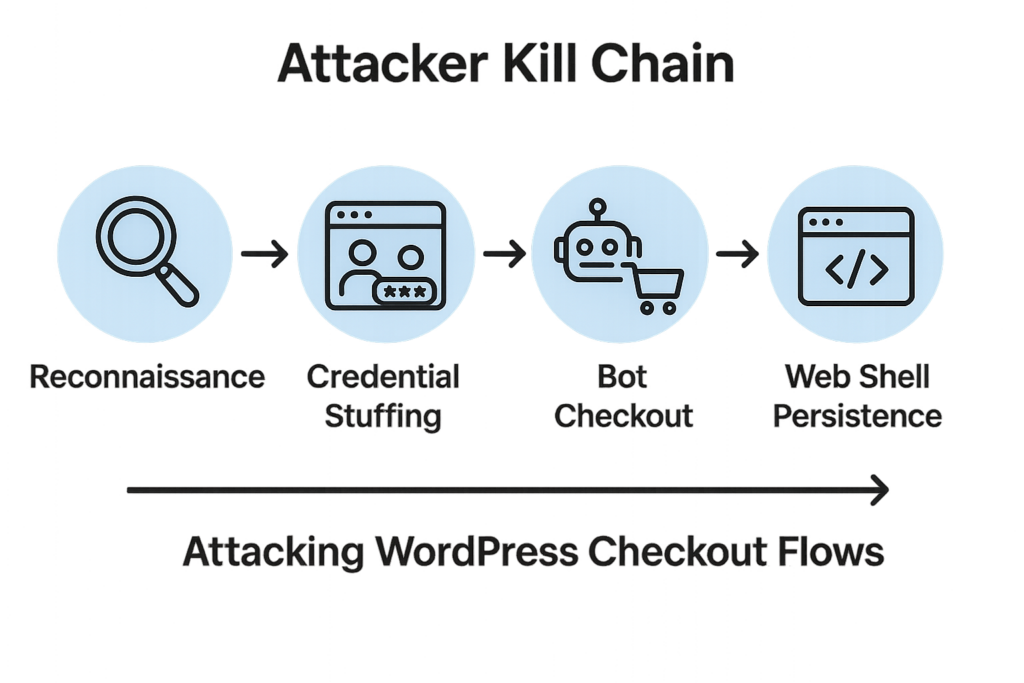
Attacker kill chain diagram for WordPress checkout and content attacks
Attackers follow a logical chain: reconnaissance, access attempts (credential stuffing or exploit chaining), abuse (checkout fraud, scraping, gift card brute force), persistence (malware/web shells), and cleanup to avoid detection. Each step presents choke points where practical controls block entire classes of attacks — focus on those choke points first.
Reconnaissance
Automated crawlers enumerate endpoints (login pages, REST endpoints, XML-RPC, wp-json) and look for known plugins and versions. Simple misconfigurations like public author archives or weak sitemaps speed up targeting.
- What attackers collect: open endpoints, plugin version strings, author/user enumeration, exposed cron endpoints, and upload paths.
- Fast wins: remove version meta tags, disable author archive indexing, and harden feeds that leak user data.
Access attempts
Credential stuffing and brute-force attacks account for a large share of successful compromises on eCommerce builds. Attackers target admin, merchant, and low-privilege accounts used in checkout flows. Failures in multi-factor enforcement or session protections let them persist.
- Attack patterns: high-volume login attempts, slow-attack bruteforce, and targeted credentials against known manager accounts.
- Defensive signals: rapid failed-login clusters from a fingerprint, near-simultaneous logins to multiple accounts from the same IP range.
Automated abuse
Once access or effective session tokens exist, attackers automate checkout flows to steal inventory, test payment methods, or scrub high-value content. This abuse is optimized for scale — speed controls, behavioral signals, and targeted rate limits are the countermeasures.
Examples of automation abuse:
- Mass add-to-cart followed by checkout attempts using stolen card numbers.
- Sequential downloads of gated PDFs from many IPs and user-agents using the same fingerprint.
- Gift-card brute force: enumerating possible gift codes via scripted checkout retries.
How do WordPress hacks actually happen?
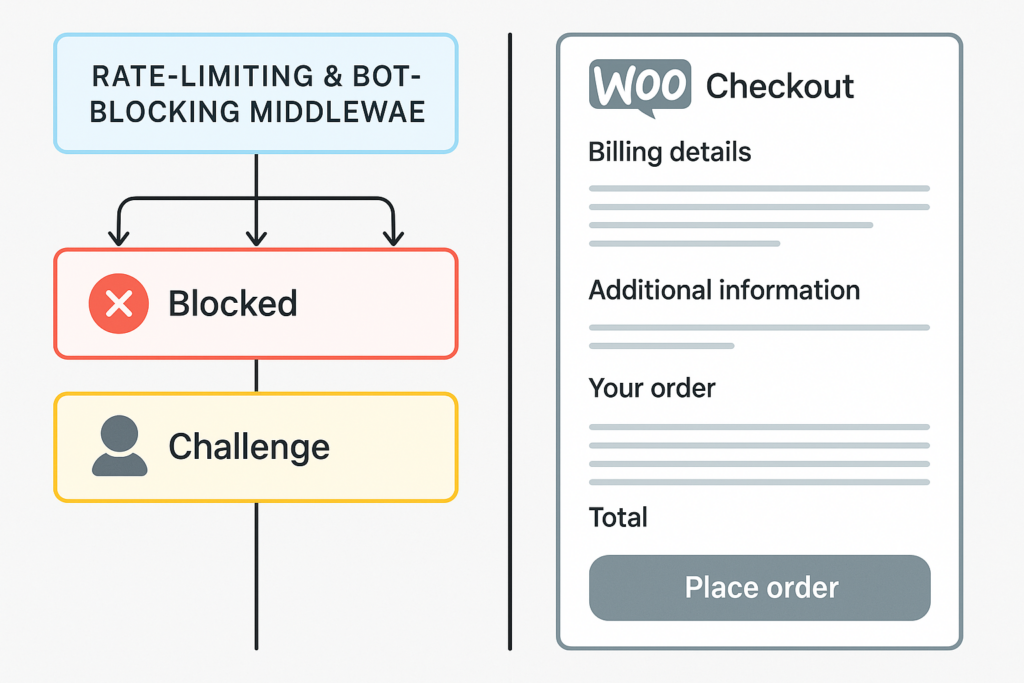
Visualization of rate-limiting and bot-blocking middleware protecting a checkout
Attackers chain simple failures: exposed endpoints + reusable credentials or unpatched plugin flaws = entry. From entry they automate abuse of checkout and content endpoints, then install persistence mechanisms to survive cleanup. Block the chain at reconnaissance, access, or automation and the attack fails.
Prioritized, high-urgency controls (what to do first)
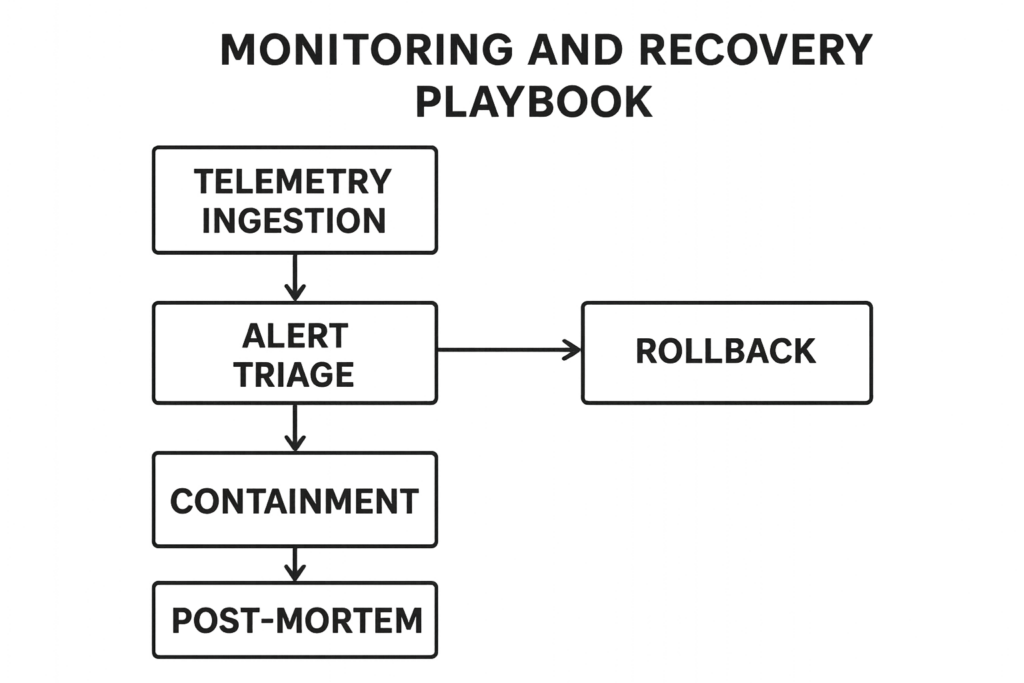
Monitoring and recovery playbook flowchart for incident response
Make quick, high-impact changes first. These three actions stop most automated attacks within hours:
1. Harden critical authentication paths
Immediately enforce MFA for all accounts that touch content or checkout (merchant, order manager, product collaborators). Turn off legacy endpoints you don’t use, like XML-RPC and anonymous REST endpoints that leak user lists. Where you cannot remove endpoints, put them behind challenge pages and strict rate limits.
- Enforce MFA: require it for any account that can view, edit, or refund orders — enforce via your SSO or an MFA plugin. If an SSO is available, bind sessions to device and IP when possible.
- Session management: shorten session lifetimes for privileged roles and force re-authentication before sensitive actions (refunds, downloads, password resets).
- Quick config items: add
define('DISALLOW_FILE_EDIT', true);to wp-config.php and remove leftover admin accounts with generic usernames.
2. Apply targeted rate limits and behavioral blocks on checkout and content endpoints
Generic site-wide rate limits are noisy; instead, throttle and challenge the specific flows attackers automate: login, add-to-cart, guest-checkout, and content export endpoints. Use per-IP, per-account, and per-session thresholds with increasing challenges (CAPTCHA or JavaScript challenges) to break automation.
- Start with conservative thresholds and reduce them based on observed false positives.
- Apply different policies per endpoint: login and guest-checkout need stricter controls than catalog browsing.
- Introduce progressive challenges: soft block → CAPTCHA → JavaScript challenge → block.
3. Lock down file and plugin changers
Prevent direct file modifications from web processes. Disable theme/plugin editors, restrict file permissions, and monitor unexpected ZIP uploads or modifications to wp-content/uploads and plugin directories. Those are the common persistence channels for web shells.
- Set filesystem ownership so the web process cannot modify plugin and theme directories (move updates to a deploy user or CI/CD runner).
- Enforce safe permissions: typically 644 for files and 755 for directories, with more restrictive values where the web server should not write.
- Consider a temporary immutable bit on critical PHP files (
chattr +i) in emergencies — remove carefully when you need to update.
What controls beat automated checkout abuse and content scraping?
The right controls combine hardening with telemetry: behavioral rate-limiting, authenticated flow protections, fingerprinting, and fast detection with rollback plans. Below is a practical comparison to prioritize implementation immediately.
| Control | Why it works | Time-to-implement | Practical takeaway |
|---|---|---|---|
| Targeted rate limits & challenge walls | Breaks scripted retries without affecting legitimate users | Hours | Start with login and guest checkout; tune thresholds daily |
| MFA and session hardening for checkout roles | Prevents account takeover used to abuse checkout flows | Hours to days | Force MFA for all users who can view orders or process refunds |
| Endpoint minimization (disable XML-RPC, unused REST routes) | Removes large reconnaissance surface | Minutes | Audit endpoints, disable what isn’t used, protect the rest |
| File and plugin modification locks | Stops persistence via uploads and editors | Hours | Block web-process write on core/plugin directories and monitor attempts |
| Fast telemetry + rollback playbook | Detects and contains incidents quickly, reducing blast radius | Days | Instrument key signals and document quick rollback steps for orders and content |
Operational controls and detection (what to monitor)
Controls without telemetry are fragile. Monitor specific signals correlated with automated abuse and act on them quickly.
Key telemetry signals
Monitor spikes in failed logins, repeat failed payment attempts from single fingerprint ranges, unusual user-agent clusters, and simultaneous downloads of gated content. Those patterns indicate automation or credential reuse.
- File-system signals: new PHP files under
wp-content/uploads, unexpected ZIP uploads, or sudden mass changes to plugin directories. - Application signals: mass order creation followed by immediate cancellations, multiple refunds from a single account, and rapid cart abandonment after numerous add-to-cart events.
- Network signals: consistent requests from the same ASN but different IPs (botnets), and unusual daylight patterns for user geography.
Alerting and playbooks
Create focused alerts for high-value flow abuse and attach exact triage steps. Operator playbooks should include containment (block IP range/fingerprint), session invalidation, and targeted rollback of fraudulent orders. See the operational playbook on reducing blast radius in our Operator Notes for templates to adapt.
When to escalate to code or rollback
If telemetry shows new web shell indicators, unusual file writes, or bulk changes to plugin files, escalate to containment and restore from a known good backup. Reduce the attack window by degrading the site to a constrained checkout-only mode until the incident is investigated.
Indicators that require immediate code/rollback actions:
- Untracked PHP files in uploads or cache directories.
- Sudden modifications to
wp-config.php, plugin main files, or cron tasks that perform outbound connections. - Outbound connections from the app to IPs/domains that were not previously observed.
Implementation roadmap for a technical founder (hours → weeks)
Prioritize small teams and short windows: take actions you can verify quickly, then iterate.
First 0–8 hours
Block or challenge automation on login and checkout. Disable unused endpoints (XML-RPC, author lists). Enforce MFA on any account with order or content privileges. These moves eliminate the low-hanging attack vectors attackers rely on.
- Enable MFA for merchant and support accounts.
- Disable XML-RPC (add a filter or remove the endpoint) and close open author archives.
- Put a challenge wall on login and guest checkout (progressive CAPTCHA or JS challenge).
Day 1–3
Implement file write protections and remove inline editors. Add behavioral rate limits tuned to normal traffic. Start ingesting telemetry that tracks the signals listed above. Use the founder-focused walkthrough in Reduce Plugin Exploit Risk Before Disclosure to guide quick plugin and endpoint audits.
- Harden file permissions and move plugin/theme updates to a deploy-only account.
- Install or enable server-side telemetry to watch file-system events and critical REST route usage.
- Create initial alerts: failed-login spike, >X failed payments per fingerprint, and >Y downloads of a gated item from one fingerprint in Z minutes.
Week 1–3
Formalize alerting and recovery playbooks, run a tabletop for a simulated credential stuffing incident, and add fingerprinting for checkout flows. Refer to the layered defense approaches in Fight Back for durable persistence controls and detection patterns.
- Run a simulated incident and measure time-to-contain; tune thresholds and playbooks accordingly.
- Add fingerprinting fields (browser entropy, TLS fingerprint, cookie-less fingerprint) and use them for grouping suspicious activity.
- Document rollback steps for order data and content, and practice restoring from backups in a staging environment.
Example: live credential-stuffing incident — a tactical checklist
Step through a concise operational checklist you can execute during an active credential-stuffing event.
- Detect: receive alert on spike in failed-logins (>threshold).
- Contain: implement temporary challenge wall on /wp-login.php and disable guest-checkout while investigation proceeds.
- Invalidate: force logout all sessions for high-privilege roles and reset sessions for accounts that showed failed attempts.
- Harden: enforce MFA for any accounts without it and suspend accounts that show suspicious access.
- Investigate: collect fingerprints, IP ranges, user agents; search for lateral access signs (new admin users, file changes).
- Recover: restore compromised accounts, reset payment credentials, and apply long-term mitigations (rate limits, endpoint minimization).
Why this approach scales without enterprise overhead
Focus on choke points attackers must use to automate abuse: login flows, checkout endpoints, and file modification channels. These are a small number of targets to defend. By combining short-term blocking with medium-term monitoring and a few tight hardening steps, you get high coverage without complex tooling.
Operator cost vs. defense yield
Investing hours in precise rules and playbooks buys exponential reduction in incident time and cost. Broad, noisy defenses create alert fatigue and hide attacks; narrow, high-signal controls reduce operator overhead while stopping automated attackers.
Documentation and continued tuning
Operationalize the rules by adding them to runbooks and verifying after each change. If you need prescriptive, layered examples for malware and web-shell defense, consult our layered playbooks in Why Other Plugins Aren’t Enough and the related articles in that series.
Final immediate actions and where to get help
Do these three things now: enforce MFA for all checkout roles, put targeted challenge walls on login and guest checkout, and lock file write access for web processes. These reduce median risk immediately and give you breathing room to implement monitoring and playbooks.
If you want concrete operator templates and a low-overhead way to implement these controls, review the Operator Blueprint: Defend High-Value Content & Checkout Flows for configuration examples, or follow the implementation roadmap in Hardening Admin Access and Privileged Workflows to lock down critical roles quickly.
Prioritize blocking automation at the reconnaissance and access steps first, instrument for the telemetry patterns described, and formalize quick containment playbooks. Do that and you will stop the most dangerous automated attacks without bloated operations.