
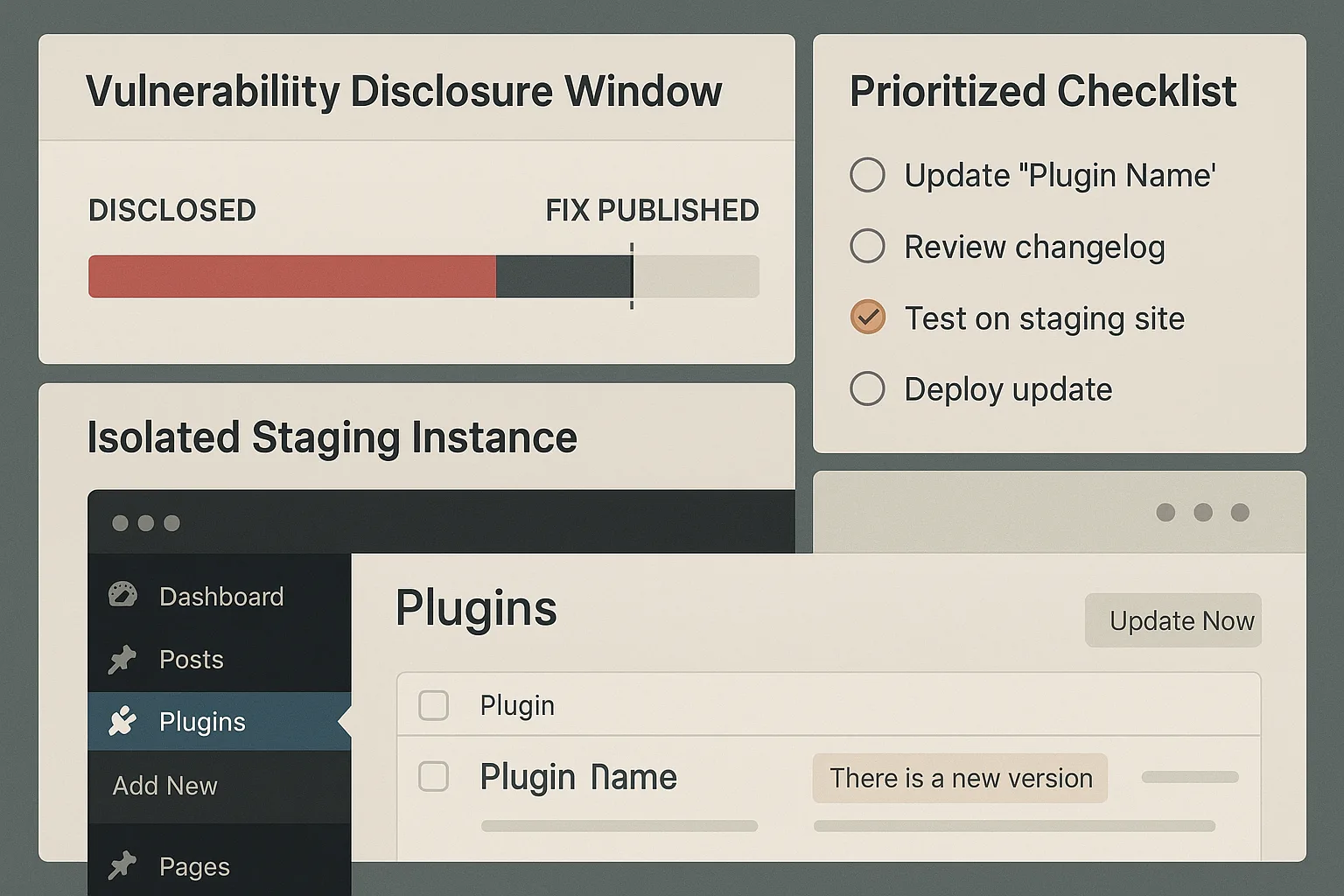
When a plugin vulnerability is discovered the clock starts. For a technical founder who wants impactful hardening without enterprise overhead, the priority is to shrink the exploitable window, limit blast radius, and get reliable detection and recovery in place — fast. This walkthrough applies a focused threat model and lays out prioritized defenses you can implement in hours to days, not weeks.
- Threat model: where plugin disclosure windows become catastrophes
- How do you harden plugins before a public disclosure?
- Immediate, prioritized defensive controls (0–24 hours)
- Short-term containment (24–72 hours)
- Detection and recovery: deploy reliable telemetry and playbooks
- Comparison table: mitigation options and practical takeaways
- Operationalizing this as a founder: who does what
- Post-incident checklist: reduce future plugin exploit risk
Threat model: where plugin disclosure windows become catastrophes
Attackers exploit the period between public disclosure and full mitigation. The highest-risk sites are those that host high-value state (user credentials, payment flows, proprietary content) or have complex integrations that delay patching. Your job is to treat every plugin vulnerability as if it will be weaponized within 24–72 hours and to act accordingly.
Assets at stake
Prioritize what an attacker would target first: admin accounts, payment processing, file upload endpoints, and backup/restore controls. Map which plugins touch these assets and assume a chainable exploit path exists if a plugin has file-system write or eval-like capabilities.
Common attacker tactics
Tactics include unauthenticated file writes, privilege escalation via option or transient APIs, and web shells dropped through plugin upload functions. Monitoring these vectors is more effective than hoping updates arrive before exploitation.
Why disclosure windows matter
Many sites fail because operators treat disclosure as purely a patching event. The window between disclosure and complete remediation is where monitoring, isolation, and rapid rollback buy time and reduce impact.
How do you harden plugins before a public disclosure?
Apply three tight controls immediately: disable or isolate risky plugin features, restrict plugin write paths to non-executable storage, and enable real-time telemetry for suspicious file or option changes. These steps reduce the attack surface and give you detection that tracks exploit attempts while you coordinate a patch or rollback.
Immediate, prioritized defensive controls (0–24 hours)
These are low-friction actions that should be implemented first. Each control is chosen for fast implementation and high immediate benefit.
1) Isolate and disable risky endpoints
Identify plugin endpoints that accept uploads, accept raw POST content, or expose eval-like functionality. Where possible, disable those features at the plugin level or block them via web server rules. If the plugin is critical, proxy the endpoint through a validation layer or require a short-lived token to reduce unauthenticated exposure.
- Checklist: inventory endpoints, mark which are public, map to affected plugin files.
- Example nginx rule to block a known plugin upload path:
location ~* /wp-content/plugins/example-plugin/uploads/ { deny all; } - Fallback: disable the plugin from wp-admin or via WP-CLI:
wp plugin deactivate example-plugin
2) Lock down file writes and executable permissions
Temporarily change permissions so that plugin upload directories are non-executable and restrict them to known safe subfolders. Enforce policy that PHP files cannot be written to web-accessible plugin directories during the disclosure window.
- Implementation steps:
- Identify plugin directories:
ls -la wp-content/plugins
- Set safe permissions for uploads and plugin-specific upload folders:
chmod -R 644 wp-content/plugins/example-plugin/uploads && find wp-content/plugins/example-plugin/uploads -type d -exec chmod 755 {} ; - To prevent PHP execution in upload folders, create an .htaccess or index.html and deny PHP parsing:
- Identify plugin directories:
3) Rapid detection: file integrity and option-watch
Enable file-integrity monitoring on plugin directories and watch key options and transients for unexpected changes. Prioritize alerts on new PHP files, modified core plugin files, or sudden admin user creations. These telemetry sources let you detect exploitation attempts within minutes.
- Easy start: record a baseline checksum of plugin directories and schedule short-interval checks (every 5–15 minutes) during the disclosure window.
- WP-CLI example to list users and capabilities for rapid review:
wp user list --role=administrator
- Alert thresholds: new PHP file creation, changed file owner/permissions, new admin account, unexpected scheduled tasks (wp cron entries).
Short-term containment (24–72 hours)
Containment reduces blast radius until a safe patch or rollback is ready.
Segmentation and read-only deployment
Move non-essential write-heavy plugins to a read-only deployment or sandbox instance. For high-value payments and checkout flows, deploy a parallel, hardened instance that strips risky plugins entirely and routes traffic during the window.
- Implementation: create a maintenance route or temporary subdomain (example-shop.company.com) that points to a hardened instance with only vetted plugins enabled.
- Checklist before cutover: configuration parity check, payment gateway smoke test, DNS TTL reduced to speed rollback.
Credential lockdown and session invalidation
Force logout for admin-level sessions, rotate service accounts, and invalidate API keys that plugins might use. This prevents stolen credentials from extending an exploit beyond its initial access.
- Quick steps:
- Rotate keys used by plugins (webhooks, API tokens).
- Expire sessions by changing authentication salts or using WP-CLI to destroy sessions:
wp session destroy --all
- Reset privileged passwords and notify owners.
Targeted rollback and patch verification
If a safe earlier plugin version exists, prepare a tested rollback plan that includes file verification and DB migration checks. Avoid blind rollbacks: inspect changelogs and run sanity checks in a staging environment before cutover.
- Rollback steps:
- Backup current code + DB snapshot.
- Install known-good plugin version with WP-CLI:
wp plugin install example-plugin --version=1.2.3 --force
- Run functional checks (checkout, login, uploads) in staging before switching traffic.
Detection and recovery: deploy reliable telemetry and playbooks
Detection without clear recovery steps is futile. Implement telemetry that ties alerts to concrete remedial actions so you can act quickly when an alert fires.
What telemetry matters
At minimum, capture file creation/modification events in plugin directories, unexpected admin user additions, sudden capability changes, and outbound connections from the web host that coincide with the disclosure window.
- Useful host-level checks: monitor process-children of PHP-FPM, watch for outbound connections on unusual ports (lsof, ss).
- Log correlation: link file-change events to web request logs (access.log) to find the originating request.
Turn alerts into actions
For each alert define an immediate action: quarantine plugin directory, revoke credentials, or failover to a hardened instance. Document these actions and automate the simplest ones so human triage focuses on verification and containment.
- Example mappings:
- New PHP file in plugin directory → quarantine directory, snapshot files, and block web access to that path.
- New admin user → revoke user, rotate salts, begin forensic capture.
- Outbound connection to unknown host → block egress and snapshot process state.
Documentation and automation with operator playbooks
Use a concise remediation playbook that maps each detected indicator to a triage and recovery step. For operational examples and how to tune telemetry, see the Playbook: Turn Noisy WordPress Security Telemetry into Concrete Remediation Actions and the operational blueprints such as How WordPress Hacks Actually Happen: An Operator Blueprint to Reduce Plugin Exploit Risk.
Comparison table: mitigation options and practical takeaways
| Mitigation | Time to apply | Impact on operations | Priority |
|---|---|---|---|
| Disable risky plugin endpoints | Minutes–1 hour | Low–Medium (feature loss) | High |
| Lock file write permissions | Minutes | Low (technical) | High |
| Enable file-integrity alerts | Minutes–Hours | Minimal (alerting only) | High |
| Sandbox or read-only deploy | Hours–Days | Medium (routing changes) | Medium |
| Full rollback to prior version | Hours (requires testing) | Medium–High (behavioral changes) | Medium |
Operationalizing this as a founder: who does what
Assign clear, short roles with one owner for each control: an “isolation owner” for web rules and read-only changes, a “telemetry owner” for alerts, and a “recovery owner” for rollback and DB checks. Keep the playbooks lean: the owner should be able to execute containment within 30–60 minutes.
Quick triage runbook
First 60 minutes: disable endpoints, lock plugin writes, enable file integrity watch. Next 3–24 hours: segment traffic and prepare rollback. Keep stakeholders informed with concise status updates and at least one point of contact for engineering and ops.
- Inventory affected plugins and map to assets.
- Execute isolation actions (deactivate plugin, block endpoints).
- Enable short-interval telemetry and begin collecting forensic artifacts.
- Prepare rollback candidate and run smoke tests in staging.
- Failover or deploy hardened instance if needed, then restore service.
When to escalate
Escalate immediately if you see new PHP files in plugin directories, new admin users, or outbound connections originating from the web process. These are high-confidence indicators of exploitation and require immediate containment and forensic capture.
Where Hack Halt fits
Hack Halt Inc. provides integrated monitoring, alert-to-action playbooks, and automated containment controls that specifically address plugin risk. When time is short, using a focused platform reduces manual toil: for example, automated file-integrity alerts tied to quarantine actions or a pre-built operator blueprint for plugin-risk containment. See the operational blueprint at How WordPress Hacks Actually Happen: An Operator Blueprint to Reduce Plugin Exploit Risk for walk-throughs and tools that implement the steps above. To implement these controls quickly, consider a single, direct option to deploy those protections: Hack Halt Inc.
Post-incident checklist: reduce future plugin exploit risk
After containment, run a root cause analysis, update your plugin inventory with risk scoring, and bake the lessons into automated playbooks so your team executes faster next time. Below is a practical checklist to complete within 1–2 weeks post-incident.
- Complete forensic capture and preserve logs and file snapshots.
- Assign CVE/bug-tracker references and determine patch applicability.
- Re-evaluate plugin risk scores and add mitigation tags (disable, sandbox, monitor).
- Implement automated rollback and quarantine playbooks for future disclosures.
- Conduct a tabletop drill using the incident playbook and update gaps.
For further operator-focused reads, review the tactical teardowns and playbooks such as How WordPress Hacks Actually Happen: A Tactical Teardown and the Operator Blueprint: Stop Automated Abuse on High-Value Content and Checkout Flows to align hardening across authentication and checkout surfaces.
When disclosure windows shrink, decisive, prioritized defensive controls are the difference between a contained incident and a breach. Implement the high-priority controls first, instrument for detection, and be ready to isolate or rollback. Those three moves — isolate, detect, recover — will reduce plugin exploit risk quickly and predictably.