As an agency operator managing many WordPress installs, your time is your competitive edge — and disclosure windows are short. This blueprint explains, step-by-step, how plugin vulnerabilities go from discovery to large-scale hacks and gives you a concise, practical workflow to reduce plugin exploit risk across clients before attackers fully automate attacks.
- Why plugins become the easiest path for attackers
- How exploits are discovered and weaponized
- How do you reduce plugin exploit risk before disclosure windows close?
- Step-by-step triage when a plugin vulnerability is announced
- Hardening and monitoring controls operators must apply
- Deploying staged mitigations across client sites
- Actionable checklist — implement this in the next 24–72 hours
- Client communication — quick template
- What to do if you detect a compromise
- Integrate these controls into standard operating procedures
- Post-incident — lessons learned and continuous improvements
- Additional resources and recommended reading
- FAQ
- Final words
Why plugins become the easiest path for attackers
Plugins extend WordPress quickly but create distributed attack surfaces: vulnerable code exists across thousands of sites, often running outdated versions and mixed configurations. Attackers prefer plugins because a single vulnerability can be multiplied across many hosts with automated scanners and simple payloads. For agencies, unmanaged or lightly audited plugin inventories are the root cause that turns a one-off bug into a multi-site incident.
How exploits are discovered and weaponized
Understanding the exploit lifecycle helps you prioritize action. The lifecycle typically follows discovery, responsible disclosure, proof-of-concept (PoC) release, weaponization, and mass scanning/exploitation. Each stage shortens your mitigation window.
Discovery and reporting
Researchers, bug bounty hunters, or plugin maintainers find issues through code review, fuzzing, or customer reports. Responsible disclosure often gives maintainers some time to fix, but not always.
Proof-of-concept and public release
When a PoC appears, attackers quickly adapt the code into scanners and exploit scripts. Some PoCs are harmless demos; others are trivial to adapt into mass-exploitation tools.
Automation and botnets
Attackers deploy automated scanners to sweep IP ranges for vulnerable sites, then launch payloads when they find a hit. This is why speed matters — the window between PoC and widespread scanning is frequently measured in hours, not days.
How do you reduce plugin exploit risk before disclosure windows close?
Prioritize quick, reversible mitigations: inventory exposure, apply virtual patches or rule-based blocks to high-risk clients, and enforce administrative access restrictions while testing vendor fixes; these actions can be implemented in hours and substantially reduce mass-exploit risk.
Step-by-step triage when a plugin vulnerability is announced
Step 1 — Rapid inventory and classification
Immediately run a lightweight inventory across your client fleet: plugin name, version, active/inactive state, and presence on high-value sites (e-commerce, membership, lead-gen). Use this to score risk and prioritize a focused response. Ensure this inventory is repeatable and stored as a snapshot for auditing.
- Methods: WP-CLI exports (wp plugin list –format=csv or –format=json), hosting provider inventories, management panels, or a centralized agent that reports installed plugins weekly.
- Snapshot: export a CSV/JSON with site URL, plugin slug, version, active flag, and site classification (prod/staging/high-value).
- Example command (single site): wp plugin list –format=csv > plugins-site-example.csv
Step 2 — Prioritize by impact and exposure
Classify each affected site as High, Medium, or Low based on public exposure, privileged functionality (admin access, file upload, payments), and whether an exploit leads to data loss or remote code execution. Start with High-priority clients for immediate mitigations.
Example risk scoring matrix (simple):
- High: public e-commerce, payment endpoints, admin-privileged uploads — immediate action.
- Medium: marketing sites with user forms or member portals — virtual patch + scheduled update.
- Low: internal or staging-only sites — schedule update during next maintenance window but monitor.
Step 3 — Apply reversible mitigations
Before updating a plugin on sensitive client sites, apply short-term controls: restrict admin access, harden authentication, add WAF rules targeting PoC payload patterns, and temporarily disable non-critical plugin features. Document changes and the rollback plan.
- Block or rate-limit POST requests to the vulnerable endpoint where reasonable.
- Temporarily disable plugin admin pages for customers using feature flags or maintenance hooks.
- Lock down file upload handlers with tighter MIME/type and extension checks.
Hardening and monitoring controls operators must apply
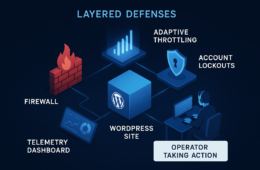
Use layered controls that reduce exposure without requiring immediate plugin updates across dozens of sites. Recommended layers include access restrictions for wp-admin/wp-login, strict credential policies, monitoring for indicator patterns, and virtual patches applied at the gateway. For an operational checklist designed for agencies, reference the Battle-Tested WordPress Security Checklist.
Access controls and MFA
Where possible, enforce IP allowlists or VPN-only admin access for high-value clients, and require MFA for all admin accounts. These steps stop many automated exploit attempts that rely on unauthenticated or low-privilege access.
Implementation steps:
- Enable MFA plugin or SSO for all admin users and monitor for bypass attempts.
- Configure web server or WAF to allow wp-admin access from known IP ranges or via corporate VPN.
- For agencies managing dozens of sites, maintain an access control inventory that maps each site to its allowed IP list and MFA status.
For detailed admin access hardening guidance, see Hardening Admin Access and Privileged Workflows and Avoid These Admin-Access Mistakes That Lead to Breaches.
Virtual patching and rule-based blocking
Virtual patches (WAF rules, behavior-based blocks) prevent known exploit strings or request patterns from reaching vulnerable endpoints. Apply narrow rules first to avoid availability impact, then widen as needed based on detection data.
Rule examples (conceptual — tailor to PoC specifics):
- Block or challenge requests to the vulnerable plugin’s AJAX or admin endpoints when the request method is POST and content-type is unexpected.
- Rate-limit or captcha-protect endpoint paths that previously accepted unauthenticated input.
- Block requests carrying suspicious binary blobs or base64 strings in form fields that the plugin does not require.
Enhanced logging and rapid detection
Increase logging fidelity for file-change events, admin logins, and unusual POST requests during the disclosure window. Monitor these signals closely for the first 72–120 hours after a PoC appears.
Implementation checklist:
- Enable file integrity monitoring and alert on new PHP files or web-shell-like filenames.
- Send authentication/authorization events to a central SIEM or log aggregator; create alerts for new admin user creation.
- Retain logs for at least 30 days for post-incident forensic work.
Deploying staged mitigations across client sites
Execute mitigations in stages so you reduce risk quickly without breaking critical business functions: 1) high-priority virtual patches and access restrictions, 2) controlled plugin updates in staging, 3) monitored production rollout. If you need to implement these controls across dozens of clients quickly, consider Hack Halt Inc. as a direct way to automate and scale the virtual patching, monitoring, and admin hardening steps outlined here.
Staged rollout example:
- Apply virtual patch to all High-priority sites (same day).
- Update plugin in staging for 5–10 representative clients; run smoke tests (checkout, form submission, uploads).
- Roll update to a small production cohort (10–20% of high-priority sites), monitor for errors for 24–48 hours.
- Full production rollout once confidence is established.
Actionable checklist — implement this in the next 24–72 hours
Use this checklist verbatim as an operator playbook to reduce plugin exploit risk fast.
- Inventory all sites for the vulnerable plugin and record versions (export a CSV snapshot).
- Mark high-value sites and public-facing endpoints as immediate priority.
- Apply site-specific virtual patches / WAF rules targeting PoC patterns.
- Enforce admin access restrictions and require MFA for all admin users.
- Schedule staged plugin updates: staging → small production cohort → full rollout.
- Increase logging for file writes, new user creation, and suspicious POST bodies; retain logs for 30+ days.
- Notify impacted clients with a short summary, risk level, and expected timelines.
- Monitor for exploitation indicators for at least 7 days after the last update.
- Run post-update sanity checks: site health, error logs, user flows (checkout, forms).
Client communication — quick template
When notifying clients, keep messages concise and action-oriented. A sample structure:
- Subject: Important — Plugin Vulnerability and Immediate Mitigation Steps
- Summary: brief description, risk level for their site, and what you’ve already done.
- Action items for client: expect maintenance window, change passwords, confirm MFA if not enabled.
- Timeline: expected next update and monitoring window.
What to do if you detect a compromise
If you find indicators of compromise — unknown admin users, web shell files, or unexpected outbound connections — isolate the site and follow a layered response. Use your incident playbook: take site offline (maintenance mode), snapshot the site, preserve logs, remediate with file integrity checks, and perform credential resets. For remediation sequencing and rapid malware removal techniques, consult the Layered Response Blueprint.
Remediation quick steps:
- Snapshot filesystem and database; preserve logs and timestamps.
- Reset all admin credentials and any API keys that might have been exposed.
- Scan and remove web shells and suspicious files, then re-validate file integrity from known-good backups.
- Patch the vulnerable plugin or uninstall if no safe update exists, followed by a monitored restore to production.
Integrate these controls into standard operating procedures
Treat vulnerability disclosures as operational events: add a disclosure response runbook to your onboarding, include plugin inventory checks in weekly maintenance cycles, and automate vulnerability alerts. Keep a permanent link to your documentation and playbooks; when you update processes, publish them to your team and clients. For reference on how provider features map to settings, see the central Documentation page and the Security Hub.
Operationalize by adding the following to your SOPs:
- Daily or event-driven vulnerability scan that triggers the inventory snapshot and prioritization workflow.
- Pre-approved virtual patch templates and rollback procedures for common plugin exploit patterns.
- Client notification templates and a dedicated incident channel with SLAs for response times.
Post-incident — lessons learned and continuous improvements
After remediation, run a short after-action review: what detection signals were missing, which mitigations prevented exploitation, and what process bottlenecks slowed response. Update playbooks, add automated tests to staging, and train operators on the new procedures. Keep a curated internal KB of exploit indicators and mitigation recipes; revisit it quarterly.
Additional resources and recommended reading
Maintain a short internal knowledge base for common exploit patterns and response scripts. Combine that with curated resources like the agency playbooks and checklists linked throughout this article. Keep your team drilled on the first 24-hour response — practice beats theory when disclosure windows close fast. See related playbooks: Battle-Tested Playbook: Stop Brute-Force & Credential Stuffing, Minimize WooCommerce Blast Radius, and Stop Brute-Force & Credential Stuffing.
FAQ
How quickly should I act on a disclosed plugin vulnerability?
Act within the first 24–72 hours for high-severity, high-exposure vulnerabilities. Use reversible mitigations immediately and follow with staged updates.
Can virtual patches cause site breakage?
Carefully scoped virtual patches minimize breakage. Start with narrow rules that block only PoC request patterns, test on staging clients, and then widen scope if needed based on detection data.
Where should I store the inventory and incident notes?
Keep inventories and incident notes in an access-controlled repository with versioning and audit logs. Store snapshots of plugin inventories and change logs for compliance and post-incident analysis. Consider integration with your ticketing system and a secure repository for after-action reviews.
Final words
Plugin exploit risk is not eliminated by a single action — it is reduced by a repeatable combination of inventory hygiene, quick virtual patches, strict admin controls, and practiced incident response. Build the muscle memory now so when the next disclosure lands, your team responds in hours, not days.