
Brute-force and credential stuffing attacks are the most common automated threats WordPress owners face. This playbook gives you a fast, pragmatic checklist and incident-response steps you can run without a full security operations center. Use it to harden public-facing auth surfaces, detect abuse early, and contain events with minimal downtime. This focused guidance is designed for site owners, developers, and small ops teams who need immediate wins for credential stuffing protection.
- Why are brute-force and credential stuffing attacks so common?
- Rapid hardening checklist (playbook starters)
- Configuration details and realistic examples
- Detection and fast incident response
- Comparison: controls you can implement today
- Incident mini-case study: quick containment on a mid-size editorial site
- How do you prioritize controls when you don’t have a SOC?
- Implementing these controls with operational support
- Actionable checklist summary
Why are brute-force and credential stuffing attacks so common?

Multiple login attempts illustration on a WordPress form
Attackers automate login attempts because many sites still use weak passwords, reused credentials, or predictable admin usernames. Credential stuffing scales cheaply against sites that expose standard login endpoints and lack basic rate limiting and MFA, so hardening those layers dramatically reduces attack success. Many opportunistic campaigns simply try large credential lists against /wp-login.php or REST endpoints; blocking or slowing that surface is often sufficient to stop the majority of attacks.
Rapid hardening checklist (playbook starters)
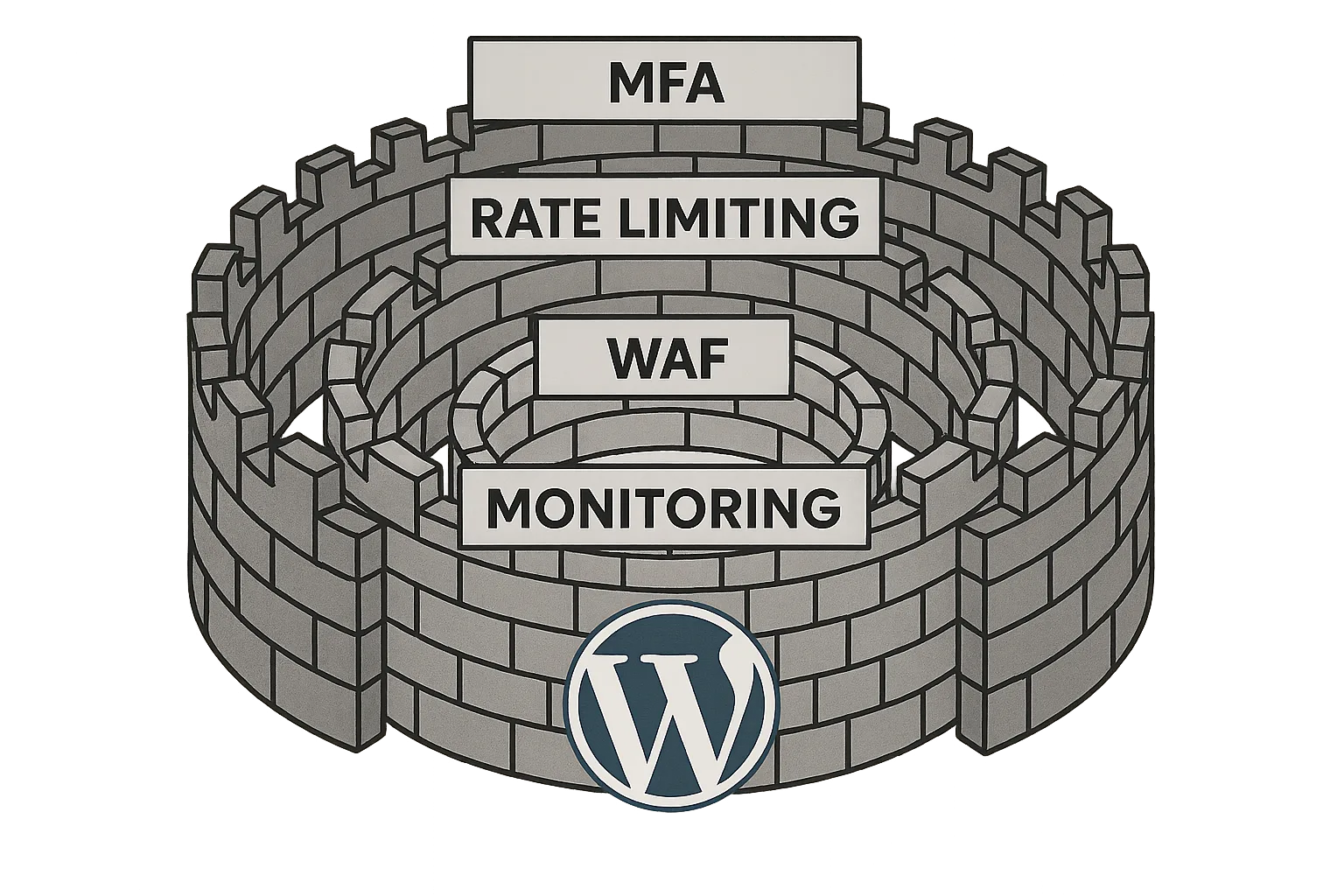
Layered defenses diagram around a WordPress logo
Work the checklist below in order of impact. Each task is practical and reversible; if you’re unsure, stage changes on a maintenance window and test with a trusted account. These controls are the foundation of ongoing credential stuffing protection.
Access controls and authentication
- Enforce strong password policies and run a forced reset for long-unused or shared accounts.
- Enable MFA for all admin and editor accounts; treat MFA as non-optional for privileged roles.
- Lockdown account creation: review user registration and disable public signups if not required.
- Create at least one offline emergency admin account stored in a password manager and separate from regular accounts.
Traffic controls and rate limiting
- Apply strict rate limiting on login endpoints and throttle repeated failed attempts per IP and per username.
- Block or challenge high-volume clients with CAPTCHAs or challenge-response only on suspicious flows.
- Use geoblocking for regions that never host legitimate users for your site or business.
Reduce discoverability
- Rename or obscure /wp-login.php and /wp-admin where feasible and route known traffic via a hardened gateway.
- Remove or protect author archive pages that reveal usernames; replace discoverable admin names with display names.
- Disable or restrict XML-RPC and REST API endpoints used for authentication unless explicitly required.
Configuration details and realistic examples
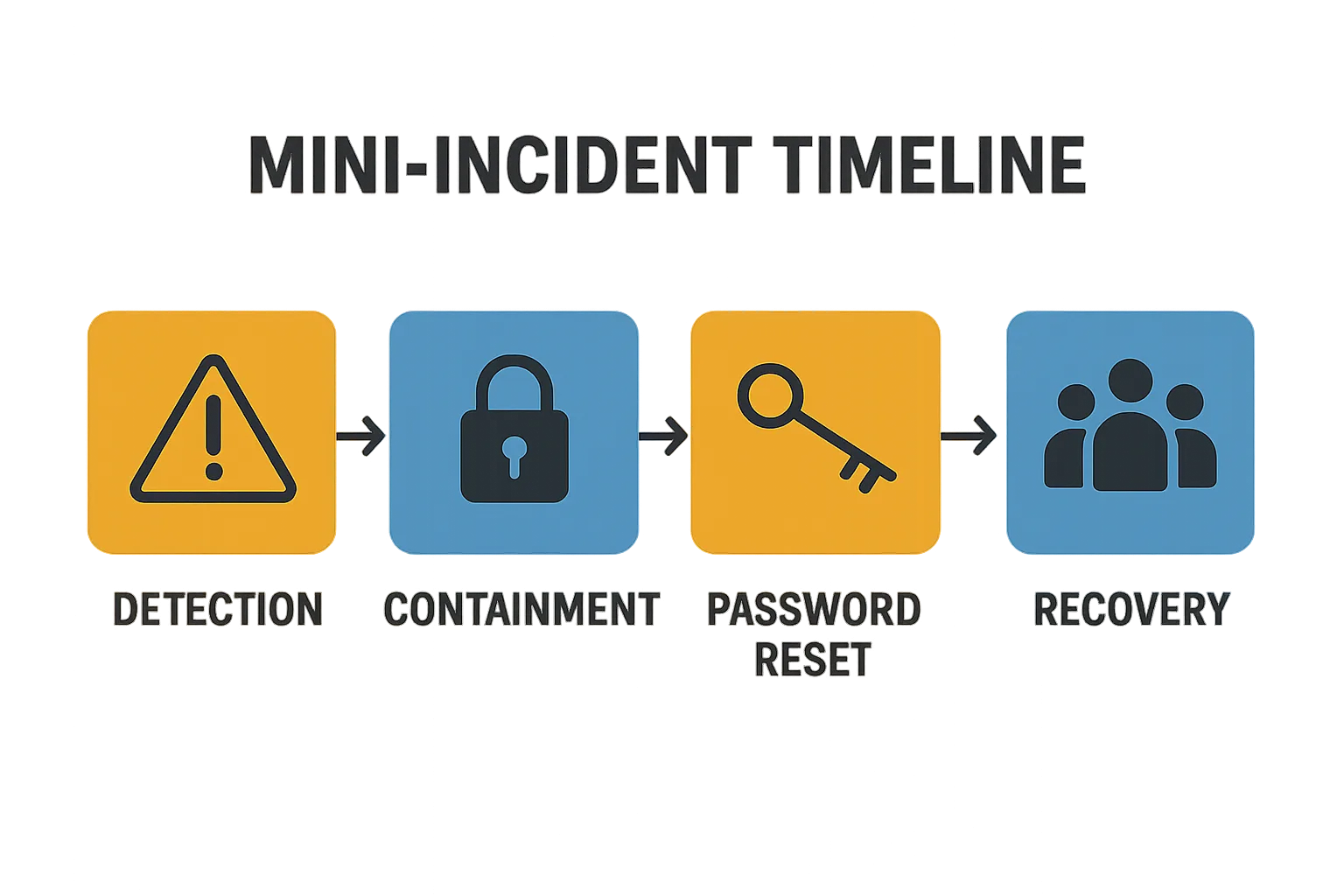
Incident timeline from detection to recovery
Below are precise configuration pointers you can apply in most environments; replace values with numbers that match your traffic and risk tolerance. These examples are intentionally conservative—tighten after monitoring to reduce false positives.
Login rate limiting example (Nginx)
Use a dedicated rate limit zone for login traffic. Example values to start with:
limit_req_zone $binary_remote_addr zone=login:10m rate=10r/m;
location = /wp-login.php {
  limit_req zone=login burst=20 nodelay;
  include fastcgi_params;
  fastcgi_pass unix:/var/run/php-fpm.sock;
}
This rejects or delays attackers that try to brute force credentials while allowing legitimate users through. For high-traffic sites, tune rate upwards and use logging to detect blocked attempts.
Login rate limiting example (per-username logic)
Implement username-based throttling in your application or WAF: if a single username sees >10 failed attempts from any IP in 15 minutes, temporarily lock that username for 30 minutes and force an admin review. This defends against distributed credential stuffing where many IPs target a single account.
Practical MFA rollout approach
Step-by-step rollout:
- Identify privileged roles (admin, editor, shop manager). Enforce MFA for these first.
- Pilot with a small group, document enrollment steps and backup-code procedures.
- Expand to all users who can publish, purchase, or access sensitive data.
- Provide a documented recovery flow (verified support channel plus manual identity checks).
MFA is the single most effective control for credential stuffing protection because it makes stolen credentials nearly useless.
Hardening remote endpoints
Disable XML-RPC unless you use legacy mobile apps. For REST API endpoints used by integrations, restrict access via capability checks or IP allowlists and document the business justification for each exposed endpoint. For each enabled endpoint, add monitoring and alerts for anomalous request volume.
Detection and fast incident response
Speed beats perfection—catch attacks with simple, reliable signals and act fast to limit blast radius. An incident runbook that any site owner can follow reduces error and downtime.
Triage signals to watch
- Large spike in failed login count over a short window (example: >50 failures in 10 minutes).
- Multiple failed logins for many usernames from a single IP range or ASN.
- Impossible travel events: successful logins from geographically distant locations in a short time.
- Sudden increase in password reset requests or leaked credential reports from staff.
Containment steps — a runnable mini-runbook
Execute these actions immediately to contain credential stuffing events:
- Block offending IPs and ranges on your firewall/WAF. Use ASN blocking if attacks originate from hostile networks.
- Force password reset for all targeted or at-risk accounts. With WP-CLI:
wp user list --role=administrator --field=user_loginto enumerate and then update passwords as required. - Expire sessions by rotating authentication salts in wp-config.php (replace AUTH_KEY, SECURE_AUTH_KEY, etc.). Note: rotating salts will log out all users and invalidate remembered logins, which is desirable during an incident.
- Disable public registration and switch to invite-only or manual approval until the event subsides.
Eradication & verification
- Scan for web shells, unknown admin users, and unexpected plugin/theme file changes. If you find tampering, follow the steps in the Layered Response Blueprint.
- Rotate any API keys, integration credentials, and third-party secrets that might have been exposed.
- Review server logs and WAF logs for indicators of compromise; look for lateral movement or privilege escalation attempts.
Recovery and follow-up
- Confirm backups and verify restore integrity if any tampering is suspected.
- Audit plugin and theme files for unexpected changes and review access logs for lateral movement.
- After recovery, raise thresholds for monitoring and run a post-incident review to close gaps—update playbooks and share lessons learned with your team.
Comparison: controls you can implement today
| Control | Ease to implement | Effectiveness vs brute-force | Practical takeaway |
|---|---|---|---|
| Rate limiting & throttling | Medium | High | Start with conservative thresholds and tighten after observing false positives. |
| Multi-factor authentication (MFA) | Low | Very high | Implement immediately for all privileged accounts; forces attackers to have a second factor. |
| IP blocking & geo-restrictions | Low | Medium | Effective for blocking known-abuse sources but can require maintenance to avoid blocking legitimate users. |
| WAF and challenge pages | Medium | High | Good for automated attacks; ensure rules are tuned to avoid legitimate traffic friction. |
| Removing username discovery | Low | Medium | Reduces efficiency of attackers who combine usernames with credential lists. |
Incident mini-case study: quick containment on a mid-size editorial site
A regional news site saw a sudden spike in failed logins during a peak traffic hour. The site operator blocked the offending IP range, enforced password resets for editor accounts, and enabled MFA for all staff in under 90 minutes. No account takeover occurred; the team then implemented username obfuscation and tightened rate limits. The steps matched the layered response actions we lay out in the Layered Response Blueprint and eliminated repeated attempts within 24 hours. This example shows how credential stuffing protection can be operationalized quickly with low-friction controls.
How do you prioritize controls when you don’t have a SOC?
Prioritize high-impact, low-friction controls: enforce MFA for admins, add rate limiting, and enable proactive logging. These actions reduce immediate risk and give you time to plan deeper controls like WAF tuning and session management without a dedicated security ops team. Maintain an incident playbook and test it in a scheduled drill so your small team can execute rapidly when needed.
Implementing these controls with operational support
If you want to move faster and reduce manual tuning, consider a managed approach that automates detection, throttling, and alerting. Hack Halt Inc. offers configuration templates and managed enforcement that map directly to the controls in this playbook; see detailed setup steps in our documentation. You can also combine the playbook items with broader admin-hardening resources like Hardening Admin Access and Privileged Workflows to reduce the attack surface more broadly.
Actionable checklist summary
- Enable MFA for all admins and critical roles.
- Apply rate limiting: start with 10–30 failed attempts windows depending on traffic and tighten.
- Disable or restrict XML-RPC and unnecessary REST endpoints.
- Obscure login URLs and remove username discovery vectors.
- Configure alerts for failed login spikes and impossible-travel indicators.
- Have a containment plan: block IPs, force password resets, rotate salts to revoke sessions.
- Post-incident: scan for web shells and follow the recovery steps in the Layered Response Blueprint.
- Measure and iterate: review logs weekly and tune thresholds based on real traffic patterns.
- Maintain an offline emergency admin account and documented recovery procedures.
For more tactical plays to harden admin access and limit blast radius, review our Hardening Admin Access and Privileged Workflows guide and the Stop Brute-Force & Credential Stuffing playbook for additional controls. If you need end-to-end operational templates and runbooks, see the Documentation in our Security Hub.
Takeaway: prioritize MFA, rate limiting, and monitoring first. When you pair those with containment runbooks you can execute as an owner, credential stuffing protection becomes an operational capability rather than a site-shutdown risk. Regularly rehearse the runbook and update it after incidents so your responses improve over time.