Hack Halt Inc. understands the stakes: when payment or customer data is exposed, every hour multiplies cost and customer churn. This tactical brief gives eCommerce managers a prioritized, high-urgency roadmap to reduce incident blast radius on WooCommerce sites—actionable quick wins to stop further damage, medium-term monitoring to detect expansion, and deep fixes plus recovery playbooks to restore trust and operations.
Immediate containment: stop the bleeding in the first 30–90 minutes
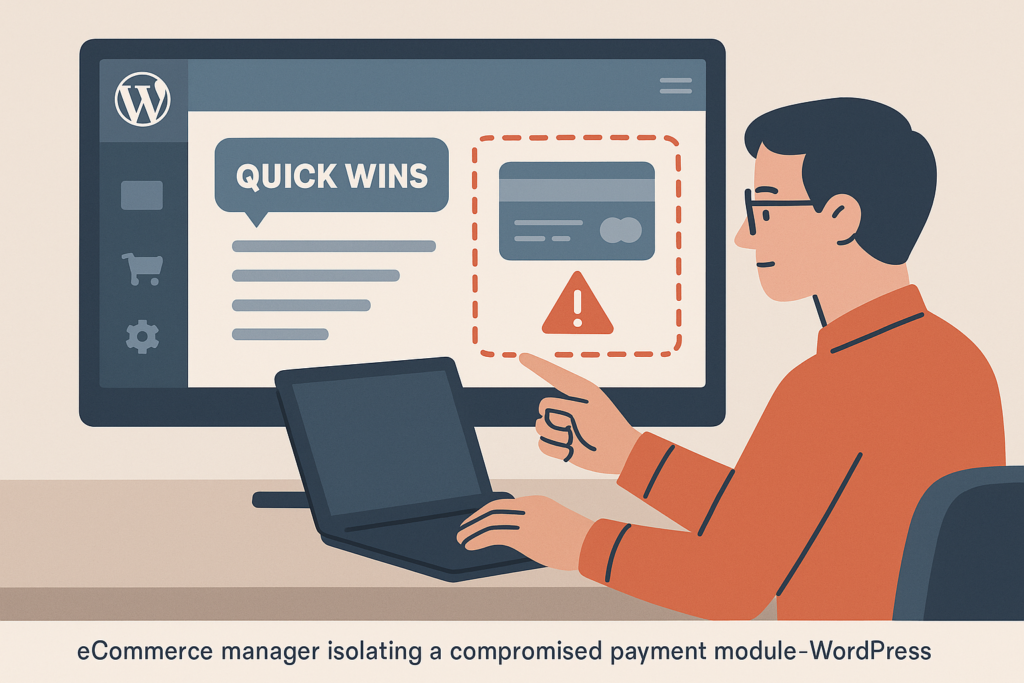
Ecommerce manager isolating compromised payment plugin in WordPress dashboard
When you suspect a compromise, speed and focus matter. Apply these high-priority containment steps in order; every item removes an axis the attacker can use to widen the breach. These steps are intentionally conservative — the goal is to limit attacker options, not to perform deep remediation.
- Toggle checkout and payment flows. Disable the affected payment gateway(s) from WooCommerce > Settings > Payments or flip your store into maintenance mode. This prevents further exposure of payment tokens and reduces transaction-related attack surface. Example: switch all live gateways to sandbox/test mode and enable a simple “temporarily unavailable” banner on checkout.
- Isolate admin access. Revoke sessions of all administrators and any 3rd-party accounts with elevated permissions. Force a password reset for all administrator-level users and remove unused admin accounts. For a deeper guide, see the Admin Access Hardening materials.
- Revoke exposed API keys and integration credentials. Immediately rotate keys for payment gateways, shipping APIs, analytics, and CRM integrations. If a key rotation UI is unavailable, disable the integration until you can reissue secrets. As a practical step list: disable webhooks at the provider, generate new API credentials, update WooCommerce settings, and only then re-enable webhooks.
- Preserve logs and evidence. Export web server logs, WooCommerce order logs, and database backups before performing destructive remediation. This is critical for root cause analysis and may be required for compliance reporting. Save a copy off-host (S3 or secure archive) and tag with the incident timestamp.
- Short, executable checklist for the first 60 minutes:
- Disable checkout or put site in maintenance mode
- Rotate all admin passwords and force logout (see implementation examples below)
- Disable all payment webhooks at providers
- Export logs and take a snapshot backup
- Notify the incident team and start a dedicated Slack or incident channel
Quick implementation examples
Commands you can run if you have SSH and WP-CLI access:
# Force logout for a specific user (replace 2 with user ID)
wp user session destroy 2

# Force password reset for an admin (replace 2 and newpass)
wp user update 2 --user_pass=newStrongPassword!23

# Create a database snapshot (example uses mysqldump)
mysqldump -u root -p'REDACTED' --databases my_wp_db > /backups/wp_db_incident_$(date +%s).sql

# Export recent Nginx access logs (last 1000 lines)
tail -n 1000 /var/log/nginx/access.log > /backups/nginx_access_$(date +%s).log
Quick monitoring wins (next 24–48 hours)
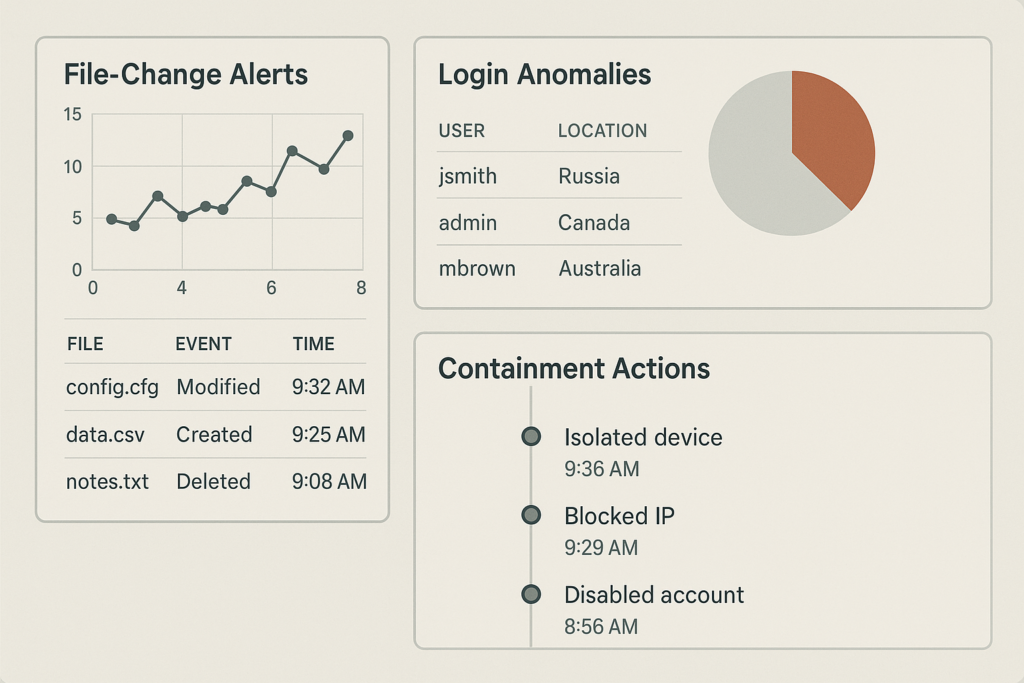
Monitoring dashboard showing file changes and login anomalies
After containment, establish visibility to detect lateral movement and prevent re-infection. These are realistic controls you can enable rapidly with minimal engineering. The objective is to keep the blast radius small by observing anomalous activity and responding faster.
- File and integrity monitoring: Turn on file-change detection for wp-content and any custom plugin/theme directories. If you can’t enable a managed detection service immediately, schedule a cron job or host-level inotify scan to alert on unexpected PHP or JavaScript changes. Example cron using sha256 checksums:
find wp-content -type f -name '*.php' -exec sha256sum {} ; > /tmp/known_good_checksums.txt # compare daily or after change window find wp-content -type f -name '*.php' -exec sha256sum {} ; > /tmp/current_checksums.txt diff /tmp/known_good_checksums.txt /tmp/current_checksums.txt | mail -s "File change alert" ops@example.com - Authentication and session monitoring: Enable alerts for mass failed logins, sudden admin logins from unusual IPs or geolocations, and concurrent sessions. Your goal is to catch account takeover attempts before they reach payment pages. If you use an identity provider or SSO, check last successful authentications and token issuance windows.
- Order and payment anomaly detection: Create simple rules to flag large-value order spikes, mismatched billing/shipping patterns, or repeated payment declines tied to new customer accounts. These rules often surface fraud campaigns that follow initial compromises. Suggested rule: any single IP placing >3 orders in 30 minutes triggers a hold and review.
- Network and process monitoring: Start host-level process watchers and outbound connection monitors to catch data exfil or command-and-control traffic. A simple tcpdump capture of connections to unknown hosts for the first 24–48 hours can reveal suspicious patterns.
For a tested approach to preventing credential attacks, review the brute-force playbook which pairs well with the monitoring steps above.
Design a recovery playbook: prioritized, testable steps
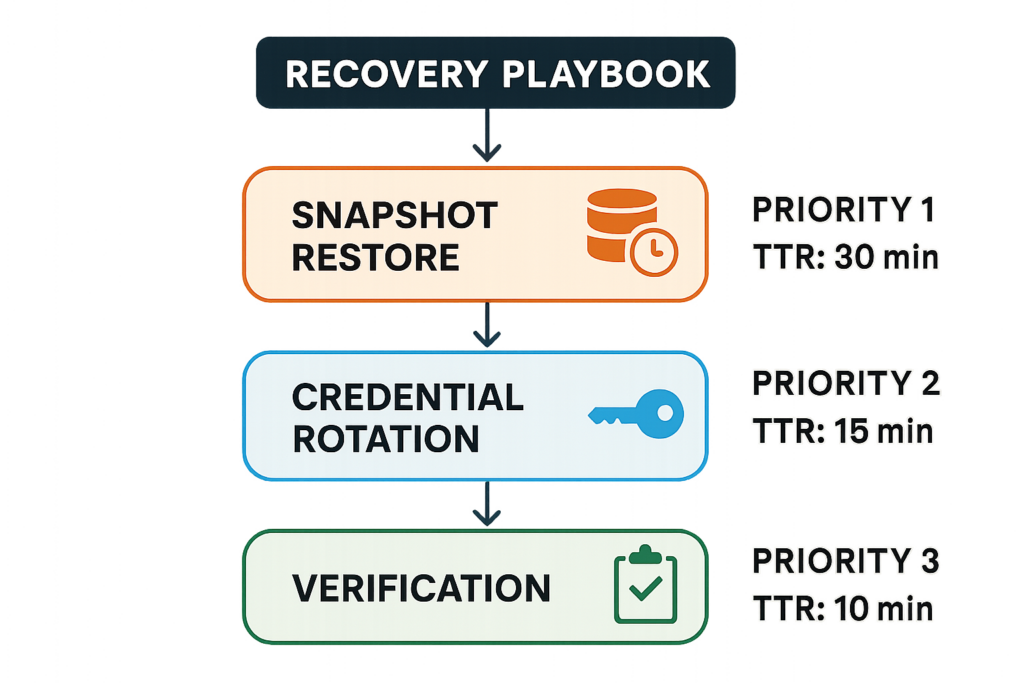
Recovery playbook flowchart for restoring WooCommerce after an incident
A recovery playbook is a short, executable list that your team runs during an incident; the objective is safe restoration and validation that the blast radius is contained. This playbook should be written, tested every quarter, and stored in a place accessible during outages.
| Play | Priority | Estimated Time | Practical Takeaway |
|---|---|---|---|
| Snapshot restore to isolated staging | 1 | 30–90 minutes | Validate restoration and reproduce the issue without touching production |
| Credential rotation (admins, payment keys) | 1 | 15–45 minutes | Stops active sessions and invalidates stolen secrets |
| Integrity scan + cleanup | 2 | 1–4 hours | Removes webshells and unauthorized code, but must be validated by tests |
| Controlled re-enable of checkout | 3 | 10–60 minutes | Bring commerce back only after validation; use throttles and monitoring |
Practical example: recovery timeline for a compromised payment gateway
Contain: Turn off the gateway, rotate provider API keys, and disable webhook endpoints. Observe for 30 minutes to confirm no further suspicious order creation.
Restore: Launch a snapshot to an isolated staging environment and confirm no persistence mechanism (unexpected admin users, cron hooks, or injected code in theme/plugin files).
Validate: Run a set of test purchases with a sandbox gateway. Use multiple browsers and IPs to simulate legitimate customer flows and check order-recording integrity in the database.
Re-enable: Bring gateway live with throttling and heightened monitoring for 72 hours. Recommended throttle: limit checkout to N orders per minute and queue excess for manual review during the observation window.
Deep fixes: remove persistence and harden to prevent recurrence
Once you have visibility and recovery tested, prioritize root-cause fixes that reduce future blast radius. These are higher-effort but high-impact. The list below helps you turn short-term incident response into long-term risk reduction.
- Patch and update: Apply updates to WordPress core, WooCommerce, themes, and any custom code. Focus first on items that directly touch payment flows, order processing, or authentication. Maintain a patch calendar and enable staged rollouts to avoid breaking production.
- Least-privilege integration model: Replace broad-power API keys with scoped service accounts for payment processors and integrations. Limit database and file permissions for WordPress processes when possible. Example: use separate DB users for read-only analytics queries and for writes from the application.
- Harden admin entry points: Move admin access behind stricter controls (VPN, IP allowlist, or short-lived SSH tunnels) and remove direct exposure. Implement the recommendations in the security checklist to shrink attack vectors.
- Remove persistence mechanisms: Search for unusual cron jobs, scheduled WP-Cron hooks, unknown mu-plugins, or altered .htaccess rules. Validate plugin integrity against vendor checksums and replace any plugin with a vendor-provided clean copy where possible.
- Automate repeatable hardening: Codify your firewall rules, file permissions, and plugin allowlists into infrastructure-as-code (Terraform, Ansible) so the same hardening is applied reliably across environments.
Incident response runbook (roles, communications, and post-incident)
Make your response repeatable: assign roles, pre-write communications, and require a post-incident review that maps fixes to priority.
Roles & responsibilities
Define a small incident team: Incident Commander (decides containment), Technical Lead (executes remediation), Communications Lead (customer and partner notices), and a Legal/Compliance liaison. Keep contact details current and test reachability quarterly. Have escalation steps and backup contacts for each role.
Containment checklist (operational steps)
Operational steps should be short commands or UI actions: disable gateway, revoke keys, rotate passwords, snapshot database, export logs, and disable public-facing integrations. These steps must be ordered so a junior engineer can follow them without escalation.
- Disable checkout or specific payment gateway
- Revoke webhooks and rotate API keys
- Force admin session destroy and rotate all admin passwords
- Take immutable backups and export logs to secure storage
- Spin up an isolated staging restore for forensic validation
- Keep a communication log in the incident channel (who did what and when)
Communications: quick templates
Pre-write short messages to speed external and internal notifications.
- Internal (ops slack): “Incident: suspected payment-systems compromise. Checkout disabled. Team assembled: IC @name, TechLead @name. Next: export logs & snapshot. ETA initial containment 60m.”
- Customer-facing (site banner/email): “We’re temporarily pausing checkout while we investigate. No customer payment information will be processed during this time. We’ll provide updates within 24 hours.”
- Regulator/legal template: concise list of affected data types, time window, and mitigation steps taken—populate with incident data before sending.
Post-incident validation and report
After restoration, run an integrity scan, review logs for anomalies during the incident window, and perform transaction reconciliation for the affected period. Produce an incident report that lists root cause, time-to-contain, time-to-recover, customer impact, and prioritized remediation tasks. Hold a 60–90 minute postmortem within a week and assign owners for each remediation item.
Prioritization matrix: what to do first
When resources are limited, prioritize actions that both reduce blast radius and preserve business continuity: containment, credential rotation, temporary checkout disable, snapshot preserves, and lightweight detection. Schedule deeper code reviews and architecture changes after immediate containment.
If you want a managed, rapid way to implement monitoring and automated containment controls that integrate with these playbooks, consider deploying Hack Halt Inc.’s commercial protection—it can accelerate detection, automate key rotations, and orchestrate snapshot restores in your recovery workflow.
Operationalize the plan: convert this roadmap into a single-page runbook for on-call staff, test it in a live fire drill at least twice a year, and add the runbook to your central Documentation and security resources such as the Security Hub. For broader team training on evolving threats, see our analysis in the Business Cyber Defense 2025 briefing.
Key metrics to track so you know your response is improving: time-to-detect, time-to-contain, time-to-restore, number of re-infections, and customer-impacted transactions. Track these over time and use them in your post-incident report to quantify improvements.
Takeaway: prioritize actions that cut attacker options quickly—disable the payment path, rotate credentials, and stand up detection. Use the playbook cycle: Contain → Observe → Restore → Harden. That sequence minimizes the woocommerce incident blast radius and shortens the window attackers can exploit.