As an agency operator responsible for multiple WordPress installs, your goal isn’t just to detect attacks — it’s to make every detection count. This operator-focused blueprint lays out monitoring standards and recovery playbooks that reduce incident blast radius: smaller outages, fewer client escalations, and faster, repeatable restores. Read this as a mentor-style set of notes you can copy into client runbooks and start practicing today.
- Why reducing blast radius must be an agency priority
- How do you contain an incident quickly?
- Standardize monitoring you can rely on
- Design containment triggers and minimum safe actions
- Recovery playbooks: realistic, tested, and per-client
- Operator checklist: actionable items to reduce blast radius
- How to practice and measure progress
- Implementing this blueprint with Hack Halt Inc.
- Where to learn more and related operator resources
- Notification templates and communication guidance
- Final notes and next steps
- Frequently Asked Questions
Why reducing blast radius must be an agency priority
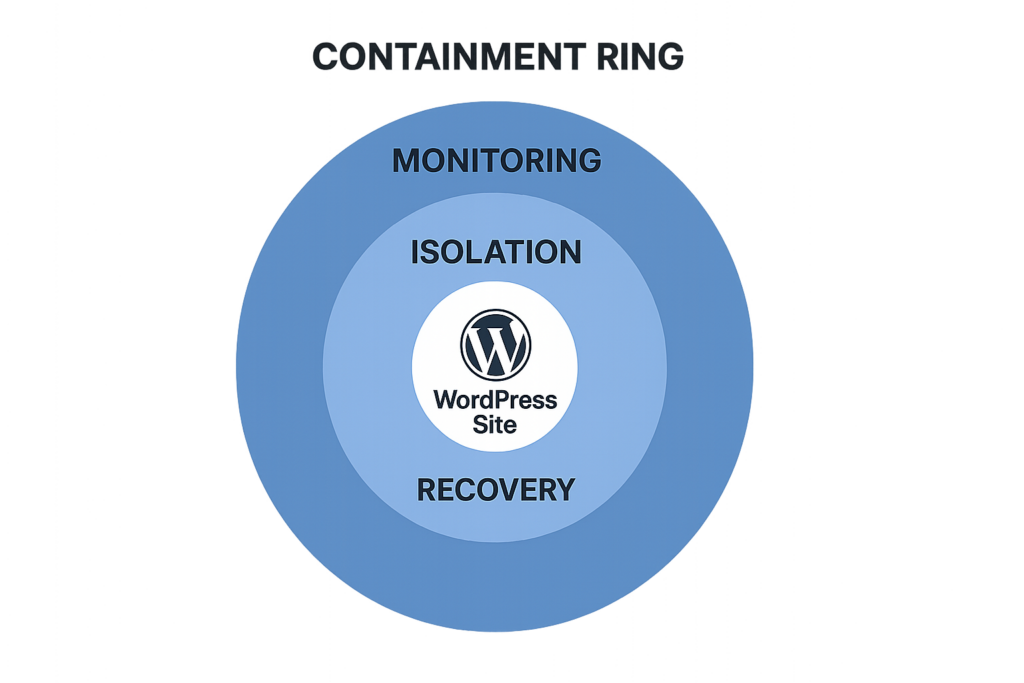
Containment ring graphic illustrating stages to reduce blast radius
When you manage many client sites, a single compromised credential, plugin exploit, or cross-site infection can cascade. Reducing blast radius means limiting what an attacker can touch after initial access. That translates to less cleanup, lower liability, and a faster path back to normal operations for clients. Treat containment and recovery as operational features — not optional incident luxuries. Making blast-radius reduction a repeatable capability also lowers client churn: scripted responses build confidence and reduce the time you spend triaging noisy events.
How do you contain an incident quickly?
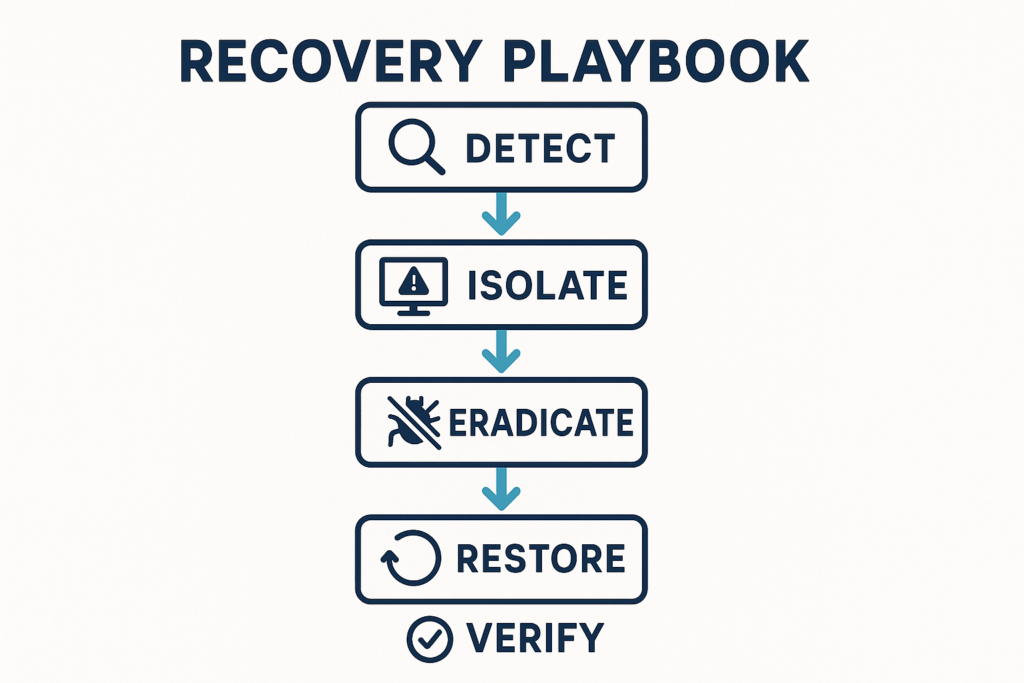
Recovery playbook timeline flowchart from detection to verification
Containment starts with a clear, executable decision: isolate the affected site, revoke credentials, and stop outbound communications. Begin with those three actions immediately and use monitoring alerts to feed automated or playbook-driven responses so the human-in-the-loop focuses on investigation and restoration.
Practical implementation steps you can add to runbooks:
- Isolate: toggle site maintenance mode or redirect traffic to a static status page. Example Nginx redirect snippet (copy into server config):
return 503;combined with a maintenance page. - Revoke credentials: trigger a credential-rotation automation or run a script that expires sessions and forces password reset for all admin users and service accounts.
- Stop outbound: apply a temporary network rule (cloud firewall or iptables) blocking PHP process outbound HTTP/HTTPS and known exfiltration ports.
Standardize monitoring you can rely on
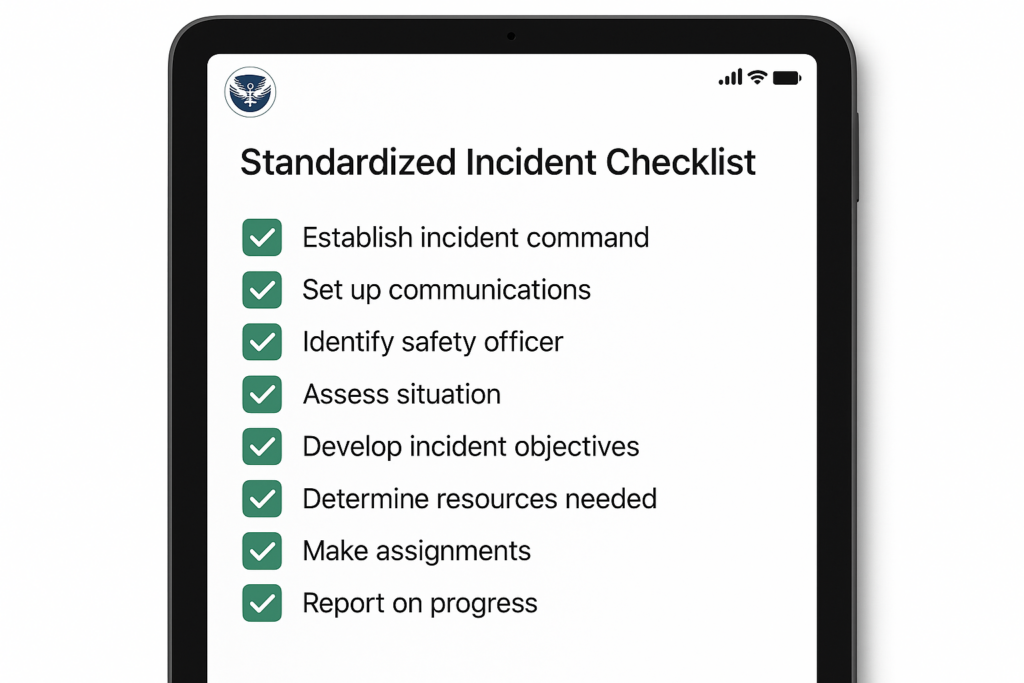
Mock checklist on tablet showing completed containment tasks
Monitoring should be predictable across every client. Pick a small set of high-impact signals and make them mandatory: file integrity changes, unexpected cron/job creation, unauthorized admin sessions, new plugin uploads, and spikes in outbound connections from the site.
File integrity and unexpected code changes
Alert on changes to core files, themes, and plugin files that aren’t associated with approved deployments. For agencies, baseline the file tree after a successful hardening pass and force alerts on any modification outside change windows. Practical checklist:
- Baseline: produce a file manifest (path + SHA256) after hardening and store it in an immutable archive.
- Detection: run periodic hashes and alert on new/modified/deleted files.
- Context: correlate alerts with deployment windows or known maintenance tickets to reduce false positives.
Admin access telemetry
Track session creation, IP changes during sessions, and concurrent high-privilege actions. Tie these events to the same playbooks you’ll use for containment so an alert for suspicious admin activity can immediately revoke sessions and require MFA revalidation. Instrumentation examples:
- Log session creation and last-activity timestamp for each user.
- Detect geographic jumps (session IP change across countries inside 5 minutes).
- Alert on privilege escalation events (role change, capability grant) and new API key issuances.
Network and outbound connection monitoring
Flag unexpected outbound connections from PHP processes, unusual DNS queries, or new remote endpoints. Those are strong signals of post-exploit behavior (beacons, data exfil, or web shells). Useful implementation steps:
- Log all outbound HTTP/HTTPS requests made by server-side processes and flag unknown domains or frequent successively new destinations.
- Monitor DNS query volume and names; sudden bursts to subdomains or randomized names are high signal.
- Collect process-level network metrics so you can map which PHP worker spawned a suspicious connection.
Design containment triggers and minimum safe actions
For each monitoring signal define a single, minimal containment action an operator can run in under two minutes. Keep actions reversible when possible.
Examples of containment triggers
Example triggers include: file-integrity alert → put site in maintenance mode and revoke all sessions; suspicious admin login from new country → force password reset and revoke API keys; outbound beaconing → block outbound connections and upload network logs to a private archive for analysis. Make each trigger map to one command or button in your incident console.
Containment decision tree
Build a one-page decision tree: detection type, immediate action, who to notify, and rollback criteria. Use it during drills so the containment path becomes muscle memory for junior operators. A minimal decision tree node looks like this:
- Detection: File integrity change in /wp-content/plugins/
- Immediate action: Enable maintenance mode, snapshot site, revoke sessions
- Investigation: Mark files for forensic copy, check recent deploys
- Rollback criteria: Restore known-good backup OR confirm injected code removed and tests pass
Recovery playbooks: realistic, tested, and per-client
Recovery is a repeatable sequence: verify compromise, contain, eradicate, restore, and validate. The key for agencies is per-client detail: where backups live, what staging URL to use, and which integrations need credential rotation.
Verification and evidence collection
Before you restore, snapshot the site and collect logs, file hashes, active processes, and database diffs. That evidence protects you and helps refine playbooks for future incidents. Evidence checklist:
- Full files + DB snapshot
- Web server and PHP-FPM logs (last 30 days)
- Recent cron/task output and schedule list
- Active process list and network connections
- Hashes of suspicious files
Eradication steps
Targeted eradication often means removing injected files, cleaning backdoors, revoking compromised accounts, and ensuring no scheduled tasks remain. Replace modified files with clean copies from vendor sources or trusted backups. Implementation steps:
- Delete web shells and suspicious files to a quarantined folder (preserve original timestamps for forensics).
- Replace WordPress core, themes, and plugins with vendor-signed copies or verified backups.
- Rotate all secrets: admin passwords, API keys, OAuth tokens, payment gateway credentials, and CI/CD tokens.
- Re-scan the site and run a staged validation suite before re-enabling public traffic.
Restore and validate
Restore from the last known-good backup if eradication is uncertain. After restore, run validation tests: login as an admin, simulate key transactions, and confirm outbound connections are normal. Log every verification step. Example validation checklist:
- Admin login succeeded and MFA challenge enforced
- Critical flows tested (checkout, form submission, content publish)
- Outbound connections minimal and only to expected third parties
- No new unauthorized admin users or API keys
Operator checklist: actionable items to reduce blast radius
Use this checklist during a live incident — copy it into your incident ticket or runbook and tick items as you execute.
- Trigger detected: record time and alert source.
- Immediately isolate: enable maintenance mode and suspend cron jobs.
- Revoke sessions and rotate all admin credentials for the affected site and any shared accounts.
- Block outbound connections from the site or container at the firewall level.
- Take a full site snapshot (files + DB) to forensics storage.
- Identify and remove malicious files; restore modified core/themes/plugins from trusted copies.
- Run quick validation tests (login, form submit, checkout flow if applicable).
- Communicate: update client, record decisions, and schedule a post-incident review.
- Post-incident: update baseline manifests and tune detection rules to prevent the same false negatives/positives.
How to practice and measure progress
Practice through table-top drills and live simulations. Measure two KPIs: time-to-contain (TTC) and time-to-restore (TTR). Reduce TTC first — small quick wins compound into fewer escalations and lower cleanup time.
Suggested drill cadence and targets:
- Quarterly table-top with playbook review and one remediation drill per major client.
- Monthly smoke tests for automated containment actions (session revocation, maintenance toggle, outbound block).
- KPI targets: TTC under 30 minutes, TTR within agreed SLA (commonly 4–8 hours depending on complexity).
Measure TTC and TTR by timestamps in your incident ticketing system. Example formula: TTC = time(isolation action executed) – time(detection alert received).
Implementing this blueprint with Hack Halt Inc.
Make these controls repeatable by codifying monitoring rules, containment triggers, and playbooks in a platform your team uses. Hack Halt Inc. provides documentation and integrations to standardize alerts, automate containment actions, and store playbooks centrally — see the documentation for setup guidance at the operator level on the platform’s docs. For agencies ready to operationalize these playbooks across clients, review pricing and enrollment options at https://hackhalt.com/pricing/ to get started. Also consider integrating the playbooks with your ticketing and runbook platforms so containment actions are auditable and repeatable.
Where to learn more and related operator resources
Integrate this guide with deeper playbooks: use the operational telemetry playbook to turn noisy alerts into actions (Turn Noisy WordPress Security Telemetry into Concrete Remediation Actions), and reference the layered monitoring and recovery roadmap for a long-term program (Why Other Plugins Aren’t Enough: Reduce Incident Blast Radius with Monitoring & Recovery Playbooks). If you need tactical threat-modeling for plugin exposure, see the founder walkthrough for reducing exploit risk (Reduce Plugin Exploit Risk Before Disclosure).
Other useful operator roadmaps to pair with this blueprint: Fight Back: Hardening Admin Access and Privileged Workflows — An Implementation Roadmap and the layered defense playbooks for malware and web shells (Fight Back: A Tactical Layered Defense Against WordPress Malware and Web Shells).
Notification templates and communication guidance
Prepare brief, clear notification templates for clients and internal stakeholders. Example client notification (first 30 minutes):
Subject: Incident detected — containment in progress
What happened: We detected suspicious activity on your site and have temporarily placed the site into maintenance mode while we investigate.
Immediate actions taken: Isolated site, revoked admin sessions, snapshot taken for analysis.
Next steps: We will update within 60 minutes with investigation findings and estimated restore time.
Contact: [Ops lead name] — [phone/email]
Use a different template for technical post-incident reports that includes the evidence checklist and remediation steps taken.
Final notes and next steps
Start small: enforce three mandatory monitoring signals across all clients, create one two-minute containment action per signal, and run a quarterly drill. Over time you’ll reduce mean time to contain and restore while giving clients demonstrable operational safety. Keep your runbooks versioned, practice them, and keep the team encouraged — consistent, practiced responses win. The core objective is operationalizing repeatable actions that reduce incident blast radius so every detection truly limits attacker impact.
Frequently Asked Questions
How fast should an agency contain a live WordPress incident?
Containment should start within the first 15–30 minutes after reliable detection. Prioritize isolating affected sites or endpoints, revoking compromised credentials, and stopping outbound connections to limit lateral spread while you assemble the recovery playbook.
Can monitoring alone prevent attackers from escalating?
Monitoring is necessary but not sufficient; it lets you see activity early, but a standardized recovery playbook and rapid containment controls convert detection into minimized impact. Use monitoring to trigger automated or manual containment actions immediately.
What’s the single most effective recovery step to automate first?
Automate credential rotation and forced admin password resets for affected sites and any shared accounts first — attackers rely on reused credentials to pivot, so cutting that off rapidly reduces blast radius significantly.