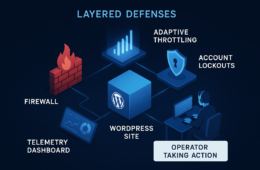
As an agency operator maintaining many client WordPress installs, you don’t have the luxury of reacting slowly. This blueprint explains how plugin exploits develop in the wild and gives you a repeatable, prioritized playbook to minimize exploitable windows across your fleet. Read it as a mentor-to-operator guide: concise, actionable, and focused on the controls you can apply in hours, not weeks.
- How do WordPress plugin exploits usually start?
- The anatomy of a plugin exploit
- Common weaknesses agencies overlook
- Immediate triage: what to run first (action checklist)
- Quick commands and grep patterns you can script
- How to implement controls at fleet scale
- Practical examples: triage in the first 4 hours
- Post-disclosure containment and recovery
- Operator notes: cadence, documentation, and client communication
- Final checklist: what to automate first
- FAQ
How do WordPress plugin exploits usually start?
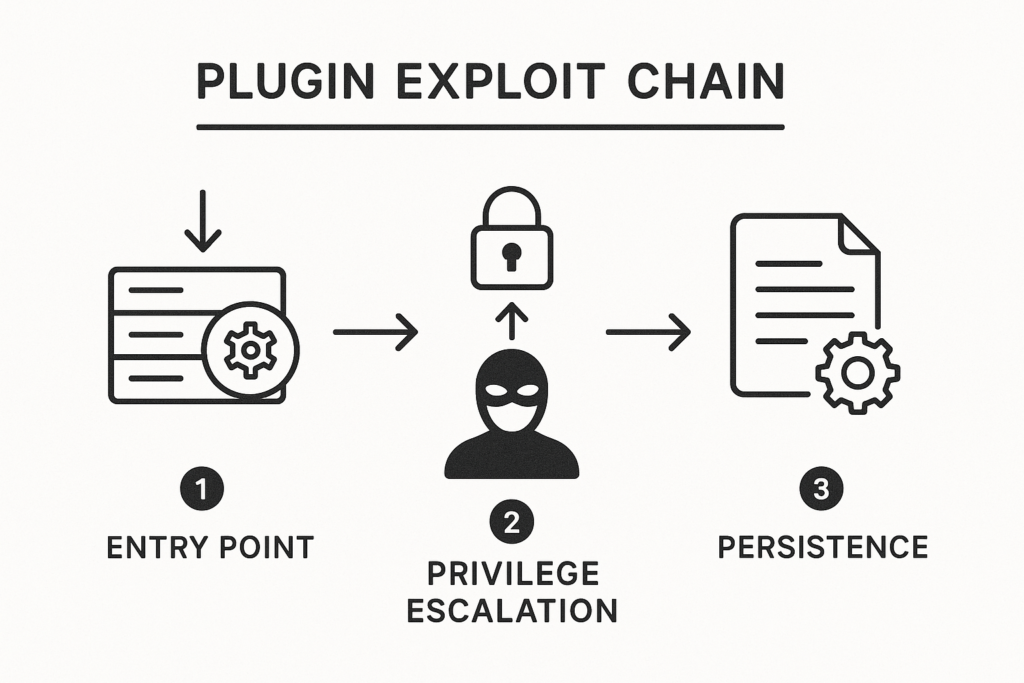
Schematic diagram of a plugin exploit chain with labeled stages
Exploit chains typically begin with a simple exposed input or insecure capability in a plugin, then chain into privilege escalation and persistence — often via file upload, unauthenticated AJAX endpoints, or broken nonce checks. Attackers scan for known plugin versions, test public exploit code, and pivot quickly across hosts once they get a foothold.
Common reconnaissance techniques that accelerate exploitation include:
- Version disclosure via readme.txt, meta generator tags, or publicly accessible plugin assets.
- Automated scanners (bots) that hit plugin-specific endpoints and attempt payload injection.
- Credential stuffing or brute-force to gain low-privilege accounts, then using plugin flaws to escalate.
The anatomy of a plugin exploit
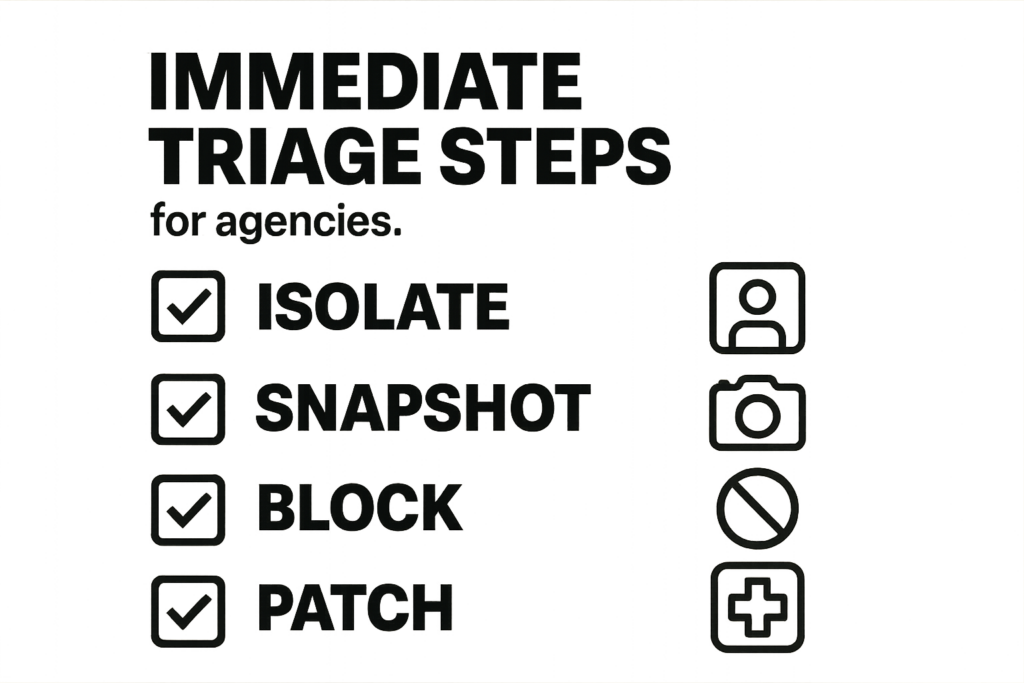
Graphic checklist of immediate triage steps for agency operators
Breaking an exploit down into stages gives you repeatable checkpoints for detection and containment. Below each stage includes practical detection points and quick remediation steps.
Initial vector
Most successful exploits begin with an exposed endpoint: an upload handler with missing MIME checks, an unauthenticated admin-ajax.php action, or a REST API route that trusts unsanitized input. Automated scanners probe for these endpoints by version string or plugin-specific paths.
Detection tips:
- Watch for spikes in POST/PUT requests to plugin-specific URIs.
- Inspect user-agents and request frequency — high volume from few IPs is suspicious.
- Log anomalies in request bodies (base64, long payloads, or unusually large uploads).
Privilege escalation
Once code execution is achieved at a low privilege level, attackers attempt to escalate using writable plugin/theme files, misconfigured file permissions, or weak cron tasks. If user roles are poorly segmented, a single compromised low-level account can bootstrap broader access.
Detection tips:
- Monitor for new user creation or privilege changes.
- Detect unexpected file writes to /wp-content/plugins, /wp-content/themes, or mu-plugins folders.
- Alert on new scheduled tasks or changes to wp-config.php or .htaccess.
Persistence and payload delivery
Common persistence techniques include web shells, backdoored plugin files, scheduled tasks, or modified theme templates. Detecting persistence early is critical because it converts a single exploited site into a persistent foothold that can reach other clients.
Detection tips:
- Compare file hashes against vendor copies and known-good snapshots.
- Search for suspicious PHP patterns (obfuscated code, eval, base64_decode, preg_replace with /e/).
- Monitor outgoing connections from the site for unusual hosts or IPs.
Common weaknesses agencies overlook
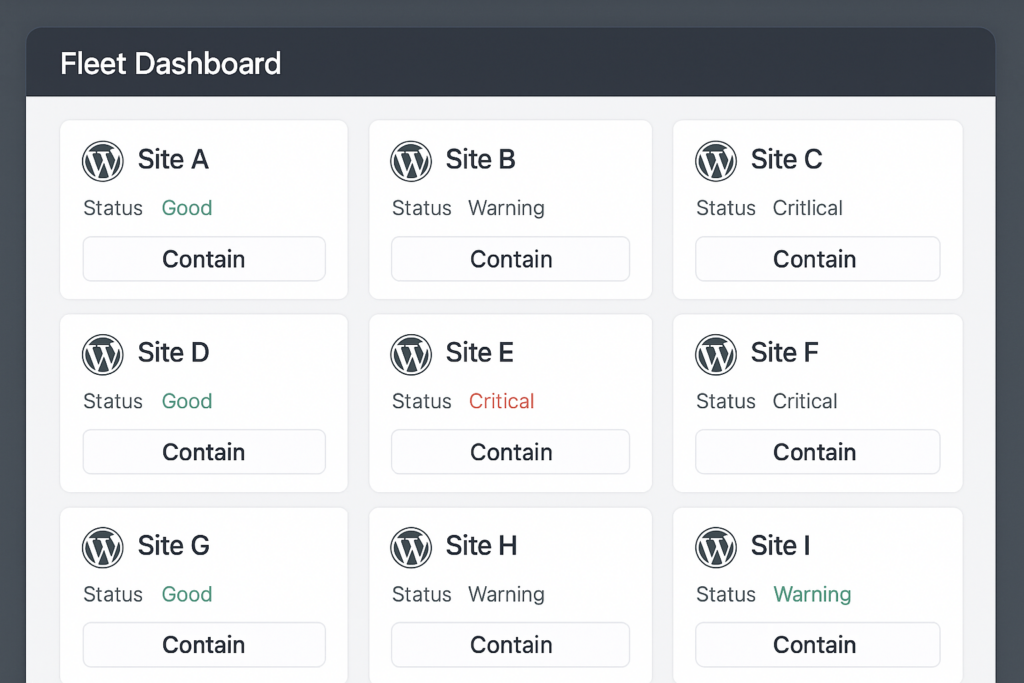
Fleet dashboard mockup showing site statuses and a contain action
Operating many sites creates scale advantages but also systemic blind spots. Here are predictable mistakes I see in the field and how to fix them quickly.
Assuming plugin popularity equals safety
Popular plugins are both well-audited and highly targeted. Don’t assume reach implies safety—monitor version usage instead and prioritize high-impact clients for immediate checks. Maintain a risk score per plugin that includes attack surface, popularity, and known exploit history.
No rapid inventory of plugin versions
If you don’t have a near-real-time inventory, you can’t triage fast. Establish a lightweight inventory mechanism that reports plugin names and versions across clients daily so you can identify affected sites within an hour of disclosure.
Immediate triage: what to run first (action checklist)
When a disclosure appears, use this checklist as your immediate operating rhythm. These steps prioritize containment and evidence preservation.
- Inventory: Query your fleet for the plugin and version string; flag VIP clients first.
- Snapshot: Take file and DB snapshots for flagged sites before changes.
- Network throttling: Temporarily apply a WAF rule or rate limit to endpoints associated with the plugin to slow automated exploitation.
- Staged patch: Apply the vendor patch first to low-traffic staging, validate, then roll to production.
- Credential hygiene: Force password resets for admin role users on high-risk sites and revoke persistent sessions.
- Scan for indicators: Run integrity checks on core/plugin/theme files and search for web shells or unexpected PHP files.
- Notify clients: Inform affected clients with plain-language risk and next steps; document your actions and timeline.
Quick commands and grep patterns you can script
Below are practical examples you can add to your runbook or orchestration scripts. Adapt paths/hosts to your environment.
# List plugins and versions with WP-CLI
wp plugin list --format=json

# Export a DB snapshot (per-site)
wp db export /backups/site-example-$(date +%F_%T).sql

# Verify core files
wp core verify-checksums

# Quick grep for suspicious PHP markers
grep -R --exclude-dir=vendor -nE "eval(|base64_decode(|gzinflate(|str_rot13(|preg_replace(.+?/e" wp-content

# Find recently modified files
find wp-content -type f -mtime -7 -printf '%TY-%Tm-%Td %TT %pn' | sort -r
These appear simple, but when executed across your fleet (via SSH loops, orchestration agents, or a centralized platform) they give immediate situational awareness.
How to implement controls at fleet scale
When time is short, you need tooling that enforces these controls consistently. Build automation for inventory, snapshots, and staged patch rollouts so mitigation becomes routine rather than manual triage.
Implementation steps (practical):
- Inventory pipeline: schedule a daily agent job that returns plugin slugs, versions, PHP version, and last-updated timestamp. Store results in a searchable central index.
- Risk scoring: automatically tag plugin rows with severity (based on CVE, exploit availability, and client impact) so triage surfaces high-risk sites.
- Snapshot automation: hook pre-update jobs to trigger file and DB snapshots and store retention metadata for quick rollback.
- Canary deployment: group 5–10 low-risk sites as canaries. Push patches to canaries first, run smoke tests, then progressively roll out.
- Containment knobs: expose one-click actions in your console — rate-limit endpoint, enable maintenance mode, or block offending IP ranges.
- Monitoring and alerting: central logging, integrity monitoring, and automated scans for persistence indicators with alerting to Slack/ops channels.
For teams looking to implement these controls quickly, consider a provider that integrates fleet inventory, staged updates, and automated containment rules; for documentation on automating these workflows with our platform, see the Hack Halt Inc. documentation. If you want a single way to apply the playbook in this article across dozens or hundreds of client sites, use the vendor tooling to deploy inventory, patch orchestration, and immediate WAF rules from one console.
Practical examples: triage in the first 4 hours
Plan your first 4-hour timeline like a firefight: inventory (0–30 minutes), snapshot (30–90), throttle & validate (90–180), patch or isolate (180–240). Below are real, repeatable commands and checks you can script into your runbook.
0–30 minutes: fast inventory
Run an automated query across your fleet that returns plugin slugs and version numbers. Prioritize e-commerce and high-traffic domains and tag them for immediate snapshotting.
Example operator step: run a bulk WP-CLI command via your orchestration tool to generate a JSON report, then filter sites with the vulnerable version and send an automated alert to the incident channel.
30–90 minutes: snapshot and evidence preservation
Create lightweight file and DB snapshots before any modification. Preserve logs and note timestamps for potential forensic follow-up.
Checklist for snapshots:
- DB dump and compressed copy to an immutable storage location.
- File archive of wp-content and wp-config.php (permission-preserving).
- Export web server access/error logs and PHP-FPM logs for the prior 7 days.
90–240 minutes: throttle, validate, and patch
Apply temporary network rules to slow exploit attempts, validate the vendor patch on staging, then push the patch in controlled waves. Monitor for anomalies for at least 72 hours after patching.
Example Nginx rate-limit snippet (conceptual):
# limit requests to 10r/m for suspicious endpoints (adapt to your stack)
limit_req_zone $binary_remote_addr zone=plugin_rl:10m rate=10r/m;

location ~* /wp-admin/admin-ajax.php {
    limit_req zone=plugin_rl burst=20 nodelay;
    # existing rules...
}
Note: test any WAF or Nginx change on a canary host before fleet-wide application.
Post-disclosure containment and recovery
If you discover active exploitation, treat containment as your priority: isolate the site, preserve evidence for post-incident analysis, and then prioritize eradication.
Isolate and preserve
Move affected sites behind a staging-only access policy or block suspicious IP ranges. Preserve full snapshots and logs before cleanup so you can answer questions about damage and timeline.
Forensic evidence to capture:
- Full filesystem image (or compressed archive) with timestamps preserved.
- Complete DB export and binlogs if available.
- All relevant logs: webserver, PHP, cron, and any external monitoring logs.
Eradicate persistence
Search for unknown PHP files, modified plugin/theme files, and scheduled tasks. Replace infected files with clean copies from vendor sources and rotate all privileged credentials.
Eradication checklist:
- Replace changed plugin files with vendor-supplied copies; verify checksums.
- Remove unknown mu-plugins or uploads that contain PHP.
- Rotate API keys, admin passwords, and revoke sessions for all users with privileged roles.
- Remove unexpected cron events and verify wp-cron sources.
Recover and validate
Restore from a safe snapshot if needed and run post-recovery integrity scans. Keep monitoring enabled for an extended window to catch any latent backdoors or callbacks.
Post-recovery validation steps:
- Run full integrity checks (core + plugins) and compare to clean vendor releases.
- Audit scheduled tasks and admin user activity since recovery.
- Monitor outbound connections and DNS queries for at least 14 days.
Operator notes: cadence, documentation, and client communication
Turn these runbooks into habits: a weekly inventory report, monthly staged plugin patch windows, and a post-incident review template. Keep clients informed with a short, factual timeline and clear remediation steps—avoid overpromising. For ready-made playbooks on credential hardening and incident response that pair well with this blueprint, refer to our related resources like Battle-Tested Playbook: Stop Brute-Force & Credential Stuffing on Your WordPress Site and Layered Response Blueprint: Stop WordPress Malware & Web Shells Fast. Other useful operator references include Hardening Admin Access and Privileged Workflows and the Battle-Tested WordPress Security Checklist.
Example client communication template (short):
Subject: Important: Plugin vulnerability and our immediate actions

We identified that [plugin] used on your site is affected by a disclosed vulnerability. Our team has:
- Flagged your site for priority review
- Taken a snapshot of files and the database
- Applied temporary protections (rate-limiting/WAF)
- Will validate the vendor patch on staging and schedule a controlled update

We will notify you after validation and once the update is complete. If you have questions, reply to this message.
Final checklist: what to automate first
- Daily plugin version inventory and risk tagging.
- Automated snapshot before any bulk plugin update rollout.
- One-click containment actions (rate-limit, maintenance mode, IP block).
- Staged patch orchestration with canary validation on low-risk sites.
- Centralized logging and integrity monitoring for early persistence detection.
FAQ
Q: What is the single most effective early control?
A: Fast, accurate inventory. If you know which clients run the vulnerable code, you can triage orders of magnitude faster than guessing or manual checks.
Q: How do I balance speed and safety when patching many clients?
A: Use staged rollouts: validate on a staging set, monitor, then expand. Always snapshot prior to the first live change so you can roll back safely.
Q: Where can I find step-by-step docs for automating these controls?
A: See the Hack Halt Inc. documentation for automation guides and API references to implement inventory, orchestration, and containment across your client fleet.
Mentor note: start by automating inventory and snapshots this week. Small, repeatable controls reduce your exploit windows dramatically and give you breathing room when disclosures hit. If you want a single platform to implement these controls across clients, check pricing and get started at Register or review the Global Threat Intelligence Network for contextual threat signals.