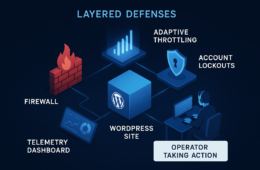
Plugins that promise “total” protection are valuable but incomplete. For IT generalists charged with uptime, patching, and incident response, the goal is not perfect prevention — it’s minimizing blast radius: how far an incident spreads and how quickly you can recover. This hardening guide gives quick wins you can apply today and deeper fixes to bake into your operations, focusing on monitoring, isolation, and repeatable recovery playbooks.
- Why plugins alone leave gaps
- How do you reduce blast radius with monitoring and recovery?
- Quick wins: monitoring you can enable today
- Deep fixes: recovery playbooks and automation
- Incident mini-case study
- Actionable checklist: Reduce blast radius now
- Implementing these controls with operational tooling
- Who should own these tasks?
- Implement now with a single operational partner
- Further reading and operational playbooks
- FAQ
Why plugins alone leave gaps
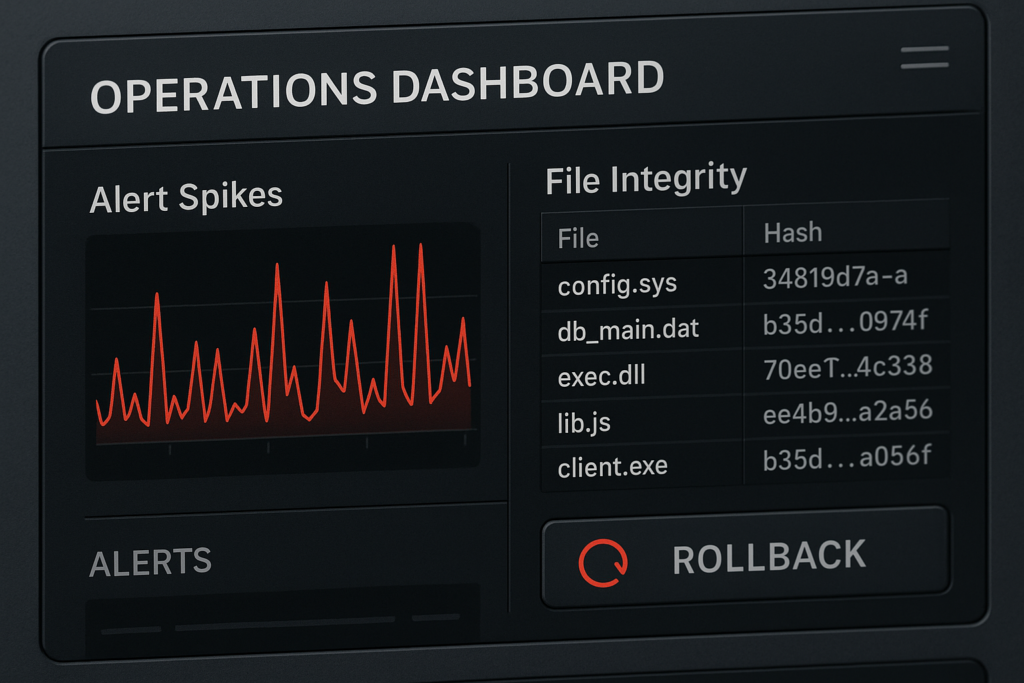
Operations dashboard with alerts and rollback action
Security plugins often cover scanning, firewall rules, and hardening checks, but they rarely own detection-to-recovery workflows. A plugin can flag a compromised file or block suspicious traffic, but it usually won’t orchestrate rollbacks, rotate exposed credentials, or isolate services for you. Those capabilities are operational and process-driven — they need monitoring, immutable backups, and playbooks linked to your deployment model.
Common plugin coverage gaps
Plugins typically miss three operational items: fast, reliable indicators of compromise; safe rollback mechanisms integrated with your deploy pipeline; and documented human workflows for containment and notification. That gap is where blast radius grows.
Why coverage matters for blast radius
When detection lacks a clear, automated follow-up, responders waste precious minutes on triage. Each minute allows lateral movement: credential theft, web shells, or payment page tampering. Limiting blast radius requires stopping spread and restoring known-good state quickly and predictably.
How do you reduce blast radius with monitoring and recovery?
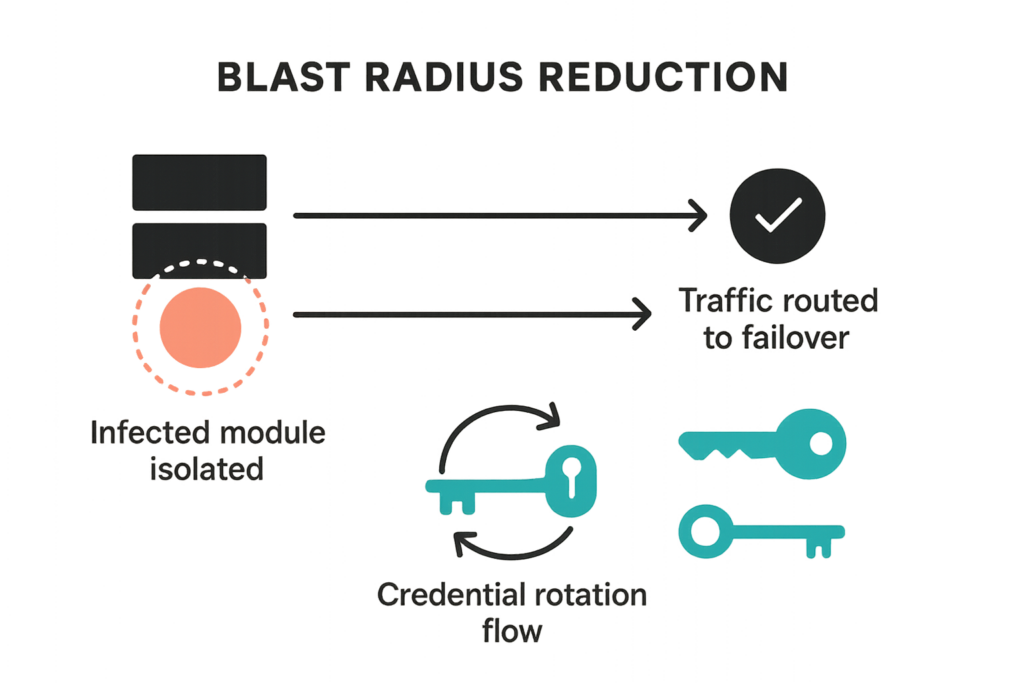
Graphic showing blast radius reduction and isolation steps
Reduce blast radius by combining targeted monitoring that detects early warning signals with an orchestration-capable recovery playbook: detect, isolate, remediate, rotate, and restore. Each step must be assigned to roles with runbooks and automation where possible.
Detect: what to watch
Prioritize indicators that reliably precede escalation: unexpected admin account creation, file checksums changing on core files, spikes in POST requests to payment endpoints, and repeated failed logins followed by successful login from a new IP. These are higher signal than generic malware scans.
- Concrete indicators and thresholds:
- New admin user created outside deployment windows — alert immediately.
- Core file checksum mismatch — trigger FIM alert and create snapshot of the current state.
- Checkout or payment endpoint POST spike over baseline + 3 standard deviations — route to ops channel.
- Failed login flood followed by success from new IP/country — require MFA re-challenge and revoke sessions.
- Implementation steps:
- Map critical endpoints (login, checkout, API endpoints) and instrument external uptime probes at 1–5 minute intervals.
- Baseline file checksums immediately after a known-good deploy; store the baseline off-host and version it in your repo.
- Create alert rules with clear escalation paths (pager, slack, email) and include context (site, timestamp, checksum ID).
Isolate: fast containment moves
Containment should be small and reversible: place the affected site into a maintenance page, revoke the session of the suspected admin user, and isolate the instance or container in your hosting environment. That reduces lateral movement while you investigate.
- Step-by-step isolation runbook (example):
- Activate maintenance page (redirect traffic at the load balancer or webserver level).
- Revoke all active admin sessions and expire cookies for users with privileged roles.
- Quarantine the instance: remove from load balancer pool or snapshot and isolate network ACLs to block outbound access.
- Capture volatile data (process list, open connections, recent logs) and store with the snapshot for forensics.
- Quick checklist:
- Do not change files in-place before taking a snapshot (preserve forensic evidence).
- Communicate status to stakeholders using the playbook notification template.
- If payment pages are involved, disable checkout paths immediately and route users to status page.
Quick wins: monitoring you can enable today

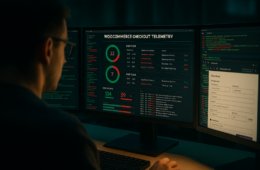
IT generalist reviewing a recovery playbook with site health graphs
Quick wins are low-effort settings that deliver outsized blast-radius reductions. Implement these in days, not weeks.
Uptime and health probes
Configure external uptime probes for key endpoints: homepage, login, checkout pages. Probe frequency of 1–5 minutes for critical endpoints gives you early detection of service-impacting tampering.
- Example setup: probe login and checkout endpoints every 2 minutes, validate expected content (login form present, checkout form returns 200).
- Alerting: send to a single on-call channel with playbook link and runbook checklist.
File integrity monitoring (FIM)
Enable FIM focused on core, active themes, and active plugins. Store known-good baselines off-site and alert only on changes outside scheduled deployments to reduce noise.
- Practical tips:
- Limit FIM scope to active codepaths — too broad leads to alert fatigue.
- Automate baseline updates as part of your CI/CD deploy step so legitimate changes don’t trigger alarms.
Deep fixes: recovery playbooks and automation
Deep fixes take more time but make incidents manageable and repeatable. This section covers design patterns to embed into operations.
Immutable backups and rapid rollback
Design backups to be immutable and automated. Snapshots should be time-stamped, cryptographically verifiable, and accessible for quick restores. Anchor your rollback strategy to a pre-approved snapshot and document the exact restore command sequence for your environment.
- Rollback implementation checklist:
- Ensure backups are write-once (immutable) and retained for at least 14 days.
- Automate snapshot creation before and after deployments and tag them with deploy IDs.
- Document the restore command sequence and test it in a staging environment until you can restore in under your SLO (target under 1 hour).
Isolation and credential rotation
Automate credential rotation for API keys and admin passwords as part of the playbook. After isolation and snapshot, rotate all potentially exposed secrets and force reauthentication for privileged sessions.
- Playbook automation examples:
- Run credential rotation scripts that update secrets in your vault and trigger webhook tokens to the codebase.
- Invalidate sessions and revoke API tokens programmatically so human responders don’t forget steps under stress.
Incident mini-case study
A mid-market store noticed altered product listings and a surge of strange POST traffic on a weekend. The site used a security plugin that flagged malware, but operators lacked a tested rollback path. We implemented a short playbook: 1) probe alerted ops, 2) site moved to maintenance and offending admin sessions revoked, 3) immutable snapshot identified pre-compromise state, 4) automated rollback restored checkout in 28 minutes, and 5) credential rotation closed the window for attackers. The decisive element was the playbook and snapshots, not the scanner alone.
What we did
We prioritized containment (maintenance page + session revocation), used the immutable snapshot to rollback, and rotated keys before putting the site back live. The plugin alert helped, but the recovery runbook delivered the short time-to-recovery.
Outcome
Service restoration in under 30 minutes for customer-facing pages and a clear forensic snapshot for post-incident analysis. The blast radius was confined to a single site instance; no payment data was exposed.
Actionable checklist: Reduce blast radius now
- Enable external uptime probes for critical endpoints (login, checkout, API).
- Probe cadence: 1–5 minutes for critical endpoints.
- Include content validation (forms, expected headers).
- Turn on selective file integrity monitoring for core, active themes, and plugins.
- Baseline after a known-good deploy and store baselines off-site.
- Set immutable daily backups with at least 14-day retention and test restores.
- Perform weekly restore tests in staging and a quarterly full recovery drill.
- Create a one-page recovery playbook: roles, notification steps, restore commands.
- Include quick command snippets, escalation contacts, and a link to your forensic checklist.
- Automate credential rotation as the final step in any containment workflow.
- Use a secrets vault and automation scripts so rotation is repeatable and auditable.
- Schedule quarterly full recovery drills and monthly tabletop reviews.
- Record outcomes and update the playbook after each drill.
Implementing these controls with operational tooling
Operationalizing monitoring and recovery reduces mistakes during incidents. Link your monitors to alerting channels, ensure backups are accessible to on-call staff, and version your playbooks in a shared repository. For documentation on integration points and specific settings, consult internal product docs and runbooks such as our operational documentation page: Documentation.
Where plugins help — and where they stop
Plugins are helpful for detection and prevention; combine them with external probes, immutable backups, and runbooks to achieve containment. See our deeper operational guidance on blast-radius reduction in these resources: Why Other Plugins Aren’t Enough, the extended tactics in How WordPress Hacks Actually Happen, and our malware response blueprint Layered Response Blueprint.
Linking playbooks to documentation
Attach playbook steps to documentation pages and automated scripts so responders can execute without ambiguity. Use the authoritative internal docs and retain a single source of truth for restore commands and credential owners. Keep links to specialized runbooks — for example, credential hardening and admin workflows — nearby: Hardening Admin Access and Avoid These Admin-Access Mistakes.
Who should own these tasks?
Ownership matters. Primary on-call should own detection and containment; platform engineers should own backups and automation; an operations lead should own playbook maintenance and drills. Assign clear escalation paths and backup owners so coverage exists outside primary shifts.
- Suggested RACI (example):
- Detection alerts: Responsible = on-call, Accountable = ops lead, Consulted = platform engineer, Informed = product owner.
- Backup and restore automation: Responsible = platform engineer, Accountable = infrastructure manager, Consulted = security lead, Informed = on-call.
- Training and validation:
- Run quarterly drills and ensure new hires run through the one-page playbook during onboarding.
Implement now with a single operational partner
To accelerate implementation across monitoring, immutable backups, and playbook orchestration, consider a focused operational solution. Hack Halt Inc. provides integrated monitoring and recovery orchestration designed to implement the controls described in this article — from file-integrity baselines to automated rollback workflows; see how to get started at our pricing and plans page: Hack Halt Inc. Plans. For general background on our approach and further documentation, visit Hack Halt Inc..
Further reading and operational playbooks
Round out your program with focused playbooks: Layered Response Blueprint for malware, Battle-Tested Playbook: Stop Brute-Force for credential defenses, and our tactical hardening guides like Minimize WooCommerce Blast Radius for eCommerce-specific risks. Keep links to those runbooks in your main incident playbook so operators jump to the right reference under stress.
FAQ
Will a security plugin stop all WordPress incidents?
No. Security plugins reduce risk but can’t guarantee full containment. They typically focus on prevention and scanning; containment, quick recovery, and blast-radius reduction require monitoring, backups designed for rapid rollback, and documented playbooks tied to your deployment and credential cycles.
How fast should my recovery playbook restore service?
Aim for measurable goals: time-to-detect under 15 minutes and service restoration (or safe rollback) within one hour for most critical pages. Your exact SLOs should reflect business impact, but these targets keep blast radius small and customer impact limited.
How often should I test recovery playbooks?
Test quarterly for full recovery runs and monthly for tabletop or partial drills. Regular tests validate assumptions (backup integrity, credential availability, DNS TTLs) and reduce mistakes during real incidents.
What’s the minimum monitoring I should enable today?
Start with uptime probes, basic file-integrity checks on core and plugin files, and alerting on unexpected admin sign-ins. Those low-effort monitors detect many common escalations and give you early warning to trigger your playbook.
Where can I learn more operationally focused tactics?
Explore additional tactical articles and playbooks in our library such as Fight Back, and operational teardowns like Admin Privilege Mistakes — WooCommerce. These resources provide practical checks and examples you can adapt into your playbooks.