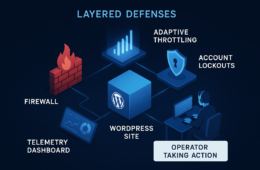
This article is a tactical teardown for WordPress site owners who operate without a full SOC: it identifies the admin-access mistakes that actually lead to breaches, explains why those approaches fail in the wild, and gives concrete corrective actions you can apply today to harden privileged workflows and reduce incident blast radius.
Why admin access errors are the root cause
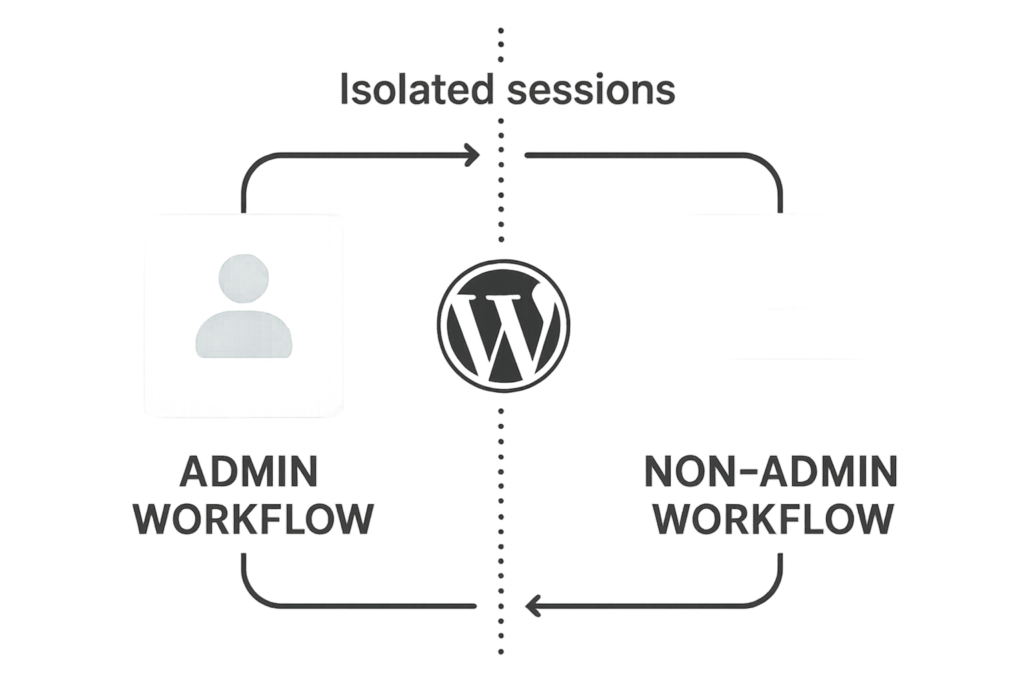
Diagram of separated admin and non-admin workflows
Attackers focus on admin access because it grants control over plugins, content, users, and site behavior. Common defensive gaps — shared admin accounts, long-lived sessions, missing MFA, and poor credential hygiene — turn a simple phishing or credential-stuffing attempt into full site compromise. Fixing these failures is operational work: policies, enforcement, and repeatable playbooks that fit an owner/operator’s daily flow.
Top mistakes that let attackers in (and what to change immediately)
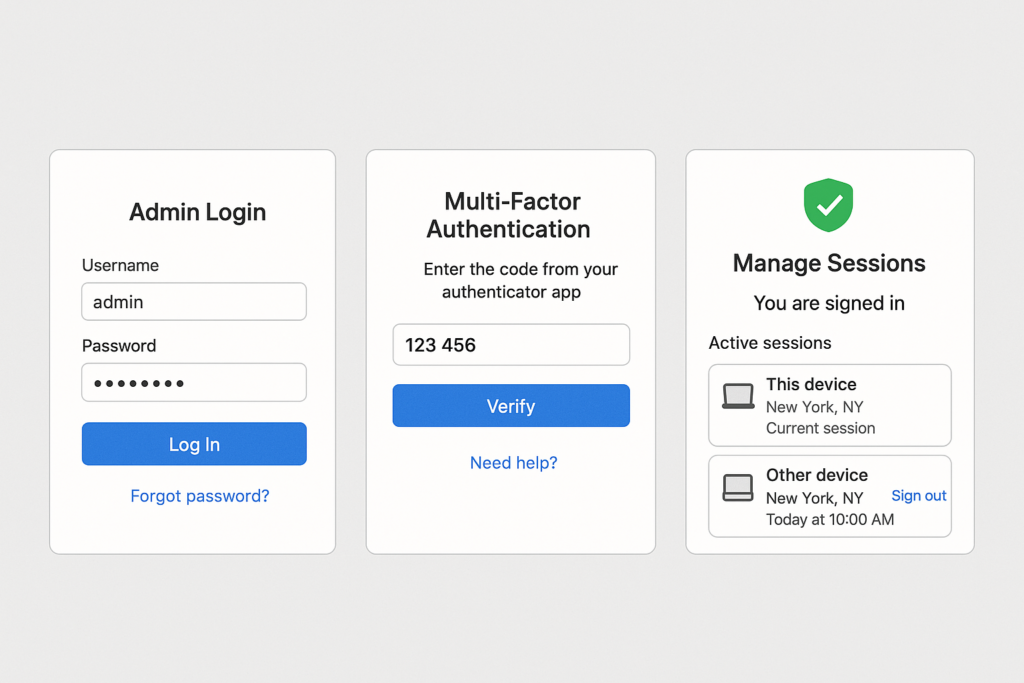
Secure admin login flow with MFA and session controls
Mistake 1 — Shared or generic admin accounts
Why it fails: Shared accounts remove accountability, prevent targeted revocation, and make auditing useless. When one person leaves or a contractor is replaced, that account often remains active.
Corrective action: Create unique admin accounts for each person. Immediately audit user roles with the WP-CLI command or user list in the dashboard; change any shared accounts to unique names, reduce rights for routine tasks, and keep exactly two dedicated break-glass accounts that are tightly controlled and monitored. Example command to inspect roles with WP-CLI: wp user list --fields=ID,user_login,roles. If you cannot run WP-CLI, export the users list from Users → All Users and remediate manually.
Mistake 2 — No multifactor authentication on privileged users
Why it fails: Single-factor logins are easily bypassed by credential stuffing or phishing. Attackers can escalate a partially compromised user to admin if MFA isn’t enforced for privilege elevation.
Corrective action: Require MFA for all accounts with elevated roles. Enforce it at login and for administrative actions where possible. If your site integrates with identity controls, ensure the identity provider requires MFA. For local enforcement, document an MFA enrollment policy, force re-enrollment for all admins, and log all MFA events for review.
Mistake 3 — Long-lived admin sessions and ‘remember me’ tokens
Why it fails: Persistent sessions allow an attacker with a stolen cookie to maintain access without re-authentication; session revocation is often neglected after a suspected compromise.
Corrective action: Set sensible session lifetimes for admin roles (shorter than public users), force session invalidation on password changes, and log the session start IP and user-agent for privileged accounts. If you detect anomalous sessions, revoke them immediately and rotate credentials for affected accounts.
Comparison: common admin controls and their operational tradeoffs
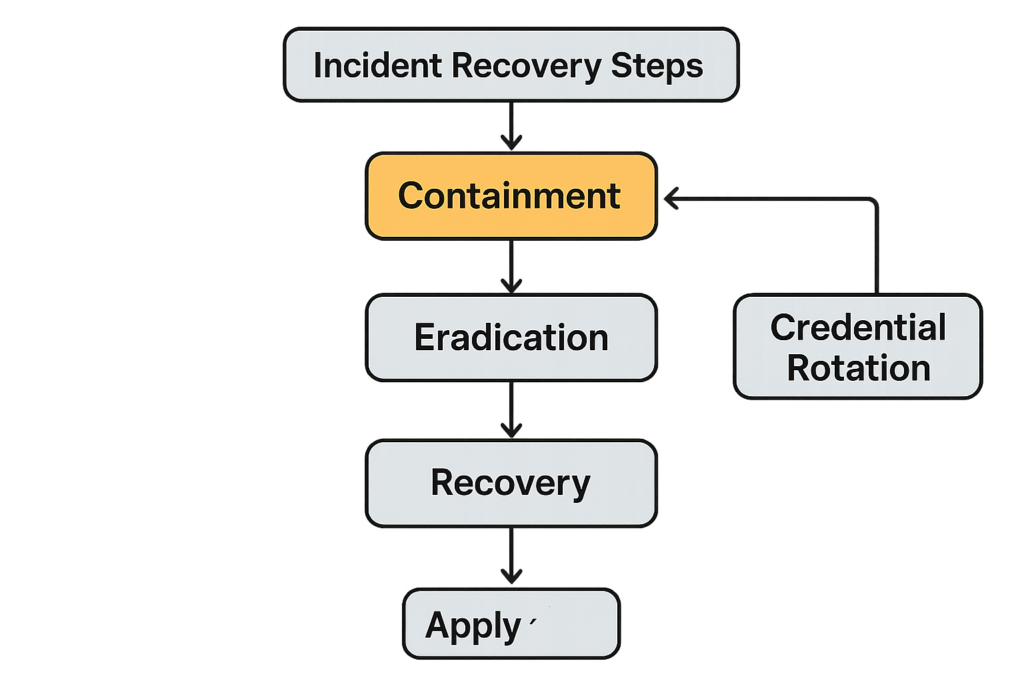
Incident recovery flowchart focusing on containment and credential rotation
| Control | Operational Effort | Effectiveness & Practical Takeaway |
|---|---|---|
| Per-user admin accounts | Medium — initial setup and ongoing provisioning | High — enables targeted revocation and auditing. Make it standard for contractors. |
| MFA for privileged users | Low — one-time enrollment; periodic enforcement | Very high — stops credential stuffing and many phishing paths. Prioritize for all admins. |
| Short admin session TTL | Low — configuration change | Medium — reduces window for stolen session abuse but needs session logging to be effective. |
Takeaway: prioritize controls that deliver high security per unit of operational effort: per-user accounts and MFA deliver the best ROI for small teams.
Remediation playbook: step-by-step fixes you can run this week
Step 1 — Audit and inventory privileged users
Action: Export or run a user list and flag anyone with Administrator or Super Admin roles. For each account, record last login, purpose, and owner. Remove any account that has no owner or is a shared generic login.
- Checklist: run
wp user list --fields=ID,user_login,roles, export to CSV, annotate owner & justification. - Priority: immediate — remove orphaned accounts and convert shared logins to unique accounts.
Step 2 — Implement least-privilege workflows
Action: Break routine tasks away from admin privileges. Create distinct roles for content editors, shop managers, and integrators. When a task requires elevation, use a documented temporary elevation workflow that includes approval, timer-based auto-revoke, and logging of the elevated window.
- Example: create a “Shop Operator” role with limited product management rights rather than giving everyone Administrator.
- Temporary elevation: use a ticket or a short-lived credential with explicit start/end times and a recorded approval.
Step 3 — Enforce secure login and credential hygiene
Action: Require MFA for all privileged accounts, rotate passwords on a regular cadence, and disable ‘remember me’ for admin users. Where automated access is needed (integrations, API keys), issue scoped credentials and store them in a secrets manager or a protected place, not in posts, theme files, or plugin settings.
Practical implementation: add a short mu-plugin or security plugin rule to change admin session behavior and disable persistent cookies for admins. Example code (place in a mu-plugin to reduce the chance of removal):
<?php
add_filter('auth_cookie_expiration', function($expiration, $user_id, $remember){
  $user = get_userdata($user_id);
  if ($user && in_array('administrator', (array) $user->roles, true)) {
    // make admin sessions expire on browser close
    return 0;
  }
  return $expiration;
}, 10, 3);
?>
Note: test any code on staging and ensure plugins that manage sessions are compatible.
Operational controls to protect privileged workflows
Logging, alerting, and simple detection rules
Action: Turn on detailed audit logging for user changes, plugin/theme installs, and permission changes. Set simple alert rules that you can act on: new admin user created, admin password reset, or multiple failed logins targeting an admin account. Keep log retention long enough to investigate an incident, and export logs to an off-site location when possible.
- Suggested alerts and thresholds:
- New Administrator created — immediate alert
- Admin password reset — immediate alert and require manual verification
- 3+ failed logins for any admin account within 10 minutes — trigger account lock and notify owner
Access gating and network-level restrictions
Action: Where feasible, restrict wp-admin and xmlrpc.php access to known IPs or require a VPN for admin sessions. If you operate a distributed team, require VPN or a bastion host for administrative work and rotate access credentials through a small ops window.
- Implementation steps:
- Identify static admin IPs and apply webserver-level allowlists or HTTP basic auth for wp-admin.
- Require VPN or bastion hosts for remote contractors; enforce device posture checks if possible.
- Document and store temporary IP exceptions with an expiry.
Emergency (break-glass) procedures
Action: Define exactly two break-glass accounts that live offline when not in use. Record who can activate them and the verification steps required. After any break-glass use, conduct a post-event checklist: rotate all admin credentials, revoke all active sessions, and perform a content and plugin integrity scan.
- Break-glass checklist:
- Require multi-party approval to enable the account.
- Log the activation time, operator, and purpose.
- Immediately after use: rotate passwords, revoke sessions, review audit logs, and run integrity checks.
How to test and verify your hardening — practical checks
Run these operational tests monthly: attempt login with a revoked admin account (it should fail), force a password change and verify session invalidation, and verify MFA prompts for an admin-level action. Document the results and make remediation status visible to the team owner.
- Useful WP-CLI verification:
wp core verify-checksumsto validate core files. For plugins/themes, reinstall from a clean source or compare files to a known-good repository. - Session tests: simulate a stolen cookie by logging in from a separate browser then force a password reset and confirm the old session is terminated.
- MFA test: remove MFA enrollment for a test admin, attempt to perform an admin action, and ensure re-enrollment or blocking happens.
For deeper, structured guidance on minimizing damage and recovery techniques, consult the Minimize WooCommerce Blast Radius roadmap and the Battle-Tested WordPress Security Checklist. If credential stuffing or brute-force is a primary concern for your site, see the tactical approaches in Stop Brute-Force & Credential Stuffing. For agency- and process-level mistakes, see Admin Access Hardening: 12 Costly Mistakes Agencies Make and Tactical Fixes.
Incident containment checklist — what to do immediately after suspected admin compromise
- Disable affected admin accounts and force full password rotation for all admins.
- Revoke all active sessions for privileged accounts (use your security plugin or session manager).
- Rotate all API keys, application passwords, and integration credentials; replace with scoped, short-lived credentials.
- Take a file-level snapshot and compare wp-content against a known-good source; reinstall suspect plugins/themes from verified packages.
- Export audit logs to an off-site location, preserve artifacts, and perform a root cause analysis.
Final operational recommendations and where to get help
Start by implementing per-user admin accounts and forcing MFA for every privileged user. Shorten admin session lifetimes, lock down admin network access where possible, and create a written break-glass process. These are practical, operational controls that an owner/operator can apply without a full SOC.
If you want to offload enforcement and monitoring, Hack Halt Inc. provides managed controls and workflows designed specifically for WordPress admin hardening — it’s a direct way to implement the controls in this article. Learn more or get started with a managed plan at Hack Halt Inc. pricing.
For documentation and onboarding resources, visit the Documentation and Security Hub pages. If you’re new to Hack Halt, the Welcome! page provides the quickest orientation.
When you finish the steps above, schedule a 30-minute operations review to validate role separation, session behavior, and alert coverage. These small, repeatable practices are the difference between a contained incident and a breach that takes days to recover from.