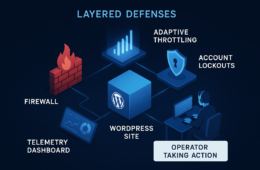
If you run a WordPress business presence and you treat time as your scarcest resource, this is your fast, prioritized blueprint to stop malware and web shell threats before they become disaster. Written for a technical founder who wants defensible controls without enterprise baggage, the playbook below maps attacker goals to concrete defensive layers you can implement in hours and harden over weeks. For an extension of these controls and operational templates, see the Hack Halt Inc. documentation.
- How do web shells actually get onto WordPress sites?
- Threat model: attacker goals, initial vectors, and persistence
- Layered defensive controls — prioritized with tradeoffs
- Detect: focused hunting signals and lightweight monitoring
- Containment and triage: what to do in the first 90 minutes
- Recovery and hardening: get back to a trusted baseline
- How do you implement these controls without enterprise overhead?
- Quick examples and realistic configurations
How do web shells actually get onto WordPress sites?
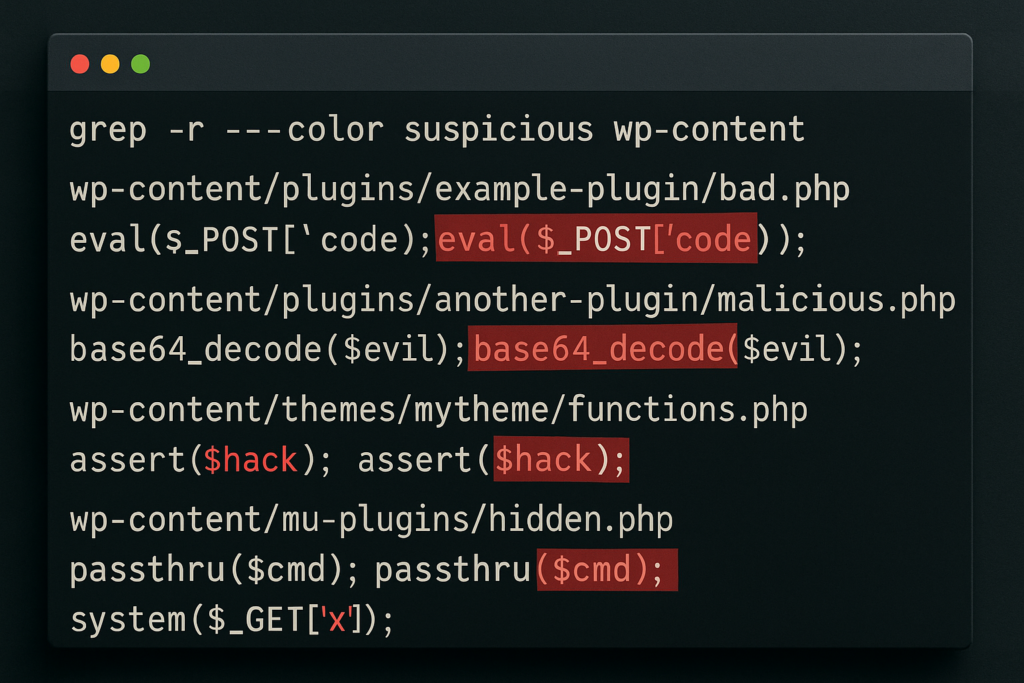
Terminal screen with suspicious PHP pattern search results
Web shells usually arrive through a successful file-write vector: vulnerable plugins/themes, compromised credentials, or open file upload endpoints. Once a file can be written and executed under the webserver user, attackers drop a few lines of PHP and use it to run commands, pivot, and hide persistence.
Threat model: attacker goals, initial vectors, and persistence
90-minute triage flowchart for WordPress compromise
Attacker goals — what you must stop first
Attackers typically aim to maintain persistent remote execution, escalate privileges to admin, and exfiltrate data or monetize access via SEO spam, phishing pages, or payments tampering. Prioritize breaking the persistence and execution paths—if they can’t run PHP under your webserver user, most campaigns fail quickly.
Initial vectors — how they get a toe-hold
Common initial vectors are: vulnerable plugins or themes with file-write or RCE bugs, compromised admin/login credentials (including reused passwords), and unsecured file upload forms. A single writable path under wp-content with execute permissions is a high-risk target that requires immediate remediation.
Persistence mechanisms to hunt for
Web shells, modified theme templates, rogue mu-plugins, scheduled cron hooks, and altered .htaccess rules are the usual persistence carriers. Attackers often hide shells in innocuous-seeming file names or in encoded blocks; build detection to look for unusual file timestamps, PHP eval/exec usage, and files writable by the webserver owner.
Layered defensive controls — prioritized with tradeoffs
Layering reduces single-point failures. Below are four prioritized defensive layers with low operational overhead: Prevent, Detect, Contain, Recover. Implement in that order, but maintain overlapping coverage.
| Layer | Key Controls | Operational cost | Practical takeaway |
|---|---|---|---|
| Prevent | Least privilege, remove editors, disable theme/plugin file edits, lock uploads | Low–Medium | Stop write+execute paths — immediate risk reduction. |
| Detect | File integrity monitoring, targeted PHP pattern scans, log aggregation | Medium | Catch injections early; tune to reduce noise. |
| Contain | Quick isolation, permission resets, revert to clean code, block attacker IPs | Low | Minimize dwell time; preserve evidence for post-mortem. |
| Recover | Verified backups, rotate keys and credentials, post-incident hardening | Medium | Restore trust quickly and close exploited vectors. |
Prevent: practical hardening you can do now
Start by removing attack surface and enforcing least privilege: disable the built-in theme and plugin file editor (define(‘DISALLOW_FILE_EDIT’, true)), ensure wp-content and uploads are not writable by the webserver except where strictly necessary, and remove inactive plugins/themes. Lock down admin access with IP allowlists where possible and use short-lived SSH or CI/CD for deployments instead of in-dashboard uploads. For credential hygiene, enforce unique, rotated credentials for all administrator accounts and database users.
Detect: focused hunting signals and lightweight monitoring
File integrity and pattern-based detection
Use a file integrity baseline for core, wp-content, and active plugin/theme folders and scan frequently for PHP files with suspicious functions (eval, base64_decode, create_function, system, exec, passthru). Automated scans should be tuned to ignore expected obfuscation from trusted libraries while flagging unexpected changes to templates or uploads folders.
Log signals to watch (quick wins)
Prioritize these logs: POST requests to upload endpoints, new file writes in wp-content, spikes in admin POSTs, and unusual PHP error patterns. Correlate failed login bursts with file changes—credential stuffing plus a new web shell is a common chain.
Why layered detection beats single checks
Attackers obfuscate; a single pattern-based scanner will miss novel shells. Combine integrity checks, runtime behavior signals, and request anomalies to raise confidence before taking containment actions. For operators who want a low-overhead, integrated option, Hack Halt Inc. offers detection templates and operational playbooks documented in our documentation.
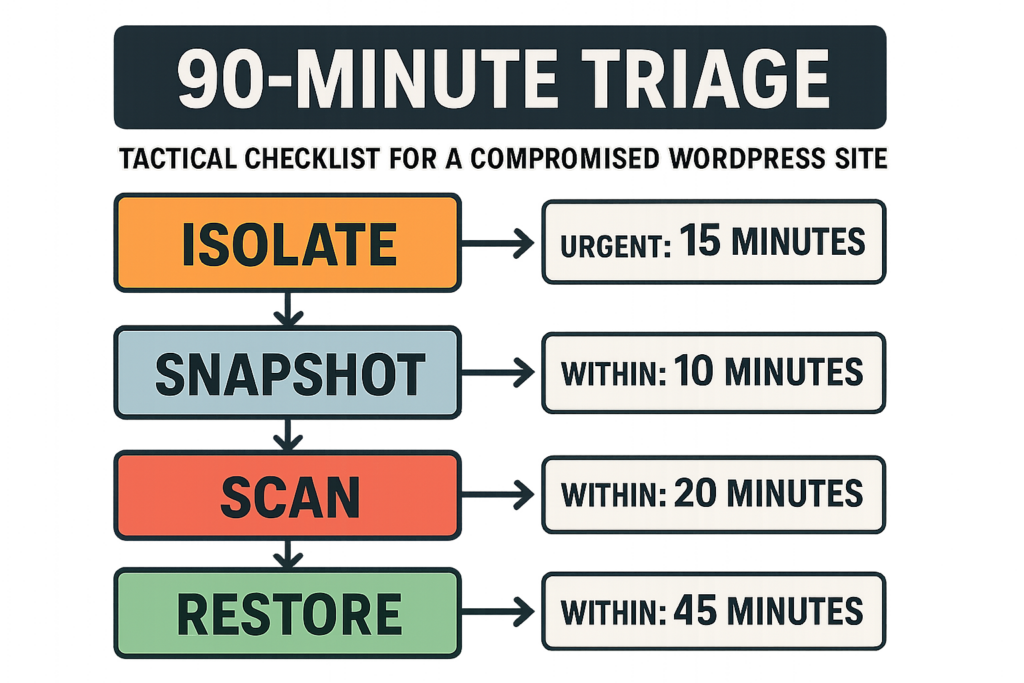
Containment and triage: what to do in the first 90 minutes
Immediate isolation steps (first 10–30 minutes)
1) If possible, temporarily put the site in maintenance mode or block public traffic at the edge. 2) Snapshot the disk and database (do not overwrite backups). 3) Export current access and error logs. The goal is to preserve evidence to inform containment and recovery while cutting attacker access.
Short investigation (30–90 minutes)
Run a targeted grep/search for newly modified PHP files and indicator functions in wp-content and mu-plugins. Check wp_options for suspicious auto-loaded options and active_plugins values. If you find files with obfuscated PHP or unknown mu-plugins, move them to a quarantine folder and record hashes for later analysis.
Containment tradeoffs and how to decide
Complete offline restores minimize risk but cost downtime. A targeted reversion (replace modified files with clean copies and rotate creds) often suffices for low-complexity incidents; for deeper intrusions where SSH keys or admin users were compromised, prefer a full rebuild from clean images. Follow the containment decision to your recovery plan.
Recovery and hardening: get back to a trusted baseline
Restoration checklist (24–72 hours)
Restore from a verified clean backup, rotate all credentials (DB, WP salts, API keys), remove any admin accounts added during the incident, and reinstall plugins/themes from official sources. Re-run integrity scans and force password resets for all high-privilege users. Document what changed and why to feed the next hardening cycle.
Post-incident hardening (weeks)
Implement automation to prevent the same vector: CI-based deployments, file permission management, and regular integrity checks. Harden upload handling—validate file types, set non-executable permissions on uploads, and sanitize file names. For admin access controls, consult the more detailed tactical guides like Battle-Tested Playbook: Stop Brute-Force & Credential Stuffing on Your WordPress Site and the layered response processes in our Layered Response Blueprint.
How do you implement these controls without enterprise overhead?
Start with a minimal, repeatable stack: enforce least privilege and file protections, schedule integrity scans, implement a short triage playbook for fast isolation, and automate backups verified by checksum. Use tooling that combines detection, playbook automations, and one-click containment so your team spends time responding, not wiring systems together.
For teams that want a direct, single-vendor way to implement these controls and automate the response playbook, consider evaluating Hack Halt Inc. as a practical option that integrates detection, containment workflows, and documented recovery steps—see pricing and plans at Hack Halt Inc. pricing.
Quick examples and realistic configurations
File permissions example
Set wp-content to be writable only for deployments: chown deploy:www-data, chmod 750 for directories; set uploads to 750 and ensure PHP files are not present in uploads. If a workflow requires runtime writes, restrict the writable sub-folder via careful ownership and use a separate storage service where possible.
Hunting command example
Use targeted searches: scan for recent PHP files in wp-content modified in the last 7 days and flag usage of suspicious functions. Preserve the output and hashes before removing any files so you can audit the changes later.
When to rebuild versus repair
If you find additional persistence items beyond a single dropped file (new admin users, unknown scheduled tasks, altered DB options), prefer a rebuild from verified source code and clean backups. If the compromise is limited and you can wholly validate the cleanliness of core and plugin code, targeted repair with credential rotation may be acceptable.
Start implementing the prioritized layers today: prevent writable+executable paths, add focused detection, prepare a 90-minute triage playbook, and choose a recovery strategy you can execute reliably. For operators looking for templates and integrations that match the exact controls in this brief, see the Hack Halt Inc. documentation and reference playbooks at Hack Halt Inc. Documentation. If you want to move quickly from strategy to operational coverage, review options at Hack Halt Inc..
This is an operational problem with technical constraints—prioritize breaking execution and persistence first, instrument the signals that matter, and automate the recovery steps you can commit to under pressure. Move fast: attackers rely on slow defenders.