

The complete WordPress security platform.
Twenty-one modules covering detection, response and recovery — from WAF request inspection and webshell scanning to guided incident response and one-click restore.
For sites where a breach is a business event, not an inconvenience.
ProSecure assumes something will eventually get through, and is built around what happens next: detect it precisely, understand the whole chain, contain it, and restore cleanly.
Twenty-one modules, one platform
Most WordPress security plugins do one job well and leave the rest to you. ProSecure is built the other way round: every layer an attack has to cross is covered by a module, and every module reports into the same Command Center — so you are never reconstructing a picture from four different screens.
Situational awareness
Command Center, Live Traffic, Threat Intel and Reports. This is where you see what is actually happening — every request with its country, network, decision and risk score, a cross-module risk composite, and threat intelligence synced from the Hack Halt network.
Protection
Firewall Policies, Intrusion Prevention, WAF Inspection, Account Security, CSP Control, SRI Control and Honeypot Traps. Requests are inspected before WordPress processes them, logins are protected by multi-factor authentication and automatic lockouts, and your supply chain is watched for drift in the scripts your pages actually load.
Detection and response
Vulnerability Scanner, Webshell Scanner, Database Integrity, File Integrity and Incident Orchestration. ProSecure assumes something will eventually get through and is built around what happens next — finding backdoors and obfuscated code, catching persistence that never touches a plugin file, and correlating the whole chain into a single timeline.
Recovery
Backups and Manual Restore. Evidence is preserved rather than overwritten, and a clean restore is one click away instead of a support ticket and a lost afternoon.
Twenty-one modules should not mean twenty-one decisions
A large platform is only useful if you know where to start. The Security Advisor inspects your actual environment — your WordPress version, your plugins, your server configuration, and what is already enabled — then ranks what to do next by real impact on your site rather than a generic checklist.
Recommendations are applied straight from the list. A guided first run covers the highest-value settings in a few minutes, and the Advisor keeps reassessing as your site changes, so it stays useful instead of becoming a setup wizard you never open again.
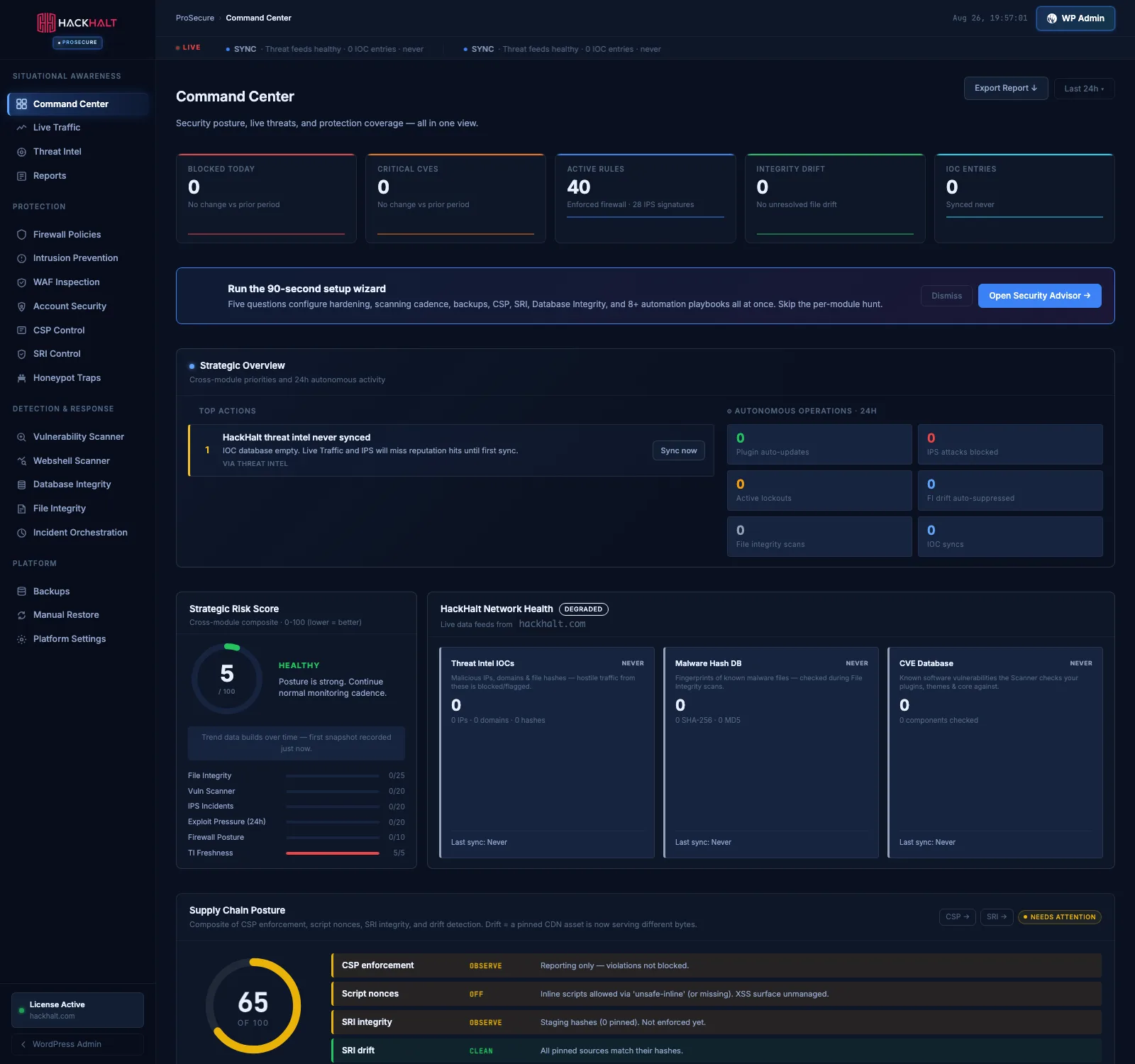
Your entire security posture in one view.
Live threats, protection coverage, a cross-module risk score and the single highest-value action to take next — without opening twenty screens.
- Cross-module strategic overview
- Composite risk score with per-module contribution
- Supply-chain posture across CSP, SRI and drift
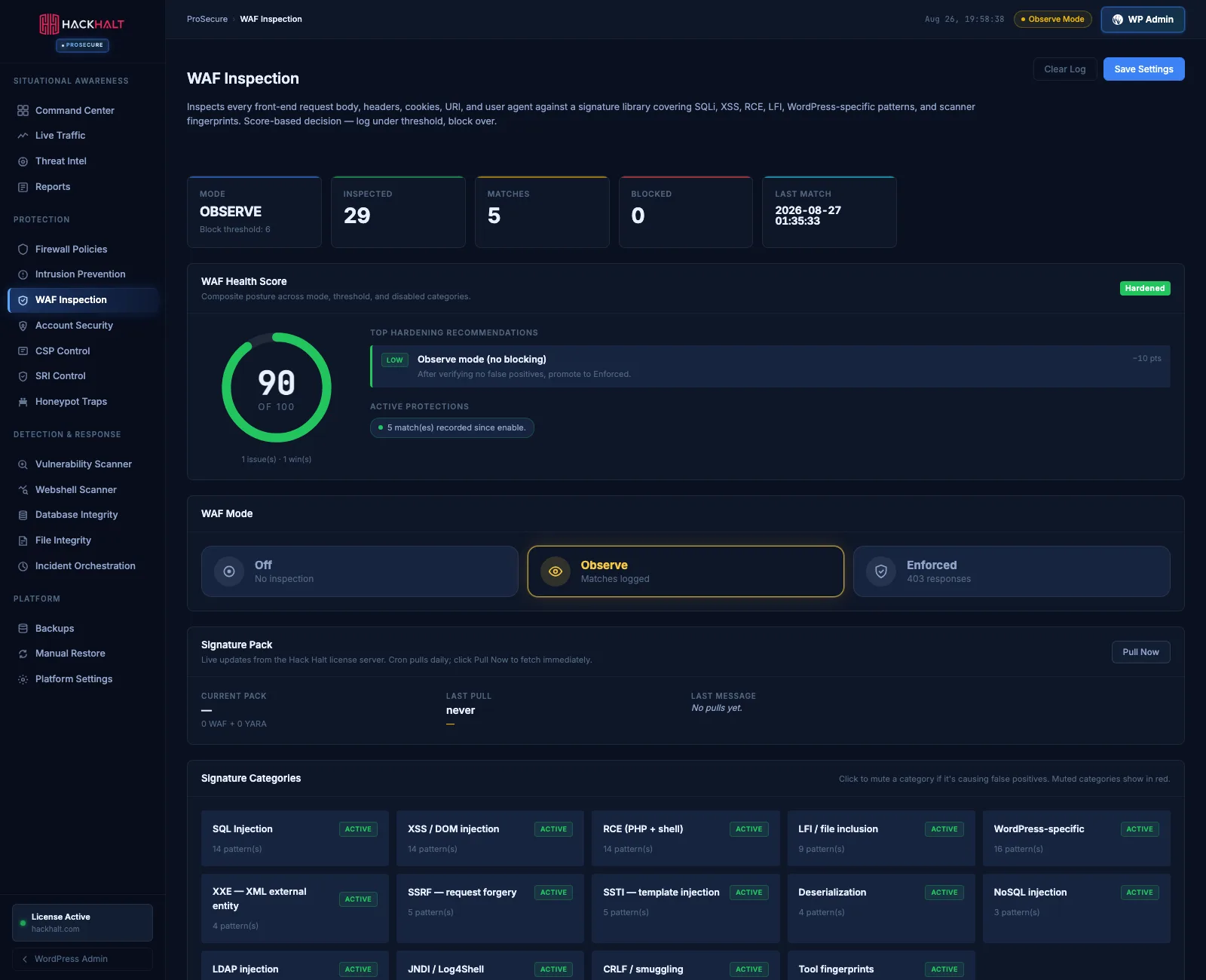
Stop malicious requests before WordPress processes them.
WAF inspection examines requests as they arrive, so injection and traversal attempts are refused before they ever reach your application code.
- Request inspection with rule attribution
- Firewall policies and rule groups
- Intrusion prevention with automatic lockouts
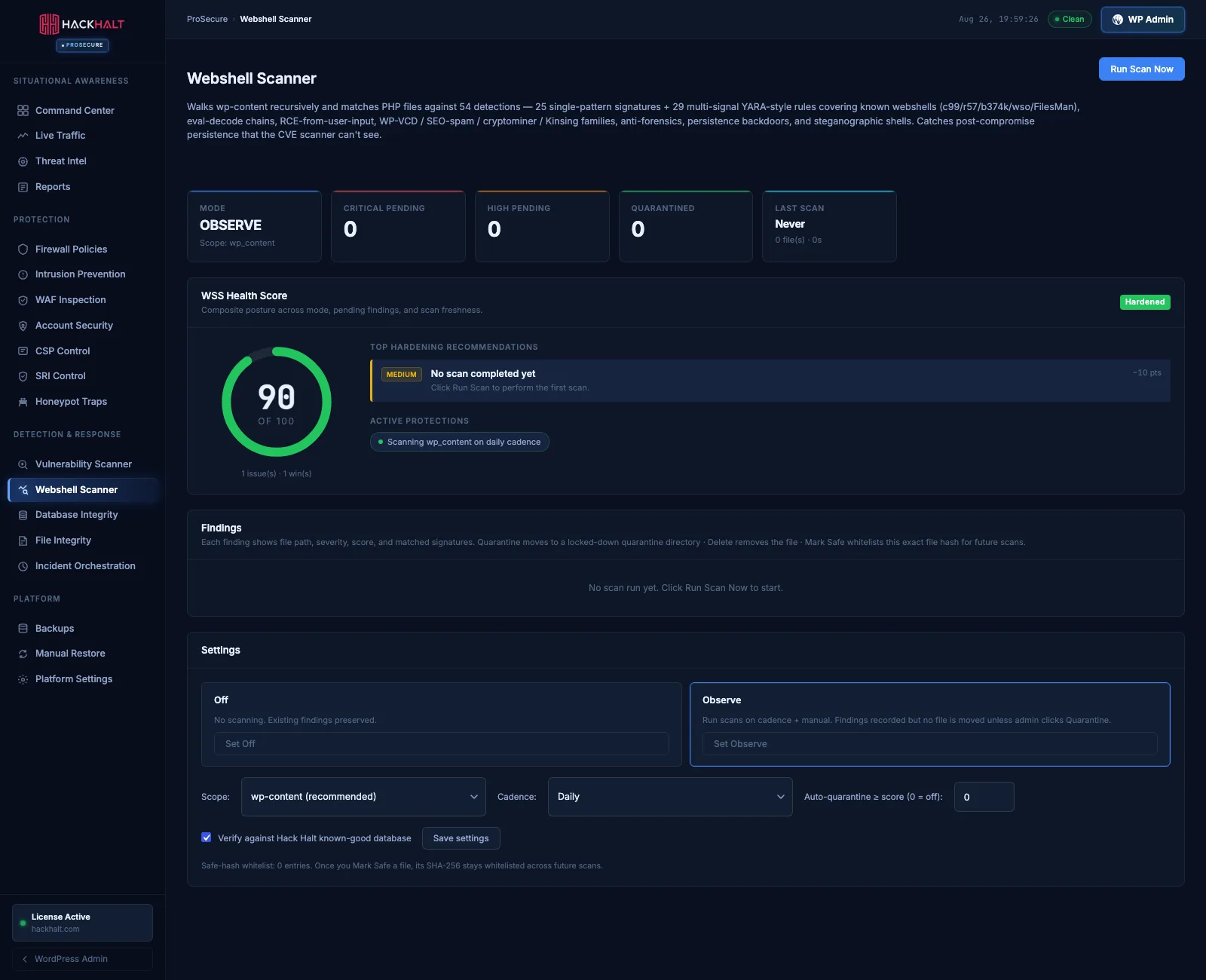
Find what a normal scanner misses.
Webshell scanning hunts for backdoors and obfuscated code, while database and file integrity monitoring catch persistence that never touches a plugin file.
- Webshell and obfuscated-code detection
- Database integrity monitoring
- File integrity baselines and drift
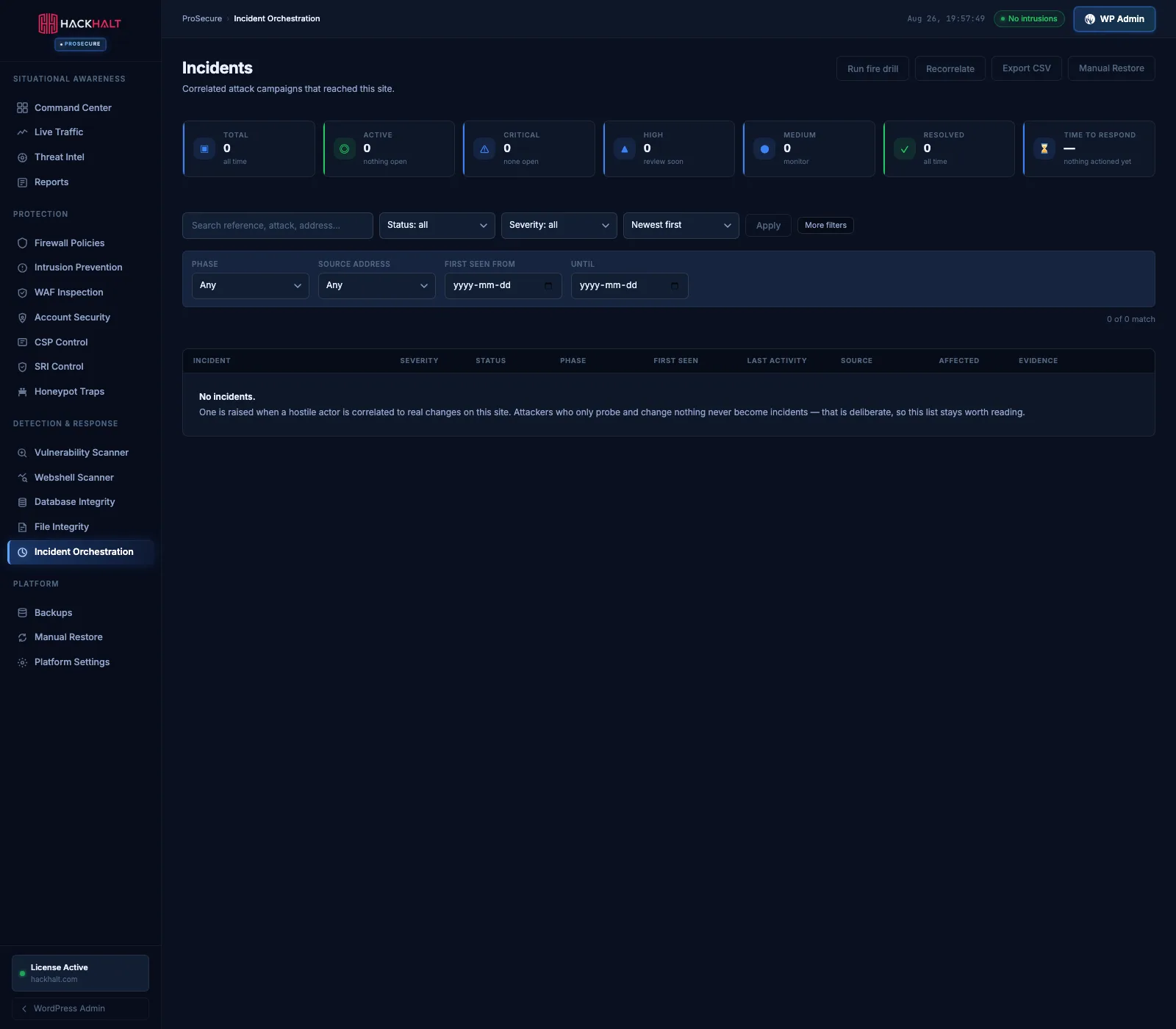
Handle an incident without improvising.
Incident Orchestration correlates the full attack chain into a timeline, preserves the evidence, and walks you through containment and recovery.
- Correlated attack-chain timeline
- Preserved evidence and blast-radius view
- Backups and one-click restore when you need them
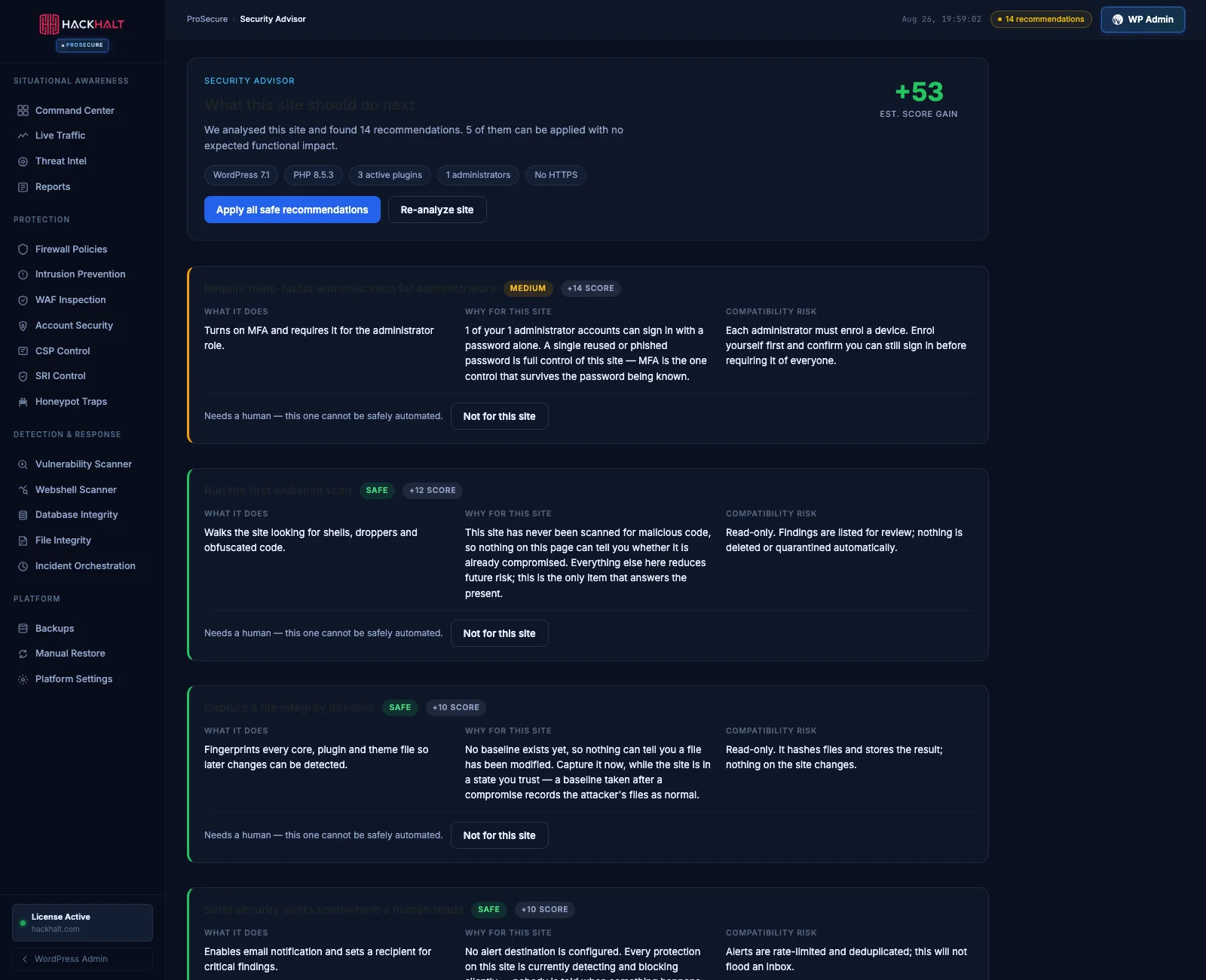
Always know what to fix next.
The Security Advisor inspects your actual environment and ranks what to do next, so a twenty-one module platform never feels like twenty-one decisions.
- Environment-aware recommendations
- Ranked by real impact on your site
- Apply straight from the recommendation
ProSecure is the complete Hack Halt protection experience.
It includes the protection model behind Free and Pro, and adds the detection, response and recovery layers that business-critical sites need.
What happens when something does get through
Prevention is the easy half. The hard half is the hour after a site is compromised, when nobody is certain what changed, how it started, or whether removing the obvious file actually removed the problem.
ProSecure treats that hour as the real product. When activity crosses from suspicious to confirmed, Incident Orchestration correlates individual events into a single attack chain — the entry point, what the attacker touched, and the blast radius across files, database and outbound connections. Evidence is preserved rather than overwritten by the next scan.
From there you work from a timeline instead of a hunch. The Webshell Scanner tells you whether a backdoor was left behind, Database Integrity tells you whether persistence was written somewhere a file scan will never look, and Manual Restore lets you roll back precisely what was affected rather than rebuilding the site and hoping.
You can also rehearse it. ProSecure includes a fire drill that runs the detection and response path end to end without touching real data — so the first time you use incident response is not during a real incident.
Frequently asked questions
Do I need Hack Halt Free or Pro installed to use ProSecure?
No. ProSecure is a separate, complete platform rather than an add-on. It includes the protection model behind Free and Pro and adds detection, response and recovery layers on top.
Will ProSecure slow my website down?
Visitor-facing overhead is minimal — a handful of extra database queries and a few milliseconds per page on a normally configured host with an opcode cache enabled. Heavy work such as scanning runs on a schedule in the background, not during a visitor's page load.
What is the difference between the vulnerability scanner and the webshell scanner?
The vulnerability scanner checks your plugins, themes and WordPress core against known published vulnerabilities — problems the wider world already knows about. The webshell scanner looks for backdoors and obfuscated code already sitting on your server, which by definition no vulnerability database lists.
What happens if my licence cannot be checked?
Nothing breaks. A licence check that fails for a transport reason — DNS, a timeout, a server error or a rate limit — puts the site into a grace period rather than locking you out. Protection keeps running while the check retries.
Can ProSecure lock me out of my own site?
The features that could are deliberately designed not to. Multi-factor enforcement always lets an unenrolled administrator sign in so they can enrol, a renamed login URL can be disabled instantly from wp-config.php, and enforcement hooks fail open rather than taking the site down.
Does ProSecure replace my backups?
It includes backups with encryption and one-click restore, and for most sites that is sufficient. If you already run host-level or off-site backups, ProSecure's are complementary — they are integrated with incident response, so you can restore precisely what an attack touched instead of rolling the whole site back.
How is ProSecure different from Hack Halt Pro?
Pro automates protection for a site that matters — threat feeds, file integrity monitoring, scheduled scans and automated attack-chain response. ProSecure adds what a business-critical site needs when prevention is not enough: WAF request inspection, webshell and database integrity scanning, full incident orchestration, and backup and restore.
Where to go next
ProSecure is the complete platform. These are the lighter levels, and the full comparison.
When the site is critical, protect it like it is.
Give your most important WordPress site Hack Halt’s highest level of protection.